
HoneyFleur116 - Minecraft Skins & Skin History
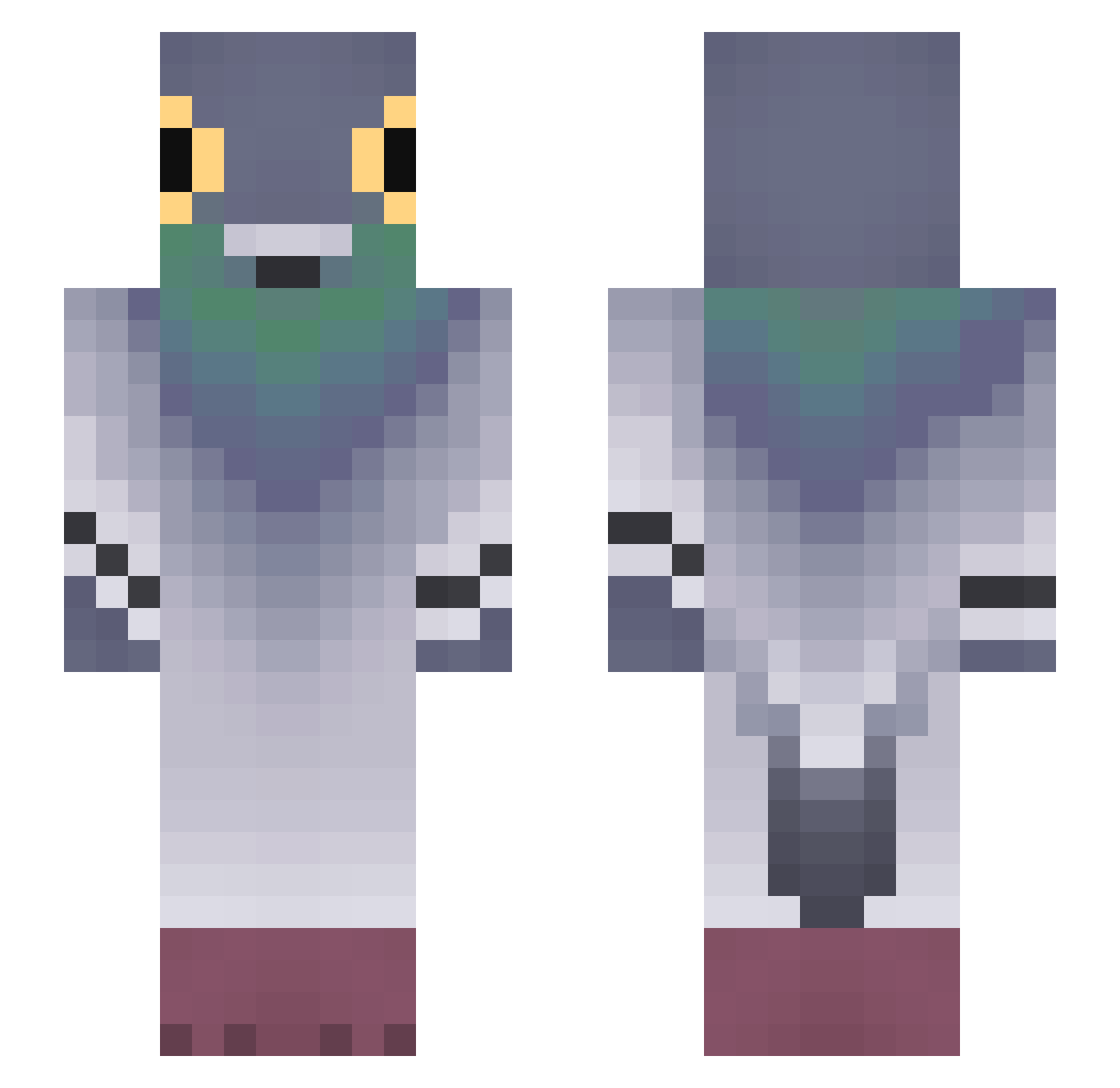
Current Minecraft skin of the player HoneyFleur116, loaded from the official Mojang API. Rotate the 3D model with your mouse or finger, then download the skin as a PNG file and use it in Minecraft: Bedrock Edition or Java Edition for free. When HoneyFleur116 changes their skin, this page updates automatically and the old skin stays in the history below.
Other players with this skin (679)
HoneyFleur116 was the 113th player we have seen with this skin, first spotted on 08.08.2026. The same skin was seen on these players. Open a nickname to see their current skin and skin history.
 fxxk_1117 Anba tnij sarahah4ha
 Angelos1236 KarimatsuJasmine tom7583 aurowan ilovepigeons0 kiogBOB Neylan890 PotatoeCat44 KingRIO111 amirmo1398
 Maripies callla_lilyy Garmarg Slayer_of_Shadow pups_gutz Peyo12
 papu67 skoda_x leewnhee itz_casem UnknownStikky minimuddawg
 Grumpy314 Sky_7487 neolivii
 Faded_Pigeon6767 VHSViper HamboneTBone DanilTraXX lolypopped gasi_30 praise12 Sogeking27 Johnny_jerkoff RejectedBear DAY_frover Frahuel Jayzona9 KrispyyCracker Spooksn SCES26 zhana2202 samzaleas CAPITAN_BLANCO RebelLettuce hato0112 Cabs_01 PickleSahur1 Corvus037 wataclo Ismoisms Pigo134 Sablos Chaussettes99 Dr_GoldFisch YeezyLover911
More Pigeon Minecraft skins
How to install the HoneyFleur116 skin
- Press the Download button above to save the skin as a PNG file.
- Minecraft: Bedrock Edition (PE): open the Dressing Room from the main menu (or tap your character → Edit Character), go to Classic Skins → Owned, press the + (new skin) button, choose the downloaded PNG and pick the Slim (Alex) model. Works on PC and mobile; consoles cannot import custom skins.
- Minecraft: Java Edition: open the Minecraft Launcher, go to the Skins tab, click New Skin, load the PNG, pick the Slim (Alex) model and press Save & Use. You can also upload it at minecraft.net → Profile → Change Skin.
The skin does not show up after import - what should I do?
Restart Minecraft and open the Dressing Room again - imported skins sometimes appear only after a restart. Also make sure you selected the imported skin and picked the Slim (Alex) model.
Which model should I choose, Classic or Slim?
This skin is designed for the Slim (Alex) model. If you pick the wrong model, the arms of the skin will look stretched or squeezed.
Is the skin of HoneyFleur116 free to download?
Yes. Press Download, save the PNG file and use it in Minecraft: Bedrock Edition or Java Edition - no payment or registration needed. The skin also works on multiplayer servers and Realms.
More skins
Looking for more? Go back to all Minecraft skins and check the top skins of the week, month and all time, or find any player's skin by nickname.