
Honestryy - Minecraft Skins & Skin History
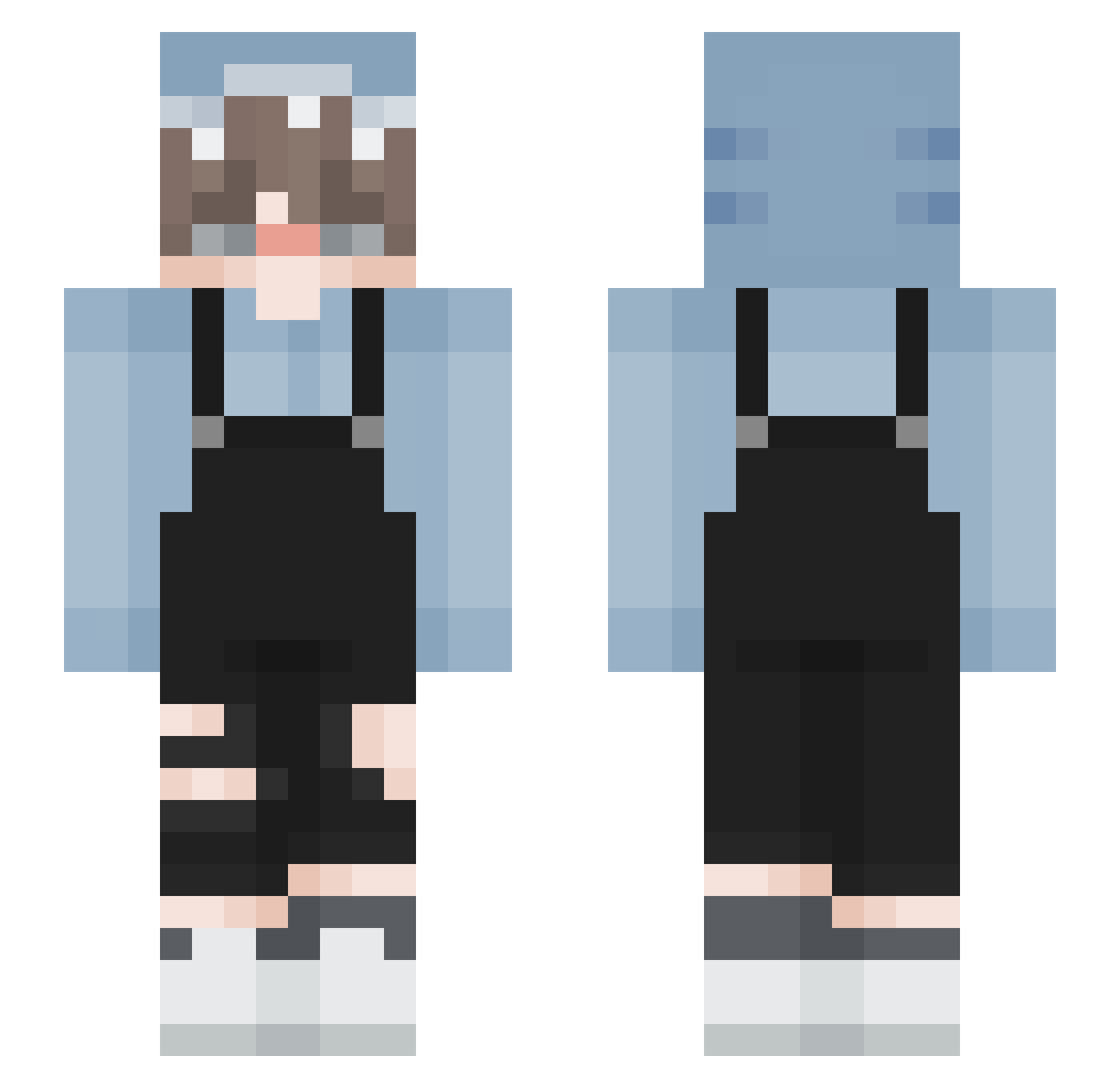
Current Minecraft skin of the player Honestryy, loaded from the official Mojang API. Rotate the 3D model with your mouse or finger, then download the skin as a PNG file and use it in Minecraft: Bedrock Edition or Java Edition for free. When Honestryy changes their skin, this page updates automatically and the old skin stays in the history below.
Other players with this skin (177)
Honestryy was the 123rd player we have seen with this skin, first spotted on 08.10.2026. The same skin was seen on these players. Open a nickname to see their current skin and skin history.
 Azendork eidos xEmrullah Byakuya23 Gabizavar TheDapperDork aphuelva81 BearLATE todyn2202 nincluded Fulgur777 Questionable286 DuplexWolf34844 TheMysteryPie MonikaChan Silver_While Zayona DDpro23 zhangmanman Charakterekk _ZoZoAbba_ A1Soul fuzz_slayer pasteldragonboy lekund Meibingsu__ 6xeu MewoSchrader PICO_kid just_gray yJoh nevtix suareest dog_1010 cadinlily Sipx_ real_schlagamete HaYul_03 G5YANG2 1LabyMod kimyboy PeeWee07 sambby mimaru33 Danini1705 Inhvlieren froggie_6969 hamsang NongBee PatCrp Virgil_Morgan gylim Simfhy Laohu0857 GreenKeewee2 whiplas_h Riithm NatsuBBT Arzearn OFWSI
How to install the Honestryy skin
- Press the Download button above to save the skin as a PNG file.
- Minecraft: Bedrock Edition (PE): open the Dressing Room from the main menu (or tap your character → Edit Character), go to Classic Skins → Owned, press the + (new skin) button, choose the downloaded PNG and pick the Slim (Alex) model. Works on PC and mobile; consoles cannot import custom skins.
- Minecraft: Java Edition: open the Minecraft Launcher, go to the Skins tab, click New Skin, load the PNG, pick the Slim (Alex) model and press Save & Use. You can also upload it at minecraft.net → Profile → Change Skin.
The skin does not show up after import - what should I do?
Restart Minecraft and open the Dressing Room again - imported skins sometimes appear only after a restart. Also make sure you selected the imported skin and picked the Slim (Alex) model.
Which model should I choose, Classic or Slim?
This skin is designed for the Slim (Alex) model. If you pick the wrong model, the arms of the skin will look stretched or squeezed.
Is the skin of Honestryy free to download?
Yes. Press Download, save the PNG file and use it in Minecraft: Bedrock Edition or Java Edition - no payment or registration needed. The skin also works on multiplayer servers and Realms.
More skins
Looking for more? Go back to all Minecraft skins and check the top skins of the week, month and all time, or find any player's skin by nickname.