
HoganPlayz - Minecraft Skins & Skin History
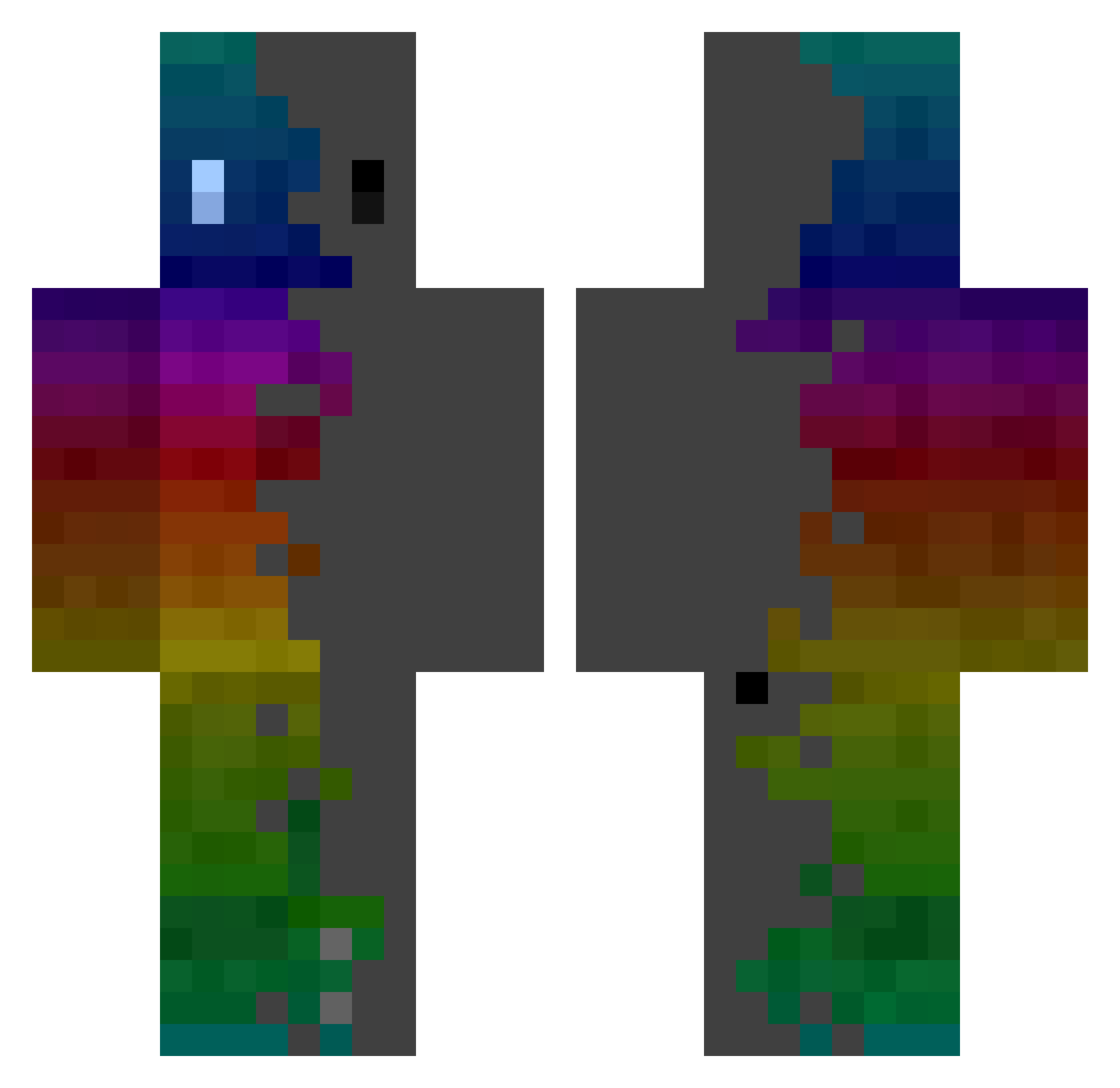
Current Minecraft skin of the player HoganPlayz, loaded from the official Mojang API. Rotate the 3D model with your mouse or finger, then download the skin as a PNG file and use it in Minecraft: Bedrock Edition or Java Edition for free. When HoganPlayz changes their skin, this page updates automatically and the old skin stays in the history below.
Other players with this skin (442)
HoganPlayz was the 405th player we have seen with this skin, first spotted on 10.11.2026. The same skin was seen on these players. Open a nickname to see their current skin and skin history.
 dachampthomas flygamer68 RaringStew748 DenJerre1508_10 Hellothere12311 Pecera_2118 MattLaBatte PrinceFlamboyant baannirr Adiv0 stofacendobusine saminuel Zenitsu_6 Eccho92 Xcuse_mE Virgilelepigeon grotagracom lyriic_2 fairy0805 AdamParker1 dehtda SleggYTB SIMYYUN Elenastyrant84 Jiaen8888 1979ke AliX_p Monayy Overlord_Zeta GRENADE116 DerLuxy_ I3aBa Matt_Hat Kaatsuki73 Cgamer639 MonsterPlayz48 Allcure ZowaUchiha xPrimordial jul24260 Super1180 MikeEternus HANDSOMEHWI davyloulou LiL_ou SrPugaa zzyfabc maximumi129 Vedette2007 Z3R007 Nopal_Th lagme EveryEZ PonyLaggante BlackSkorpion98 dazeili Yzaak07 perfectno0ne Lukas_brambora09 Mr_Fem13
How to install the HoganPlayz skin
- Press the Download button above to save the skin as a PNG file.
- Minecraft: Bedrock Edition (PE): open the Dressing Room from the main menu (or tap your character → Edit Character), go to Classic Skins → Owned, press the + (new skin) button, choose the downloaded PNG and pick the Classic (Steve) model. Works on PC and mobile; consoles cannot import custom skins.
- Minecraft: Java Edition: open the Minecraft Launcher, go to the Skins tab, click New Skin, load the PNG, pick the Classic (Steve) model and press Save & Use. You can also upload it at minecraft.net → Profile → Change Skin.
The skin does not show up after import - what should I do?
Restart Minecraft and open the Dressing Room again - imported skins sometimes appear only after a restart. Also make sure you selected the imported skin and picked the Classic (Steve) model.
Which model should I choose, Classic or Slim?
This skin is designed for the Classic (Steve) model. If you pick the wrong model, the arms of the skin will look stretched or squeezed.
Is the skin of HoganPlayz free to download?
Yes. Press Download, save the PNG file and use it in Minecraft: Bedrock Edition or Java Edition - no payment or registration needed. The skin also works on multiplayer servers and Realms.
More skins
Looking for more? Go back to all Minecraft skins and check the top skins of the week, month and all time, or find any player's skin by nickname.