
Hjubi2 - Minecraft Skins & Skin History
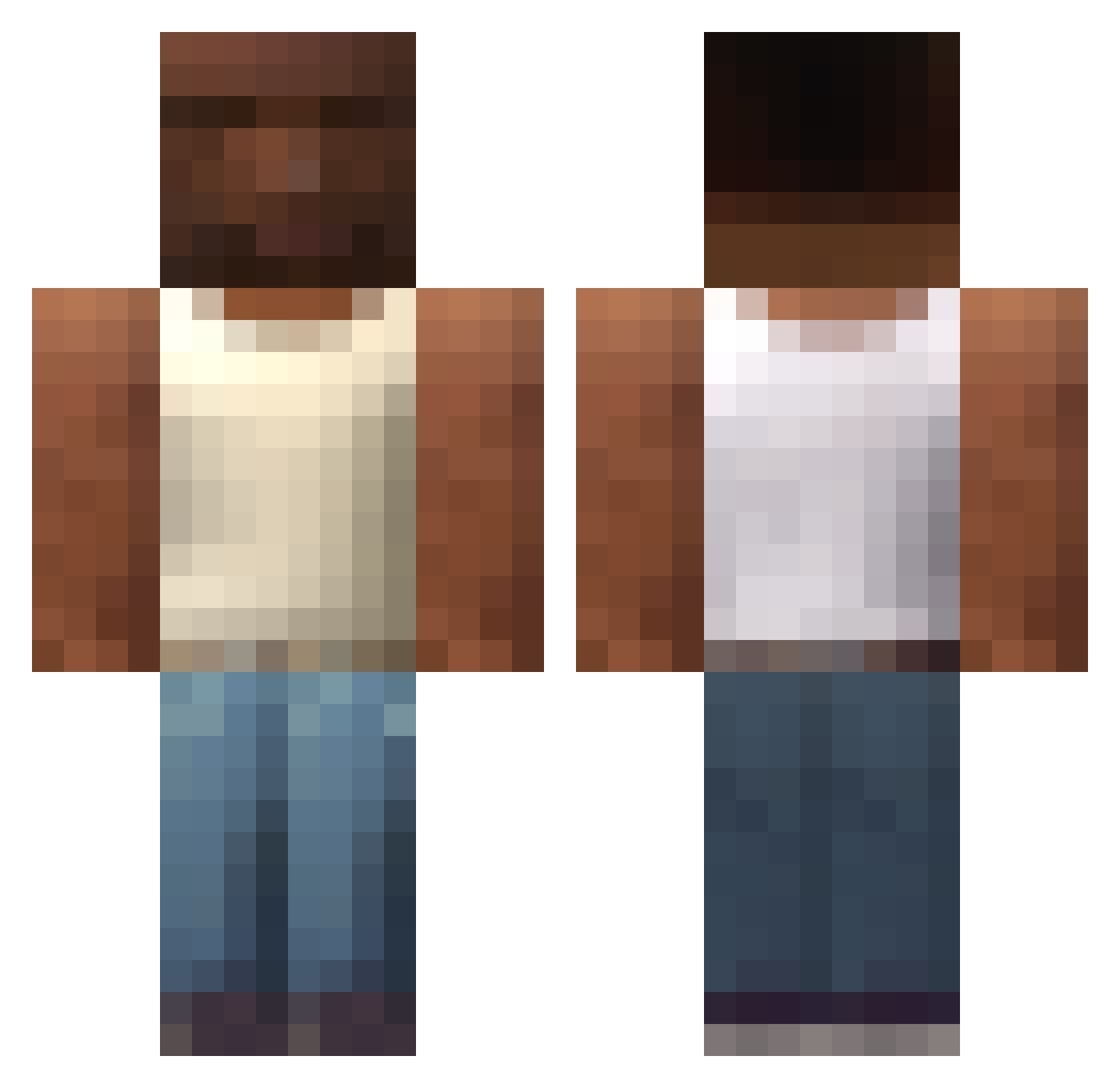
Current Minecraft skin of the player Hjubi2, loaded from the official Mojang API. Rotate the 3D model with your mouse or finger, then download the skin as a PNG file and use it in Minecraft: Bedrock Edition or Java Edition for free. When Hjubi2 changes their skin, this page updates automatically and the old skin stays in the history below.
Other players with this skin (607)
Hjubi2 was the 206th player we have seen with this skin, first spotted on 28.08.2026. The same skin was seen on these players. Open a nickname to see their current skin and skin history.
 KULooooOUOb NachoLibre_Xx DonQuijote99 Activegamez92 ELREYDEVENEZUELA Weak_S
 donmatuu savagekim 0Ninbus0 MtiasM okop7 rObynkoo suzune___ HardMC Ke_1 Ex0tic_Zey boxay1 Bucachka Despojo_Humano_ KianLetsPlays NOCAT666 Molek1234 Cerrzz bo_bobert zHqwent_ Mystikcycle CHRIS23320 JEASMINE DrivzYami ll_caya_ll gi_mo wulet Kemperis stainslaw2 Nateahu ElRenaxx yesung133 Adidith tasteofyourtears MURZYNATOR123 Tbennzzz Rafapb17 VATTANA SpiddrifeMC heyDanro Azhexia
 ZIBAREACH 6aek Wiredmouse NicolasDangg Kartell ramirezzz _bzz_ MS06K Chunggay Aigletrou ualizu FornikaAbuela666 billu57 Cverminator69
More San Andreas Minecraft skins
How to install the Hjubi2 skin
- Press the Download button above to save the skin as a PNG file.
- Minecraft: Bedrock Edition (PE): open the Dressing Room from the main menu (or tap your character → Edit Character), go to Classic Skins → Owned, press the + (new skin) button, choose the downloaded PNG and pick the Classic (Steve) model. Works on PC and mobile; consoles cannot import custom skins.
- Minecraft: Java Edition: open the Minecraft Launcher, go to the Skins tab, click New Skin, load the PNG, pick the Classic (Steve) model and press Save & Use. You can also upload it at minecraft.net → Profile → Change Skin.
The skin does not show up after import - what should I do?
Restart Minecraft and open the Dressing Room again - imported skins sometimes appear only after a restart. Also make sure you selected the imported skin and picked the Classic (Steve) model.
Which model should I choose, Classic or Slim?
This skin is designed for the Classic (Steve) model. If you pick the wrong model, the arms of the skin will look stretched or squeezed.
Is the skin of Hjubi2 free to download?
Yes. Press Download, save the PNG file and use it in Minecraft: Bedrock Edition or Java Edition - no payment or registration needed. The skin also works on multiplayer servers and Realms.
More skins
Looking for more? Go back to all Minecraft skins and check the top skins of the week, month and all time, or find any player's skin by nickname.