
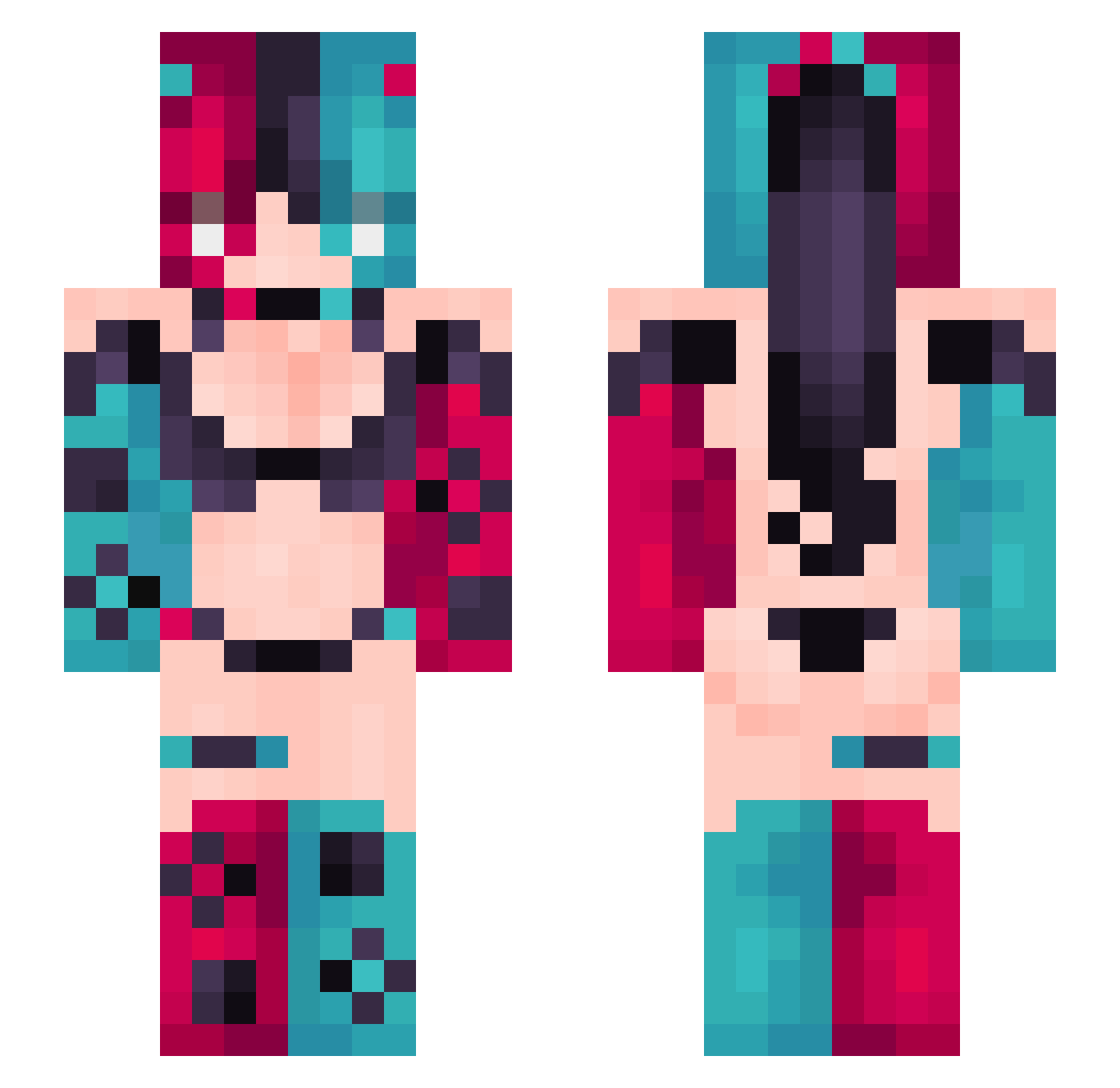
Current Minecraft skin of the player HirOOHin, loaded from the official Mojang API. Rotate the 3D model with your mouse or finger, then download the skin as a PNG file and use it in Minecraft: Bedrock Edition or Java Edition for free. When HirOOHin changes their skin, this page updates automatically and the old skin stays in the history below.
Other players with this skin (312)
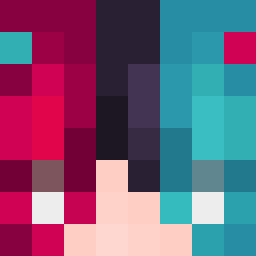
HirOOHin was the 246th player we have seen with this skin, first spotted on 01.10.2026. The same skin was seen on these players. Open a nickname to see their current skin and skin history.
 So_Natti LINKYANG walefy TXT520 cookieff InnocentRobot TheDarkestArcher HStar55 cre13 ZenTrX6191 ThaJester69 Rhyth00 IceHydra1216 ttv_feral_soul PorcupunK1 Smallburst haru03210 tecwds SaintHusky SmileyPearl wkdfbsgh AlexRichKid Szejwi AngelDoom97 Exotic_palmy net420 NLOnaft boom_boom_bomb Frozen02 KITESERS koimw BisaSam1996 Heta_Seurre MackiNours Freakshow1577 q9a6z3 Darkgardien68 zSiRa pigone2005 Monexr HawaiianKawaiian DiorXIX Blessedtie63 QICAICAO qdghehehwh Axel_Instinct EasyHit_j RoseColoredPool choppapoopa undyingtalisman Roadkillmeal nAIGragon PuskaJussiTuke PHEONIX9199 Bon_Con20 sirstrads LBY742 rebelle2_0 DingDaBao Ashhy3
More Nintendo Switch Minecraft skins
See all 18 Nintendo Switch skins
How to install the HirOOHin skin
- Press the Download button above to save the skin as a PNG file.
- Minecraft: Bedrock Edition (PE): open the Dressing Room from the main menu (or tap your character → Edit Character), go to Classic Skins → Owned, press the + (new skin) button, choose the downloaded PNG and pick the Slim (Alex) model. Works on PC and mobile; consoles cannot import custom skins.
- Minecraft: Java Edition: open the Minecraft Launcher, go to the Skins tab, click New Skin, load the PNG, pick the Slim (Alex) model and press Save & Use. You can also upload it at minecraft.net → Profile → Change Skin.
The skin does not show up after import - what should I do?
Restart Minecraft and open the Dressing Room again - imported skins sometimes appear only after a restart. Also make sure you selected the imported skin and picked the Slim (Alex) model.
Which model should I choose, Classic or Slim?
This skin is designed for the Slim (Alex) model. If you pick the wrong model, the arms of the skin will look stretched or squeezed.
Is the skin of HirOOHin free to download?
Yes. Press Download, save the PNG file and use it in Minecraft: Bedrock Edition or Java Edition - no payment or registration needed. The skin also works on multiplayer servers and Realms.
More skins
Looking for more? Go back to all Minecraft skins and check the top skins of the week, month and all time, or find any player's skin by nickname.