
Hinouka - Minecraft Skins & Skin History
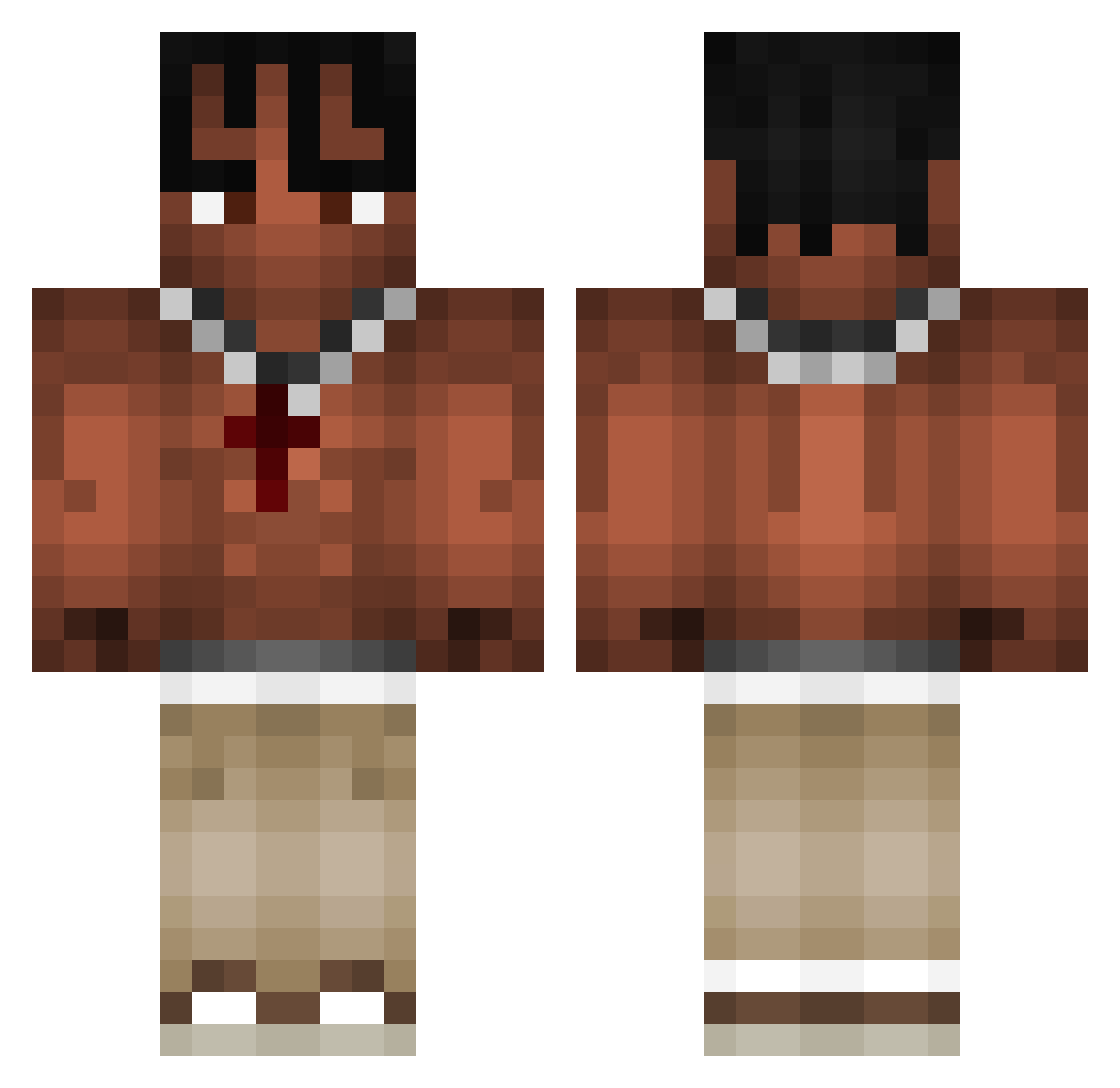
Current Minecraft skin of the player Hinouka, loaded from the official Mojang API. Rotate the 3D model with your mouse or finger, then download the skin as a PNG file and use it in Minecraft: Bedrock Edition or Java Edition for free. When Hinouka changes their skin, this page updates automatically and the old skin stays in the history below.
Other players with this skin (1180)
Hinouka was the 1102nd player we have seen with this skin, first spotted on 12.11.2026. The same skin was seen on these players. Open a nickname to see their current skin and skin history.
 SHA1TANx yvngmx TFDOMI BromekRL MarcelVfL_ Craciunw0w DeadCopernic BISCUTANDTEA LabelEtLaBete maxiek_420 Becherbrecher06 SluuuCh UtaFromhage ImNotBeta27 Ramen00dle MairuMoraresu Kempylka AAATIS Craggydash 999SYN Lil_BoGang Kubuuz mblanch DomCul _Zelix moleduu isaaxx51 IvanSMO4 Lks_011 Rikko104 Realno1justabird S3lox6 Omen_4NC Skoknamajkok Li1Uz1Vert_ Liamsxk JAMIE_DELUXE Arambik Leo2111 Redox733 Bizzlesky jeweixxet Slevox007 cristianvico06v Joakoh69 Goetze07 TravisScone rinex19 CG_gamer12 JoshHN69 HjalteGaming K0val_ Ratsarecool23 514da tonosan99 Qnnss M4LINEKK xJxnxkx Dxrkier matopax
More Xxxtentacion Minecraft skins
See all 469 Xxxtentacion skins
How to install the Hinouka skin
- Press the Download button above to save the skin as a PNG file.
- Minecraft: Bedrock Edition (PE): open the Dressing Room from the main menu (or tap your character → Edit Character), go to Classic Skins → Owned, press the + (new skin) button, choose the downloaded PNG and pick the Classic (Steve) model. Works on PC and mobile; consoles cannot import custom skins.
- Minecraft: Java Edition: open the Minecraft Launcher, go to the Skins tab, click New Skin, load the PNG, pick the Classic (Steve) model and press Save & Use. You can also upload it at minecraft.net → Profile → Change Skin.
The skin does not show up after import - what should I do?
Restart Minecraft and open the Dressing Room again - imported skins sometimes appear only after a restart. Also make sure you selected the imported skin and picked the Classic (Steve) model.
Which model should I choose, Classic or Slim?
This skin is designed for the Classic (Steve) model. If you pick the wrong model, the arms of the skin will look stretched or squeezed.
Is the skin of Hinouka free to download?
Yes. Press Download, save the PNG file and use it in Minecraft: Bedrock Edition or Java Edition - no payment or registration needed. The skin also works on multiplayer servers and Realms.
More skins
Looking for more? Go back to all Minecraft skins and check the top skins of the week, month and all time, or find any player's skin by nickname.