
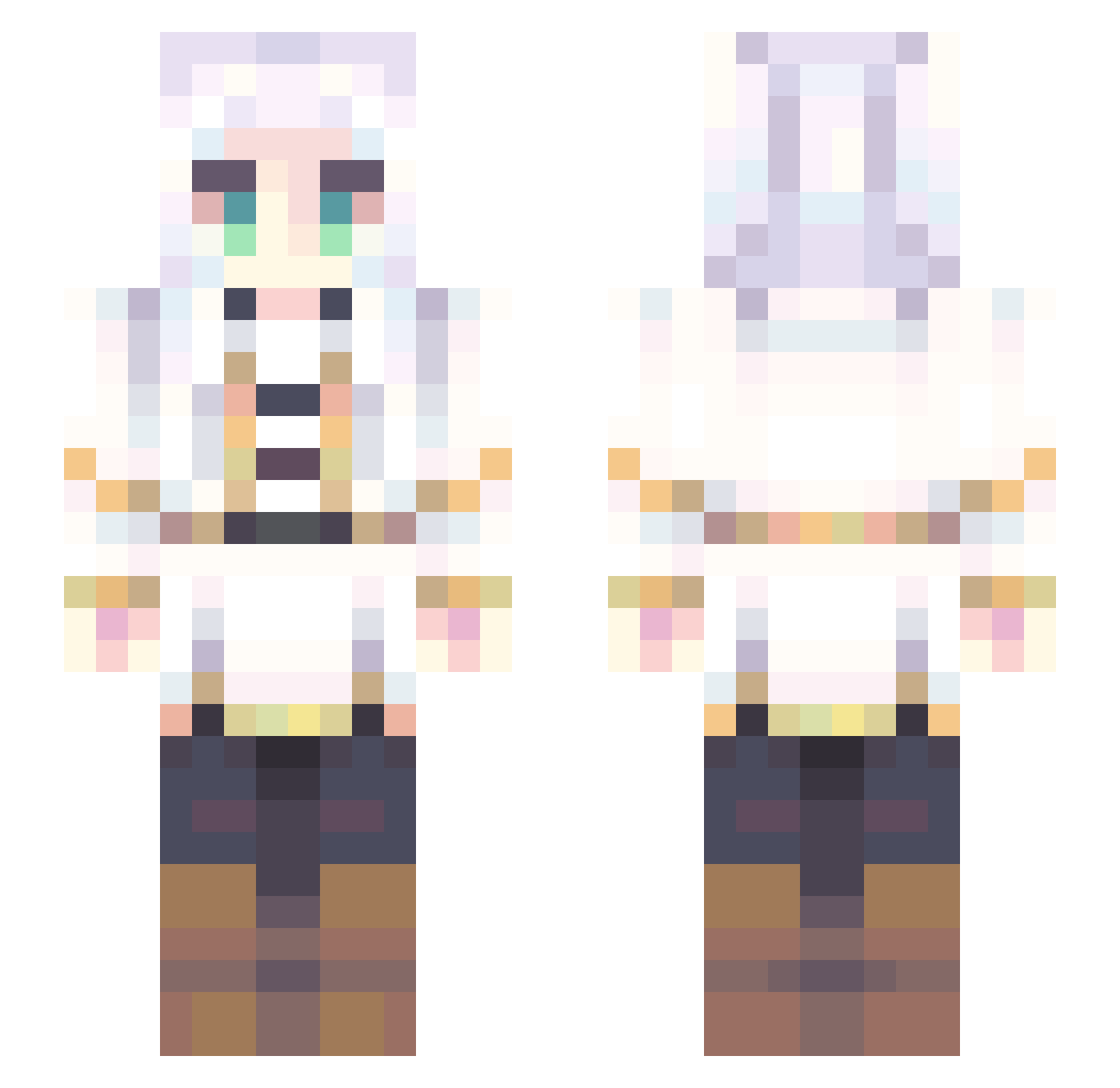
Current Minecraft skin of the player HimmelHimmelHimm, loaded from the official Mojang API. Rotate the 3D model with your mouse or finger, then download the skin as a PNG file and use it in Minecraft: Bedrock Edition or Java Edition for free. When HimmelHimmelHimm changes their skin, this page updates automatically and the old skin stays in the history below.
Other players with this skin (590)
HimmelHimmelHimm was the 544th player we have seen with this skin, first spotted on 11.10.2026. The same skin was seen on these players. Open a nickname to see their current skin and skin history.
 ImKamuii Paul97460 Incubator228 Onan_389 Valentine1512 Freeman_699 JonnyOfTheFunk Guraaaaa_A MassiveGoron Neopolytan cabezonculerCJNG qianqiu5 Kameji WaterCooler_ Amano_Kanade Garfbruh_ zhoriun Razor_Cola69 FeliSedai BringShopBack De1uXeL kirbyr Arinedda Cawotten shnqi Aykua Aleatorio2077 Liyomi Mirtilos Godphum01 JustBil Aurorinha_20 wrrrrrr0 qunLucky Emizux M4Y0I stephaasaurus Yoriichimelz ChataiPromax yansixing Asto1fo_0 Pizzamunchr1739 WU_MING_ZHI_REN LEERUJIE dioxide121 Goober244 Grunbo yuniok CabbageFox Hide_On_Smoke Doctor_Hu MakeAMove AmeShrimp hamayan115 vekrionz MocoDon ShiroChan22 TANAKAofficial Demigod404 YuumiZoomi
More Fantasy Minecraft skins
How to install the HimmelHimmelHimm skin
- Press the Download button above to save the skin as a PNG file.
- Minecraft: Bedrock Edition (PE): open the Dressing Room from the main menu (or tap your character → Edit Character), go to Classic Skins → Owned, press the + (new skin) button, choose the downloaded PNG and pick the Slim (Alex) model. Works on PC and mobile; consoles cannot import custom skins.
- Minecraft: Java Edition: open the Minecraft Launcher, go to the Skins tab, click New Skin, load the PNG, pick the Slim (Alex) model and press Save & Use. You can also upload it at minecraft.net → Profile → Change Skin.
The skin does not show up after import - what should I do?
Restart Minecraft and open the Dressing Room again - imported skins sometimes appear only after a restart. Also make sure you selected the imported skin and picked the Slim (Alex) model.
Which model should I choose, Classic or Slim?
This skin is designed for the Slim (Alex) model. If you pick the wrong model, the arms of the skin will look stretched or squeezed.
Is the skin of HimmelHimmelHimm free to download?
Yes. Press Download, save the PNG file and use it in Minecraft: Bedrock Edition or Java Edition - no payment or registration needed. The skin also works on multiplayer servers and Realms.
More skins
Looking for more? Go back to all Minecraft skins and check the top skins of the week, month and all time, or find any player's skin by nickname.