
Hikaru_hik - Minecraft Skins & Skin History
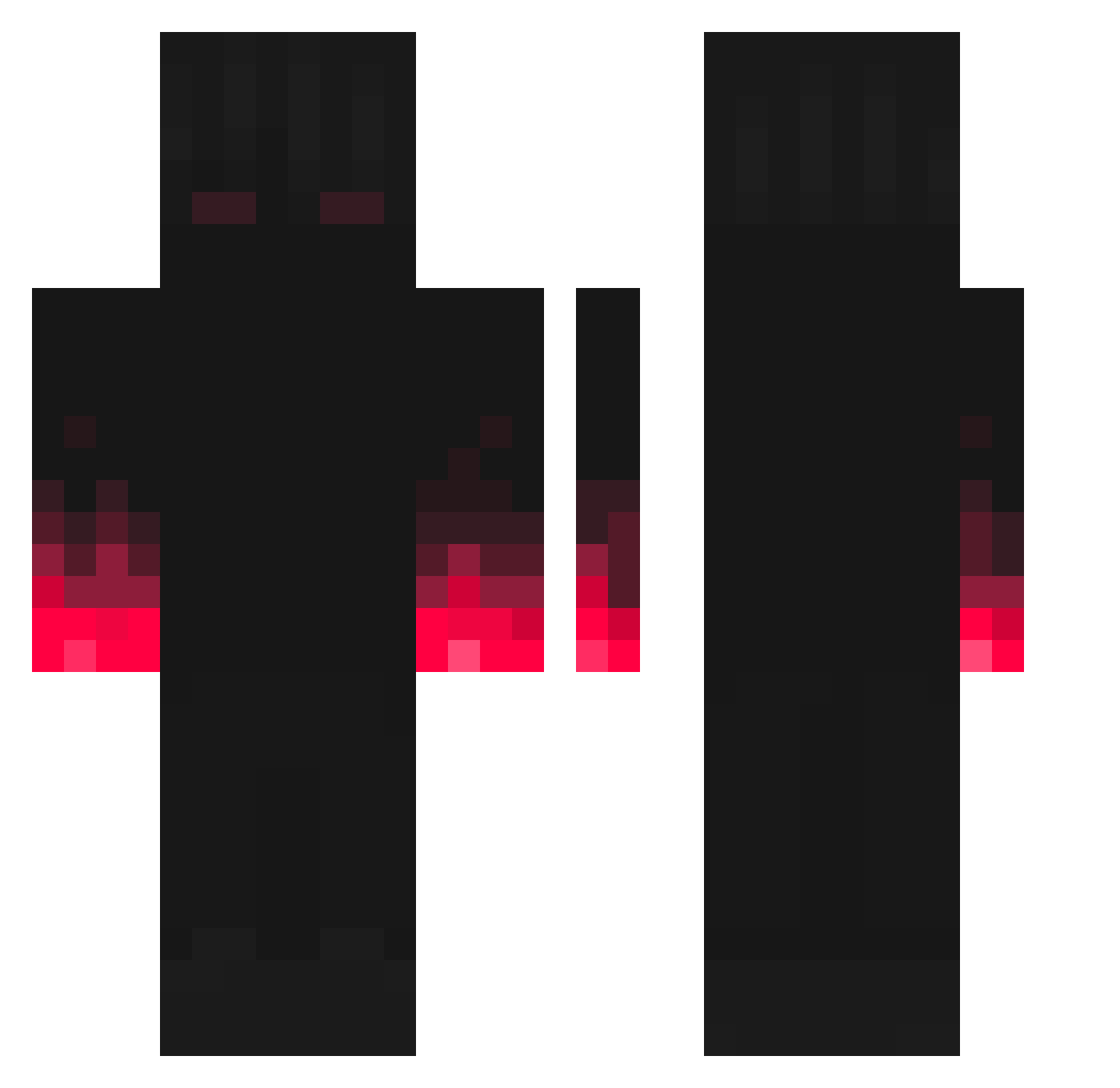
Current Minecraft skin of the player Hikaru_hik, loaded from the official Mojang API. Rotate the 3D model with your mouse or finger, then download the skin as a PNG file and use it in Minecraft: Bedrock Edition or Java Edition for free. When Hikaru_hik changes their skin, this page updates automatically and the old skin stays in the history below.
Other players with this skin (227)
Hikaru_hik was the 129th player we have seen with this skin, first spotted on 24.09.2026. The same skin was seen on these players. Open a nickname to see their current skin and skin history.
 Wakary_0 RustInDirt Verurteiltes Grizzbe SlipTCG TiroLocoJulian Cakeeatter Glutter NatkaPapatka Bigchoda4 FrischerBesen Martedreng Onichan_owo Gamer0plaw yimresa Alpha1984 Rekt_David DUSSUD AmazonCards Xxthirsty Filoxicaa DaDestroyer678 zsomkill jimmy1304 FlipperRhyme369 ZangadiiiN meme124 dylanrozz teteu10 _Rolex Nirchanii MaggiKing4D Shadow_6996 jakejeon2 galaxyeyal aisebeeyle Benjy55 Buelvaso htoomaM Gengab02 Towersam0 laurenshort Fede1002 RazerXD AaronChiang przemon13 JulianFoker Rainnon LoboMad TheLavaWarriors CYSTONSPRX PuP_na redhuy_mc CMFDPk appleappstore Anduin_13 Dragniris ThisPlace edgymf MaurerStats
More Fire Hands Minecraft skins
How to install the Hikaru_hik skin
- Press the Download button above to save the skin as a PNG file.
- Minecraft: Bedrock Edition (PE): open the Dressing Room from the main menu (or tap your character → Edit Character), go to Classic Skins → Owned, press the + (new skin) button, choose the downloaded PNG and pick the Classic (Steve) model. Works on PC and mobile; consoles cannot import custom skins.
- Minecraft: Java Edition: open the Minecraft Launcher, go to the Skins tab, click New Skin, load the PNG, pick the Classic (Steve) model and press Save & Use. You can also upload it at minecraft.net → Profile → Change Skin.
The skin does not show up after import - what should I do?
Restart Minecraft and open the Dressing Room again - imported skins sometimes appear only after a restart. Also make sure you selected the imported skin and picked the Classic (Steve) model.
Which model should I choose, Classic or Slim?
This skin is designed for the Classic (Steve) model. If you pick the wrong model, the arms of the skin will look stretched or squeezed.
Is the skin of Hikaru_hik free to download?
Yes. Press Download, save the PNG file and use it in Minecraft: Bedrock Edition or Java Edition - no payment or registration needed. The skin also works on multiplayer servers and Realms.
More skins
Looking for more? Go back to all Minecraft skins and check the top skins of the week, month and all time, or find any player's skin by nickname.