
HikaHikaN0 - Minecraft Skins & Skin History
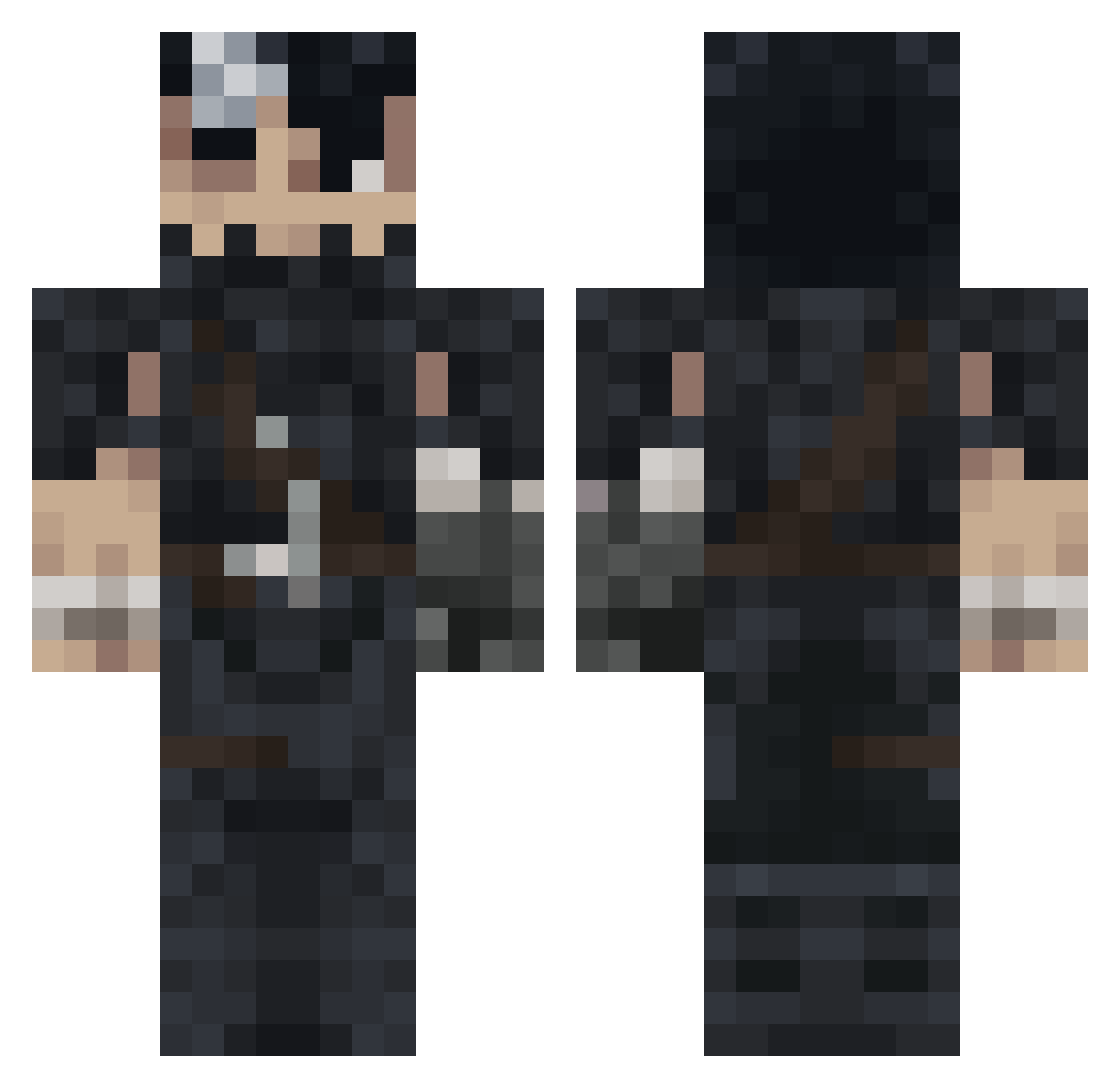
Current Minecraft skin of the player HikaHikaN0, loaded from the official Mojang API. Rotate the 3D model with your mouse or finger, then download the skin as a PNG file and use it in Minecraft: Bedrock Edition or Java Edition for free. When HikaHikaN0 changes their skin, this page updates automatically and the old skin stays in the history below.
Other players with this skin (991)
HikaHikaN0 was the 942nd player we have seen with this skin, first spotted on 26.10.2026. The same skin was seen on these players. Open a nickname to see their current skin and skin history.
 ekwq DaivisG 1Ruin1 superbedri Warlock363 ekisbatman AxonerGod 444dirty KEPsTeiN Basilican Albian08 Xkasd DementedTerm Poffle GU7s_ Racso Sebsterwebster69 Dabawenyo Lucas2048 RelentlessRNG BEDULLAH Kenan57 JCSG99 Silent0Ghost Jadeboy_ Infynity8 Malinowsky16 Chiefpringles Zak_61 Dulgann Yasin72_ youngblood77 JackpotPiraten Bosinowowow Kbdragon15 Realer03 Mr_Dow bobnubbr alpaquitay3333 Gabriel_sos Stevek1234 CybrPsycho Vuiktor bvsuti ASI0X Boiseben Punish26 sefashzn MukIsPog Volmarstein Merichon flafixx Nahtas martgon _GGust NacpanyVV Redluxh NewAerr Bad_Konrad El4nderBS
More Guts Minecraft skins
How to install the HikaHikaN0 skin
- Press the Download button above to save the skin as a PNG file.
- Minecraft: Bedrock Edition (PE): open the Dressing Room from the main menu (or tap your character → Edit Character), go to Classic Skins → Owned, press the + (new skin) button, choose the downloaded PNG and pick the Classic (Steve) model. Works on PC and mobile; consoles cannot import custom skins.
- Minecraft: Java Edition: open the Minecraft Launcher, go to the Skins tab, click New Skin, load the PNG, pick the Classic (Steve) model and press Save & Use. You can also upload it at minecraft.net → Profile → Change Skin.
The skin does not show up after import - what should I do?
Restart Minecraft and open the Dressing Room again - imported skins sometimes appear only after a restart. Also make sure you selected the imported skin and picked the Classic (Steve) model.
Which model should I choose, Classic or Slim?
This skin is designed for the Classic (Steve) model. If you pick the wrong model, the arms of the skin will look stretched or squeezed.
Is the skin of HikaHikaN0 free to download?
Yes. Press Download, save the PNG file and use it in Minecraft: Bedrock Edition or Java Edition - no payment or registration needed. The skin also works on multiplayer servers and Realms.
More skins
Looking for more? Go back to all Minecraft skins and check the top skins of the week, month and all time, or find any player's skin by nickname.