
HighGamer007 - Minecraft Skins & Skin History
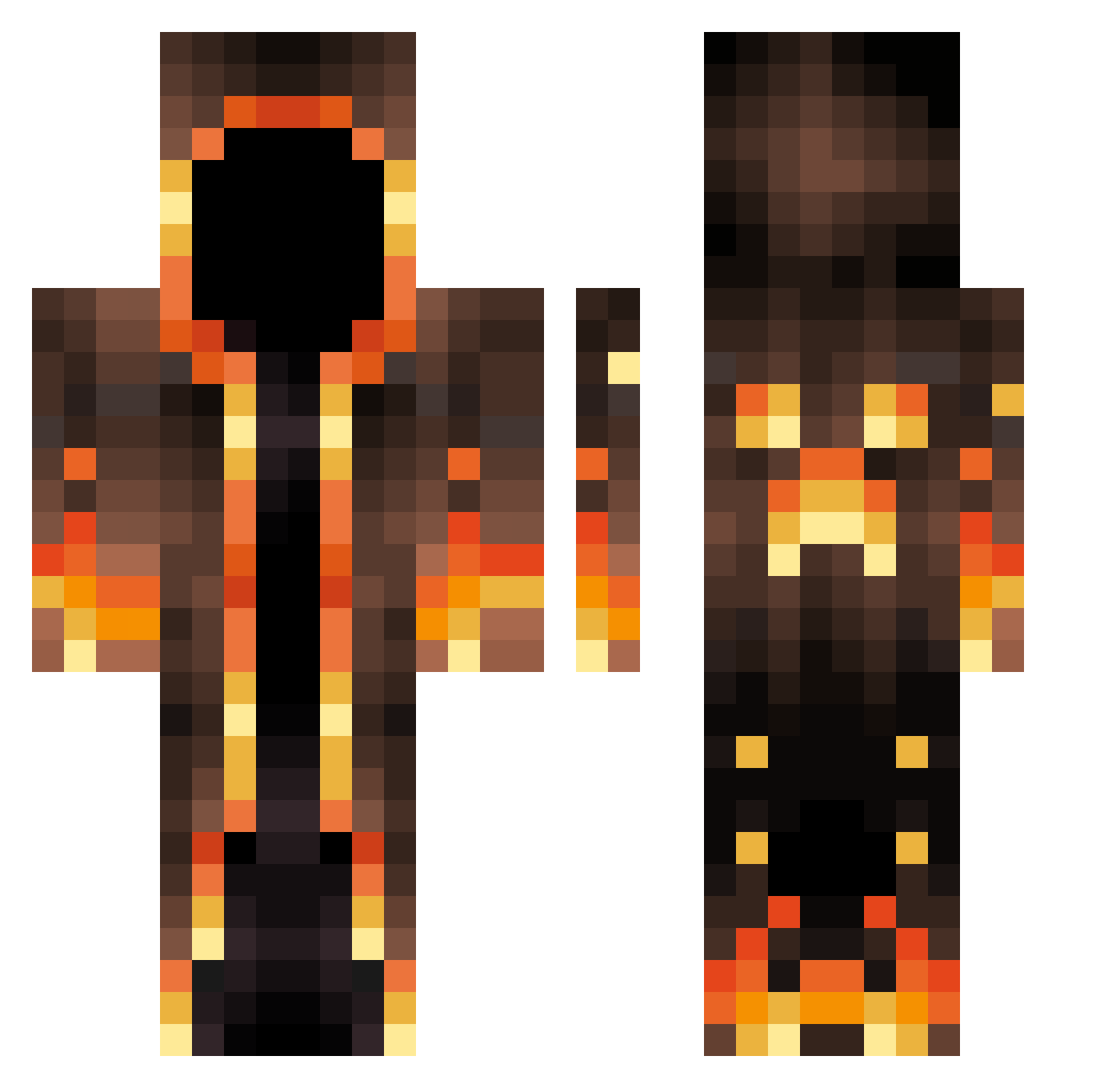
Current Minecraft skin of the player HighGamer007, loaded from the official Mojang API. Rotate the 3D model with your mouse or finger, then download the skin as a PNG file and use it in Minecraft: Bedrock Edition or Java Edition for free. When HighGamer007 changes their skin, this page updates automatically and the old skin stays in the history below.
Other players with this skin (695)
HighGamer007 was the 693rd player we have seen with this skin, first spotted on 10.11.2026. The same skin was seen on these players. Open a nickname to see their current skin and skin history.
 Master_Grimm2137 YiRi_awa HugoBossStar Pmpmu Zycore_Sparky Lorde_De_Fogo Cycuuuuu MinhDot Goyenss IchireiNiki TtOoMmYy ThatOneNoob1572 IronCookie3103 _Nikita_0 Luks_M Tecnorex4 echo201688 SylvanAxe Brokkolibusk Bubbleman420 TheNeaxus SPparker Framjulo Stef1293 Feo2inator FilloRava10 Zarxfii Dreezt1 MrMurmli EmilyAndVy leCacaonut gnomeshark45 WookieNinja9 furbag75 Valaias Natedoy2414 LeondoesMC Dizzledip kdawg645 DivineMold249 SAwqas Snowybibamski Matoslaw123 Bob_B Dvdl2 blckphntm_cam Alezzio095 Zolmin rychupeja_211 _Vasto_ Antoine1950 Skytug SCoot9 SauciestSantana MinecraftASMR22 kingluzern2 Mertykpn xXCadimirXx KripaGames Demiurge94
More Magma Minecraft skins
How to install the HighGamer007 skin
- Press the Download button above to save the skin as a PNG file.
- Minecraft: Bedrock Edition (PE): open the Dressing Room from the main menu (or tap your character → Edit Character), go to Classic Skins → Owned, press the + (new skin) button, choose the downloaded PNG and pick the Classic (Steve) model. Works on PC and mobile; consoles cannot import custom skins.
- Minecraft: Java Edition: open the Minecraft Launcher, go to the Skins tab, click New Skin, load the PNG, pick the Classic (Steve) model and press Save & Use. You can also upload it at minecraft.net → Profile → Change Skin.
The skin does not show up after import - what should I do?
Restart Minecraft and open the Dressing Room again - imported skins sometimes appear only after a restart. Also make sure you selected the imported skin and picked the Classic (Steve) model.
Which model should I choose, Classic or Slim?
This skin is designed for the Classic (Steve) model. If you pick the wrong model, the arms of the skin will look stretched or squeezed.
Is the skin of HighGamer007 free to download?
Yes. Press Download, save the PNG file and use it in Minecraft: Bedrock Edition or Java Edition - no payment or registration needed. The skin also works on multiplayer servers and Realms.
More skins
Looking for more? Go back to all Minecraft skins and check the top skins of the week, month and all time, or find any player's skin by nickname.