
HighDMGMaker - Minecraft Skins & Skin History
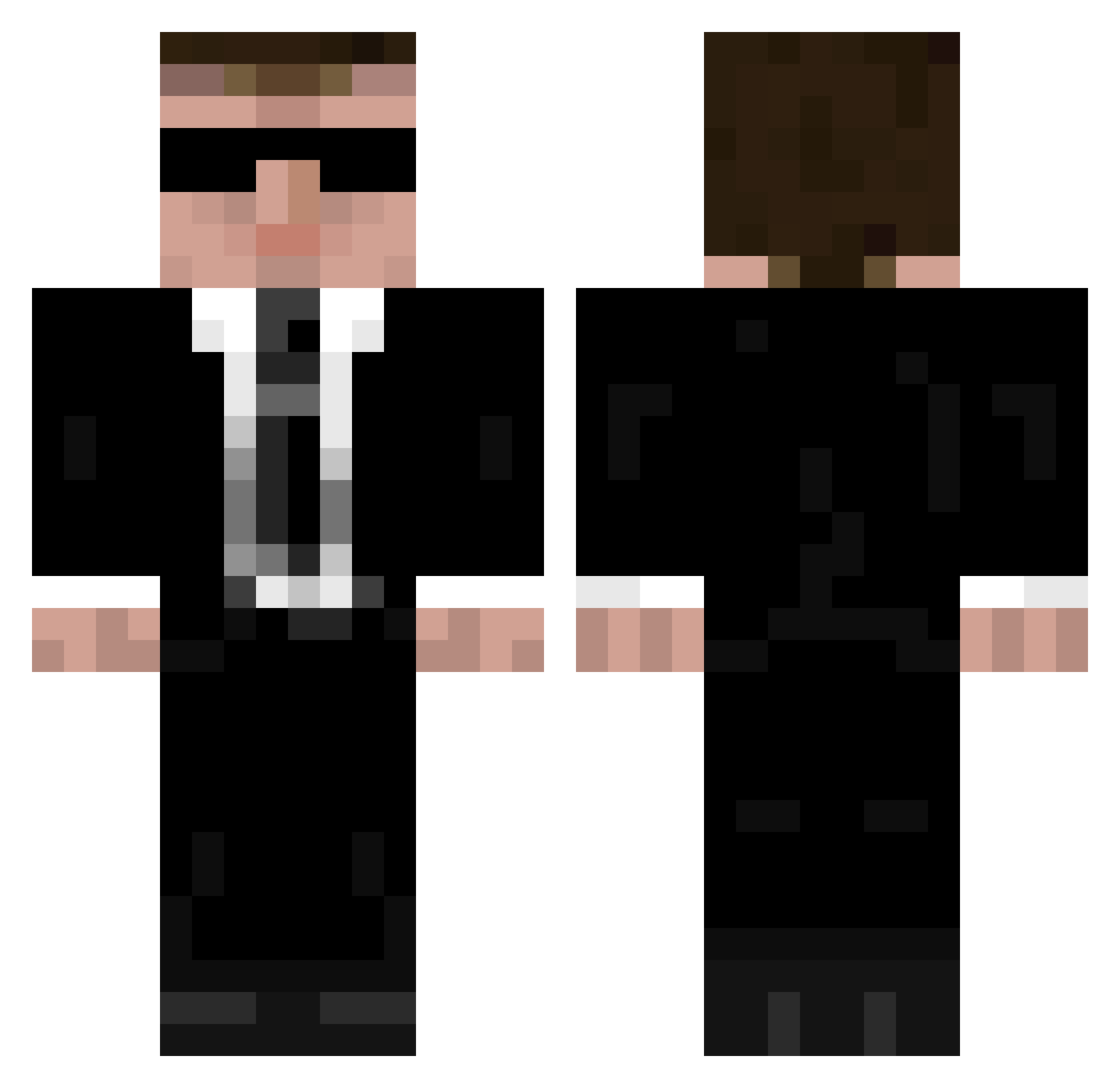
Current Minecraft skin of the player HighDMGMaker, loaded from the official Mojang API. Rotate the 3D model with your mouse or finger, then download the skin as a PNG file and use it in Minecraft: Bedrock Edition or Java Edition for free. When HighDMGMaker changes their skin, this page updates automatically and the old skin stays in the history below.
Other players with this skin (949)
HighDMGMaker was the 348th player we have seen with this skin, first spotted on 28.08.2026. The same skin was seen on these players. Open a nickname to see their current skin and skin history.
 pmuz Babylou Xanaxtik posti97 vicgommeren Oelhafen Ghast_08 tomshade _Holfyy_ DWangC Ferredp freepunches Ego_Lord cve45 Ninecraft_beta DoctorGibson HedgehogHolland ghostking90 Nickmcsizzle pants_marshall mrot2321 SchrodingersMew Viggo_Skier BassFaceDude rusiecki Minecrafter93457 Danielfiks AdryArK Austin_218 cujoe Xemdre McParon Jukola William_903 unmusual skr702 blast4000 Noodleinacan007 GoldenHero_ MetalGeez henezzz159 Yakooza79 Abbott99 alex_62 gravarg Virdeau _Dufferz_ Flagadajones44 rotsblok Ghostdragon88 BassBox Coltman1911 Gipper01 FranktheTankk1 Meathead JoCya skeptic1222 merrudin rbowen12345 Lordkashue
More Agent 47 Minecraft skins
How to install the HighDMGMaker skin
- Press the Download button above to save the skin as a PNG file.
- Minecraft: Bedrock Edition (PE): open the Dressing Room from the main menu (or tap your character → Edit Character), go to Classic Skins → Owned, press the + (new skin) button, choose the downloaded PNG and pick the Classic (Steve) model. Works on PC and mobile; consoles cannot import custom skins.
- Minecraft: Java Edition: open the Minecraft Launcher, go to the Skins tab, click New Skin, load the PNG, pick the Classic (Steve) model and press Save & Use. You can also upload it at minecraft.net → Profile → Change Skin.
The skin does not show up after import - what should I do?
Restart Minecraft and open the Dressing Room again - imported skins sometimes appear only after a restart. Also make sure you selected the imported skin and picked the Classic (Steve) model.
Which model should I choose, Classic or Slim?
This skin is designed for the Classic (Steve) model. If you pick the wrong model, the arms of the skin will look stretched or squeezed.
Is the skin of HighDMGMaker free to download?
Yes. Press Download, save the PNG file and use it in Minecraft: Bedrock Edition or Java Edition - no payment or registration needed. The skin also works on multiplayer servers and Realms.
More skins
Looking for more? Go back to all Minecraft skins and check the top skins of the week, month and all time, or find any player's skin by nickname.