
Hiehg - Minecraft Skins & Skin History
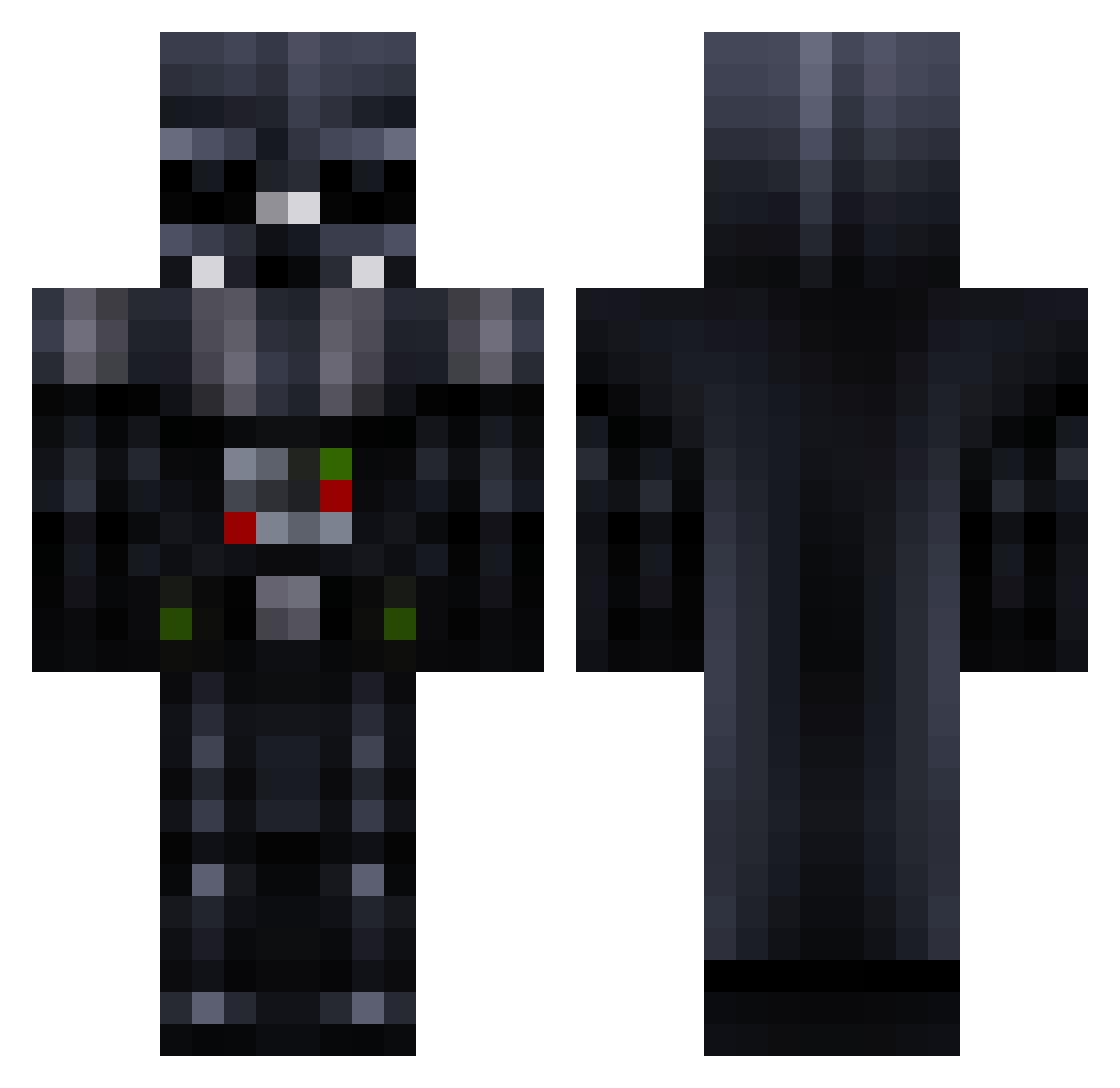
Current Minecraft skin of the player Hiehg, loaded from the official Mojang API. Rotate the 3D model with your mouse or finger, then download the skin as a PNG file and use it in Minecraft: Bedrock Edition or Java Edition for free. When Hiehg changes their skin, this page updates automatically and the old skin stays in the history below.
Other players with this skin (298)
Hiehg was the 277th player we have seen with this skin, first spotted on 08.11.2026. The same skin was seen on these players. Open a nickname to see their current skin and skin history.
 kylecrane1 Etot05 Engineer432 Crazy_Fox2413 Mlgbutterz DarkVaderPR medusa_1916 BotEa5y LucaSlug Doodle59 conqueror43 m4ur1c10 jmoney1470 Vatertod CrazyMonkey11 Espienosa ThermalMan55 JDLightningBolt HamvsBacon BeerBrosLC xooties azulskull illian08 Zeno7z DarthValeria DawudKIng YoungMiniG Darth_Ritt iKingYeti JugJugx Mik0rr LeoKna ApropoGibbon Kickboxer69 sasFreddy SplashhBoy GangCoat tellmetostudy can2 Xavier_Zzz trololollennon Darth_Vader_956 Thundersword2004 JavierYTGamer VoidMC123 Gubblemaster Infernoshines thanius123 AnoTraX_NL Provski Stormie3388 josziPL LuckyVader mIneCrAftPixton Thadue Rickzzzzz Ab00dBwZ vomop1 trueflameXP CHARLO06
More Darth Vader Minecraft skins
How to install the Hiehg skin
- Press the Download button above to save the skin as a PNG file.
- Minecraft: Bedrock Edition (PE): open the Dressing Room from the main menu (or tap your character → Edit Character), go to Classic Skins → Owned, press the + (new skin) button, choose the downloaded PNG and pick the Classic (Steve) model. Works on PC and mobile; consoles cannot import custom skins.
- Minecraft: Java Edition: open the Minecraft Launcher, go to the Skins tab, click New Skin, load the PNG, pick the Classic (Steve) model and press Save & Use. You can also upload it at minecraft.net → Profile → Change Skin.
The skin does not show up after import - what should I do?
Restart Minecraft and open the Dressing Room again - imported skins sometimes appear only after a restart. Also make sure you selected the imported skin and picked the Classic (Steve) model.
Which model should I choose, Classic or Slim?
This skin is designed for the Classic (Steve) model. If you pick the wrong model, the arms of the skin will look stretched or squeezed.
Is the skin of Hiehg free to download?
Yes. Press Download, save the PNG file and use it in Minecraft: Bedrock Edition or Java Edition - no payment or registration needed. The skin also works on multiplayer servers and Realms.
More skins
Looking for more? Go back to all Minecraft skins and check the top skins of the week, month and all time, or find any player's skin by nickname.