
Hiddenwolf8813 - Minecraft Skins & Skin History
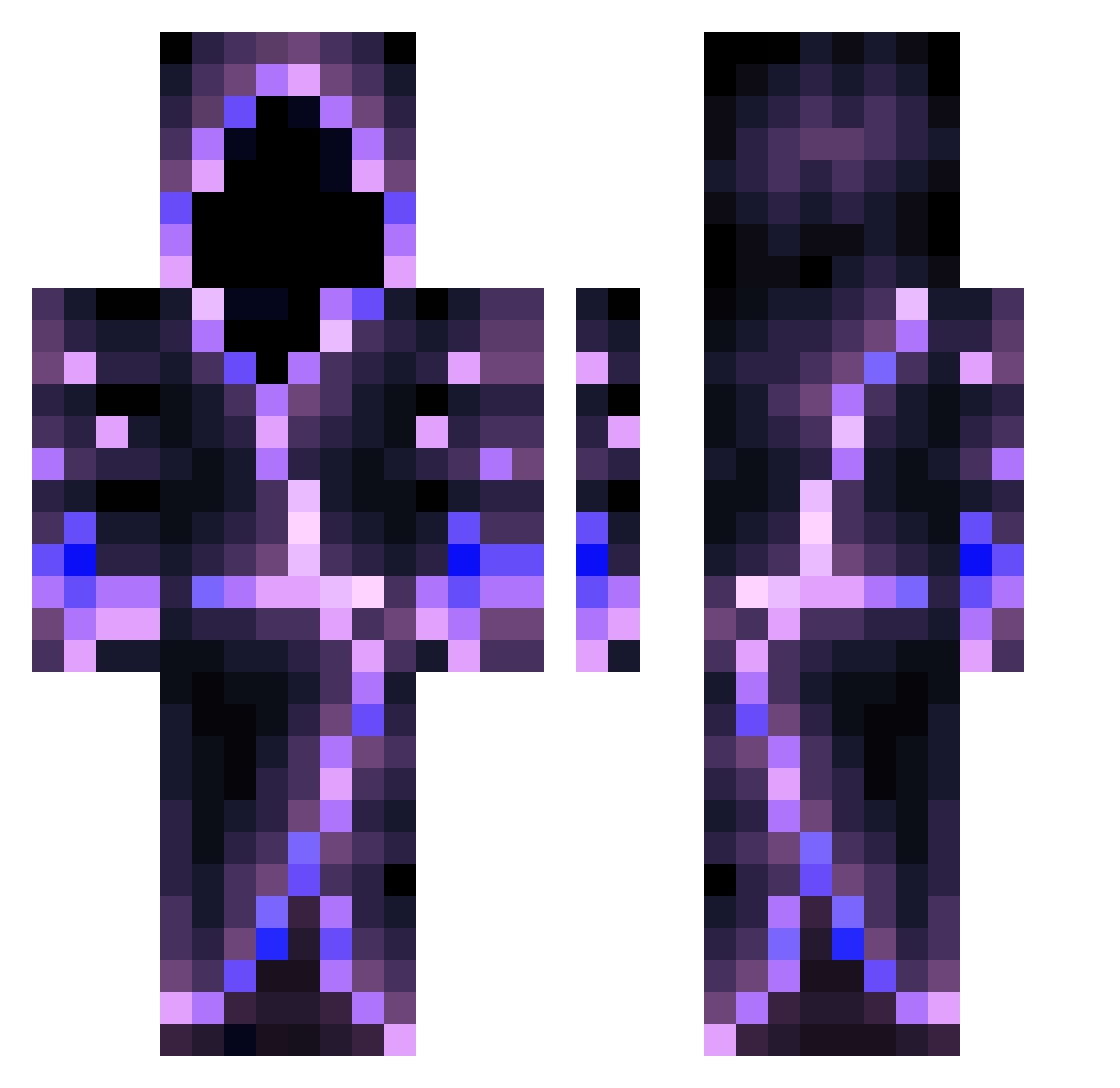
Current Minecraft skin of the player Hiddenwolf8813, loaded from the official Mojang API. Rotate the 3D model with your mouse or finger, then download the skin as a PNG file and use it in Minecraft: Bedrock Edition or Java Edition for free. When Hiddenwolf8813 changes their skin, this page updates automatically and the old skin stays in the history below.
Other players with this skin (559)
Hiddenwolf8813 was the 329th player we have seen with this skin, first spotted on 27.09.2026. The same skin was seen on these players. Open a nickname to see their current skin and skin history.
 FeedzLegend Offwhite010 KrazyWolf149 iiTzmumei Que_pasa_amigos LuvAidunn Nedascool45 AaronTheAnaconda ZOMBIEWARRIOR37 CaptTizi ElictricGold Malgrith NomadHorizon RightfulSpartans shadow___reaper Molan612 Giyl DodoMaster55 imthebestgolden LWWDZ PsychoEnder AnimalRecord952 PrinceShaw TEHb841 LoZioSpaccia limonnight Dancermancer CSGOWhale James_Jamison Matikoo3000 Plungod mum1sthebest Hidden_Aura Atomewardu81 KutRe_ OfficialScheck Igor_Sta Dvilzz baroldbluejeans pololastico AsteroidCord665 TSM_GHOST66721 Bikt0r Fall3nFlame5 declansharts elGuerrerito sogponkle ProGamingDuel NukeChromar PC_Rv OOOWWaw FireDragon4788 Fireballjr05 _Thorgrim_ Meister_Zane Klein_D Kakama10281 Darkatz11 CosmicNest2762 llexwaM
More Hooded Figure Minecraft skins
See all 1222 Hooded Figure skins
How to install the Hiddenwolf8813 skin
- Press the Download button above to save the skin as a PNG file.
- Minecraft: Bedrock Edition (PE): open the Dressing Room from the main menu (or tap your character → Edit Character), go to Classic Skins → Owned, press the + (new skin) button, choose the downloaded PNG and pick the Classic (Steve) model. Works on PC and mobile; consoles cannot import custom skins.
- Minecraft: Java Edition: open the Minecraft Launcher, go to the Skins tab, click New Skin, load the PNG, pick the Classic (Steve) model and press Save & Use. You can also upload it at minecraft.net → Profile → Change Skin.
The skin does not show up after import - what should I do?
Restart Minecraft and open the Dressing Room again - imported skins sometimes appear only after a restart. Also make sure you selected the imported skin and picked the Classic (Steve) model.
Which model should I choose, Classic or Slim?
This skin is designed for the Classic (Steve) model. If you pick the wrong model, the arms of the skin will look stretched or squeezed.
Is the skin of Hiddenwolf8813 free to download?
Yes. Press Download, save the PNG file and use it in Minecraft: Bedrock Edition or Java Edition - no payment or registration needed. The skin also works on multiplayer servers and Realms.
More skins
Looking for more? Go back to all Minecraft skins and check the top skins of the week, month and all time, or find any player's skin by nickname.