
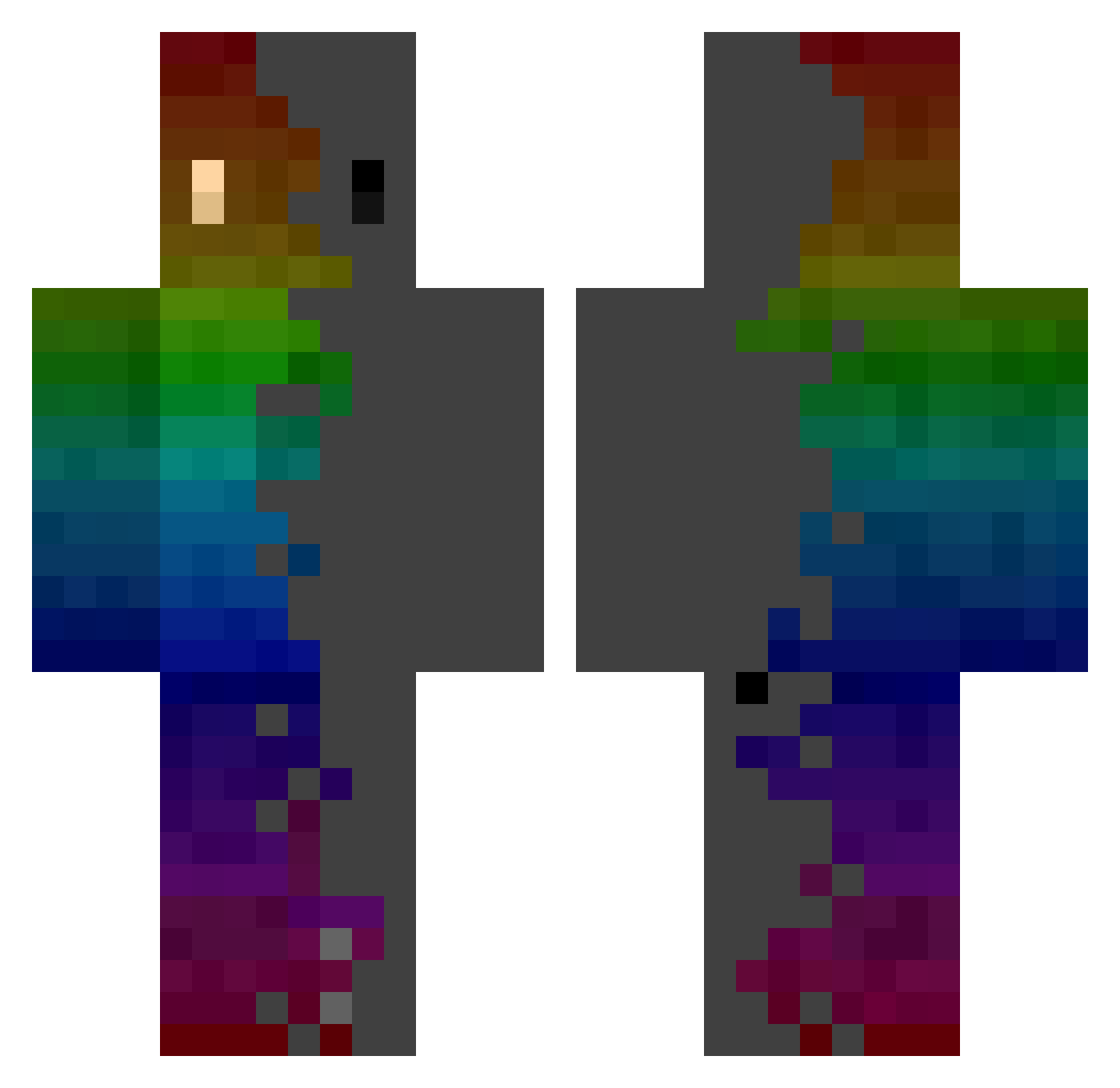
Current Minecraft skin of the player Hfire15, loaded from the official Mojang API. Rotate the 3D model with your mouse or finger, then download the skin as a PNG file and use it in Minecraft: Bedrock Edition or Java Edition for free. When Hfire15 changes their skin, this page updates automatically and the old skin stays in the history below.
Other players with this skin (534)
Hfire15 was the 481st player we have seen with this skin, first spotted on 26.09.2026. The same skin was seen on these players. Open a nickname to see their current skin and skin history.
 Maximilian161220 Spino888 c0dEoNe N_Naruto Howsmaster Inarshi Patatopunk Shaurma4ME Thatsmallkid XxANTxX20 cycloniccornet muffin1130 Pdiddy447 K4l man_with_job_cam DragonPIG_ TyTSyRius59 Whip260 TheWeirdDudeToon S0nix1 HenrikMilaAnne Focired spectrax1 GYyoshi PokyTick SketchyP4nda Hirns TGhz_ _YORDE_ TheMrb1012 manu__faktur PindaMetBier Fluff7403 Darkside649 Aleciro07 TwoApplesTall Julnaz CyberWars Skopps HazerBlazer8491 Saraah03 kprese NICK0NAT0R Bensy_240 DyNsTyAcE SikNuclear SquanchyMC FleSzoMan ImZola katati_xoxo DaCongMing__ CIHY1899 MakeMyJay K_orrr ysnnnking Feuri__ Zanki_0_1 Rebecca0811 eric202111 XIANHUANG
How to install the Hfire15 skin
- Press the Download button above to save the skin as a PNG file.
- Minecraft: Bedrock Edition (PE): open the Dressing Room from the main menu (or tap your character → Edit Character), go to Classic Skins → Owned, press the + (new skin) button, choose the downloaded PNG and pick the Classic (Steve) model. Works on PC and mobile; consoles cannot import custom skins.
- Minecraft: Java Edition: open the Minecraft Launcher, go to the Skins tab, click New Skin, load the PNG, pick the Classic (Steve) model and press Save & Use. You can also upload it at minecraft.net → Profile → Change Skin.
The skin does not show up after import - what should I do?
Restart Minecraft and open the Dressing Room again - imported skins sometimes appear only after a restart. Also make sure you selected the imported skin and picked the Classic (Steve) model.
Which model should I choose, Classic or Slim?
This skin is designed for the Classic (Steve) model. If you pick the wrong model, the arms of the skin will look stretched or squeezed.
Is the skin of Hfire15 free to download?
Yes. Press Download, save the PNG file and use it in Minecraft: Bedrock Edition or Java Edition - no payment or registration needed. The skin also works on multiplayer servers and Realms.
More skins
Looking for more? Go back to all Minecraft skins and check the top skins of the week, month and all time, or find any player's skin by nickname.