
Hexler1991 - Minecraft Skins & Skin History
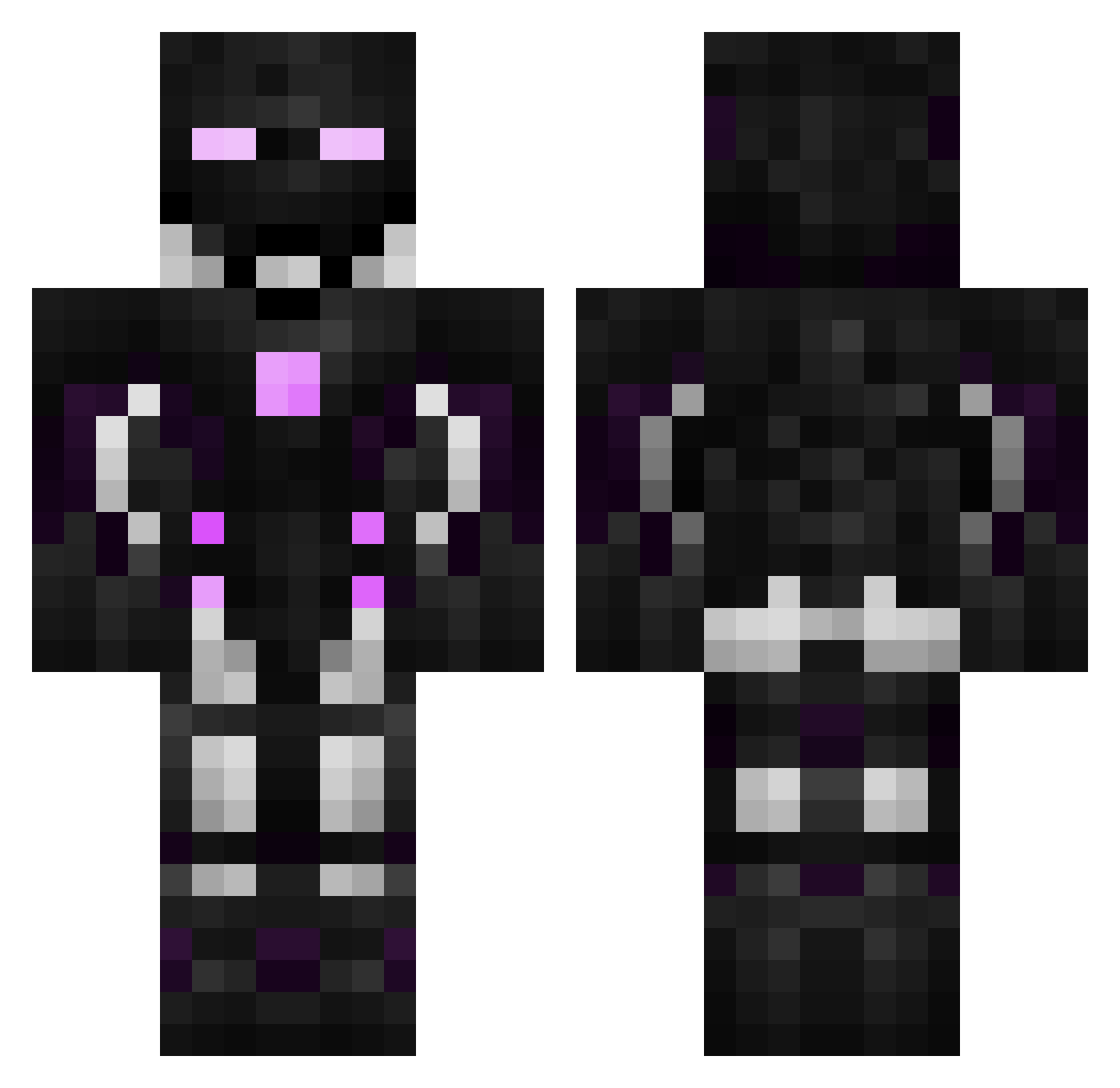
Current Minecraft skin of the player Hexler1991, loaded from the official Mojang API. Rotate the 3D model with your mouse or finger, then download the skin as a PNG file and use it in Minecraft: Bedrock Edition or Java Edition for free. When Hexler1991 changes their skin, this page updates automatically and the old skin stays in the history below.
Other players with this skin (596)
Hexler1991 was the 468th player we have seen with this skin, first spotted on 18.10.2026. The same skin was seen on these players. Open a nickname to see their current skin and skin history.
 hyuryfhs MaDriYaX m6674264 _DuKK197 Dunuk DOUBLEXXtv MaITeEZaS VinsErmeyo GoneZy 24drawoH seoa3310 BrunoS5 Manomo Luckmouse Tshaw2Raw OutOffSkill Nelixxzor Jaysu5 Randy20331 Calcrash123 Snoooks999 OZTURKK1 hyc008 KIndz BanesPapa Kenphyxia Dragon__Raja _DesH154 R3D1SKA Latonne kydyr 1DarkWing1 bridge333 Moppelhase Narknix spejoxd WarMachine417 Migmania Valtores JoeBiggets Semaras CristalPig DemoSlayer ylcrock seyyit6128 Milad33 NectarinoMocha SwitchYuji 99tyrteu Starscream7177 Cerberus006 _DShY614 L1uluuu TheRealShrimp Asakii123 AlienBusDriver Altal_ TerminatorVSF iganasol Shizuku_123
More Cyborg Minecraft skins
How to install the Hexler1991 skin
- Press the Download button above to save the skin as a PNG file.
- Minecraft: Bedrock Edition (PE): open the Dressing Room from the main menu (or tap your character → Edit Character), go to Classic Skins → Owned, press the + (new skin) button, choose the downloaded PNG and pick the Classic (Steve) model. Works on PC and mobile; consoles cannot import custom skins.
- Minecraft: Java Edition: open the Minecraft Launcher, go to the Skins tab, click New Skin, load the PNG, pick the Classic (Steve) model and press Save & Use. You can also upload it at minecraft.net → Profile → Change Skin.
The skin does not show up after import - what should I do?
Restart Minecraft and open the Dressing Room again - imported skins sometimes appear only after a restart. Also make sure you selected the imported skin and picked the Classic (Steve) model.
Which model should I choose, Classic or Slim?
This skin is designed for the Classic (Steve) model. If you pick the wrong model, the arms of the skin will look stretched or squeezed.
Is the skin of Hexler1991 free to download?
Yes. Press Download, save the PNG file and use it in Minecraft: Bedrock Edition or Java Edition - no payment or registration needed. The skin also works on multiplayer servers and Realms.
More skins
Looking for more? Go back to all Minecraft skins and check the top skins of the week, month and all time, or find any player's skin by nickname.