
HerrKuhlmann - Minecraft Skins & Skin History
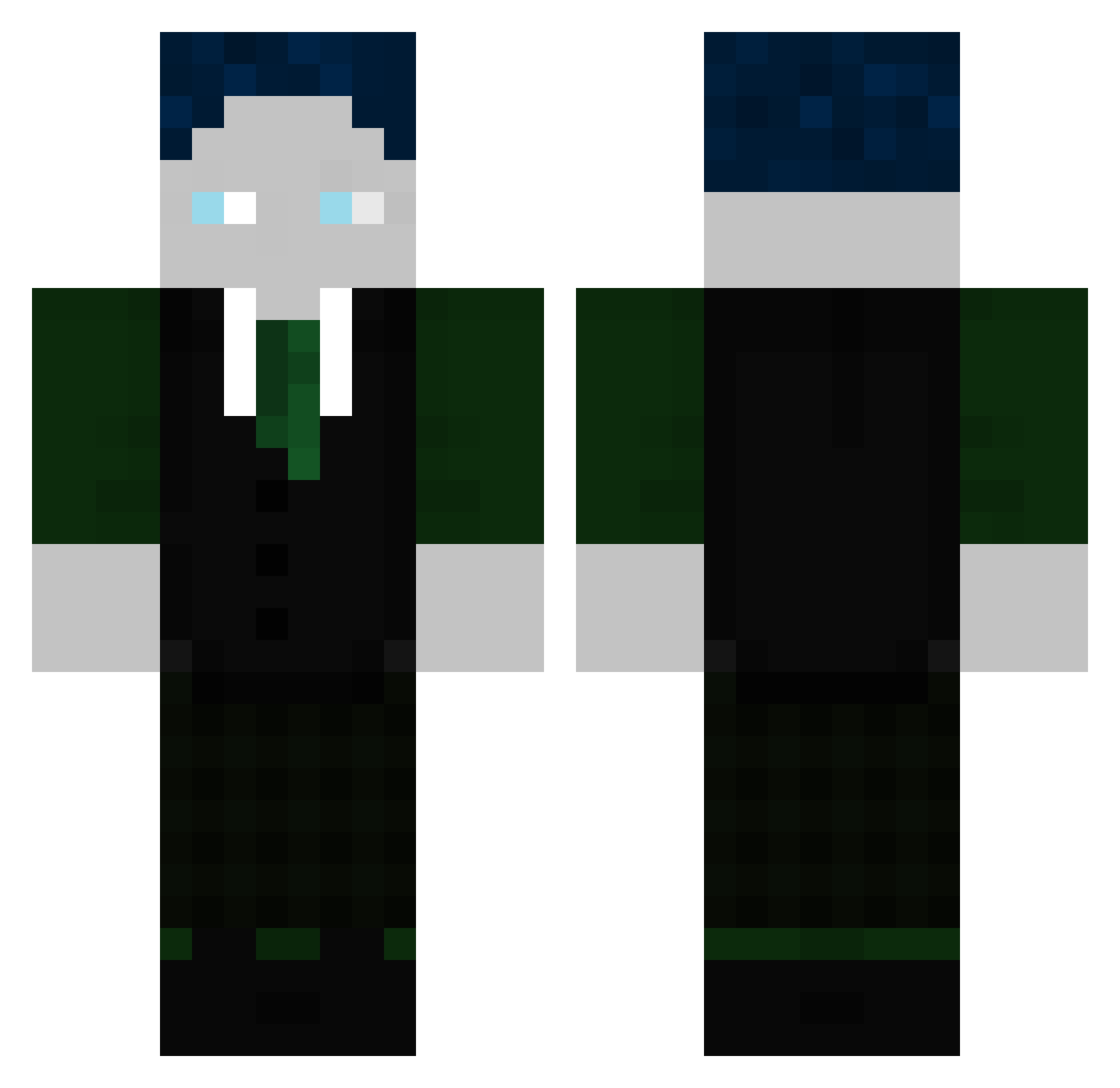
Current Minecraft skin of the player HerrKuhlmann, loaded from the official Mojang API. Rotate the 3D model with your mouse or finger, then download the skin as a PNG file and use it in Minecraft: Bedrock Edition or Java Edition for free. When HerrKuhlmann changes their skin, this page updates automatically and the old skin stays in the history below.
Other players with this skin (299)
HerrKuhlmann was the 160th player we have seen with this skin, first spotted on 18.09.2026. The same skin was seen on these players. Open a nickname to see their current skin and skin history.
 ASMRleon valenciaX2010 OfficialToad760 KingJoJo7310 Mukkili Gramsus Celina2801 Twitch_WStylzz Lixo73 NishaGHG MangoMango49 Erkan_Alles_69 Couverd SirAtrox AMOlukaj Nettosieger gabr2000 djgaming_live RafiGHG787 Knoeterich2000 Rizzo6752 Xx_Niklas_xX06 SpastiGHG Gesqndheit Theos_account Nairolf14C Tentakel05 BastiGHG_OG FancyPants582340 ChaosFlo12 ZokiToon1000 Alex_Hammer GHGNico _Gegi dahanse69 PandiMax DIeOrange1946 MrXenot Jonifant PRIMEKO leo_0512 GHo_DerMachinist robinix26 max123Minecraft AlwaysJakob BiniMori ByStegiGHG Getclapped763 bel_SEB_ub Zinjou Flowuqq WuscheligeRippe Tekskeig Tim0GHG S1bu23 undarew Feweiss lurog1906 nurHunni snickersbox345
More Ender Dragon Minecraft skins
See all 649 Ender Dragon skins
How to install the HerrKuhlmann skin
- Press the Download button above to save the skin as a PNG file.
- Minecraft: Bedrock Edition (PE): open the Dressing Room from the main menu (or tap your character → Edit Character), go to Classic Skins → Owned, press the + (new skin) button, choose the downloaded PNG and pick the Classic (Steve) model. Works on PC and mobile; consoles cannot import custom skins.
- Minecraft: Java Edition: open the Minecraft Launcher, go to the Skins tab, click New Skin, load the PNG, pick the Classic (Steve) model and press Save & Use. You can also upload it at minecraft.net → Profile → Change Skin.
The skin does not show up after import - what should I do?
Restart Minecraft and open the Dressing Room again - imported skins sometimes appear only after a restart. Also make sure you selected the imported skin and picked the Classic (Steve) model.
Which model should I choose, Classic or Slim?
This skin is designed for the Classic (Steve) model. If you pick the wrong model, the arms of the skin will look stretched or squeezed.
Is the skin of HerrKuhlmann free to download?
Yes. Press Download, save the PNG file and use it in Minecraft: Bedrock Edition or Java Edition - no payment or registration needed. The skin also works on multiplayer servers and Realms.
More skins
Looking for more? Go back to all Minecraft skins and check the top skins of the week, month and all time, or find any player's skin by nickname.