
Hell_Pet - Minecraft Skins & Skin History
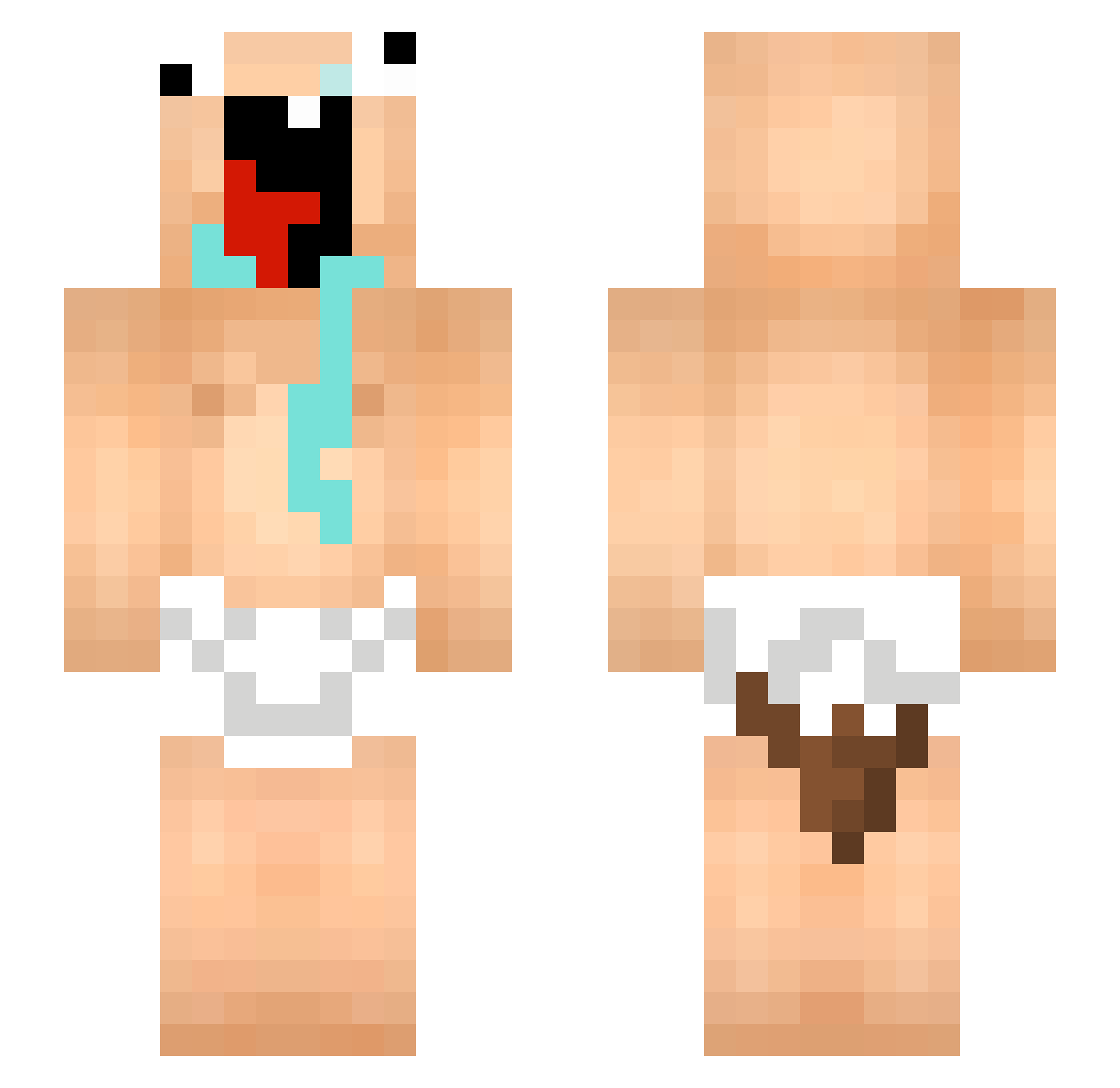
Current Minecraft skin of the player Hell_Pet, loaded from the official Mojang API. Rotate the 3D model with your mouse or finger, then download the skin as a PNG file and use it in Minecraft: Bedrock Edition or Java Edition for free. When Hell_Pet changes their skin, this page updates automatically and the old skin stays in the history below.
Other players with this skin (63)
Hell_Pet was the 13th player we have seen with this skin, first spotted on 11.08.2026. The same skin was seen on these players. Open a nickname to see their current skin and skin history.
 gojodad NexttoDIE bxyun Dengalang_ oKenny333 zongxing0715 mikisiki12310 YCHENLEILIAO Hjinaim djaizaili_ns wyluzowany_ MegaFunny69 emile_rizchinois K9RY Asfaltacek Cypear Hoanghai123 mazalialves Bon_FPS polnoTRYSS koskettelia69 chuuchew MrEpicCraft DonCrucio wbhunter_ kakkuhi nyver4 NormalPlayere Poloperoladron79 KunyaratX getbettertech Vemz ARX76 AleFre2717 Misprints menorevoltado bohayho swazk3vin UgnojeniSir JHYB1 yeetyboihehe Kaan_V DEYUKI_ Billysblockisbig RT_C P0LLAS0 qd_a woojinsbro metz2410 Baankongpeetumna LamDarling lcs006 Ohsloo nicklukpro ahhsss XxDayTrainxX FreeeK_ ywdjb Iancho960819 haviter
More Diaper Minecraft skins
How to install the Hell_Pet skin
- Press the Download button above to save the skin as a PNG file.
- Minecraft: Bedrock Edition (PE): open the Dressing Room from the main menu (or tap your character → Edit Character), go to Classic Skins → Owned, press the + (new skin) button, choose the downloaded PNG and pick the Slim (Alex) model. Works on PC and mobile; consoles cannot import custom skins.
- Minecraft: Java Edition: open the Minecraft Launcher, go to the Skins tab, click New Skin, load the PNG, pick the Slim (Alex) model and press Save & Use. You can also upload it at minecraft.net → Profile → Change Skin.
The skin does not show up after import - what should I do?
Restart Minecraft and open the Dressing Room again - imported skins sometimes appear only after a restart. Also make sure you selected the imported skin and picked the Slim (Alex) model.
Which model should I choose, Classic or Slim?
This skin is designed for the Slim (Alex) model. If you pick the wrong model, the arms of the skin will look stretched or squeezed.
Is the skin of Hell_Pet free to download?
Yes. Press Download, save the PNG file and use it in Minecraft: Bedrock Edition or Java Edition - no payment or registration needed. The skin also works on multiplayer servers and Realms.
More skins
Looking for more? Go back to all Minecraft skins and check the top skins of the week, month and all time, or find any player's skin by nickname.