
Hee_Jae - Minecraft Skins & Skin History
Current Minecraft skin of the player Hee_Jae, loaded from the official Mojang API. Rotate the 3D model with your mouse or finger, then download the skin as a PNG file and use it in Minecraft: Bedrock Edition or Java Edition for free. When Hee_Jae changes their skin, this page updates automatically and the old skin stays in the history below.
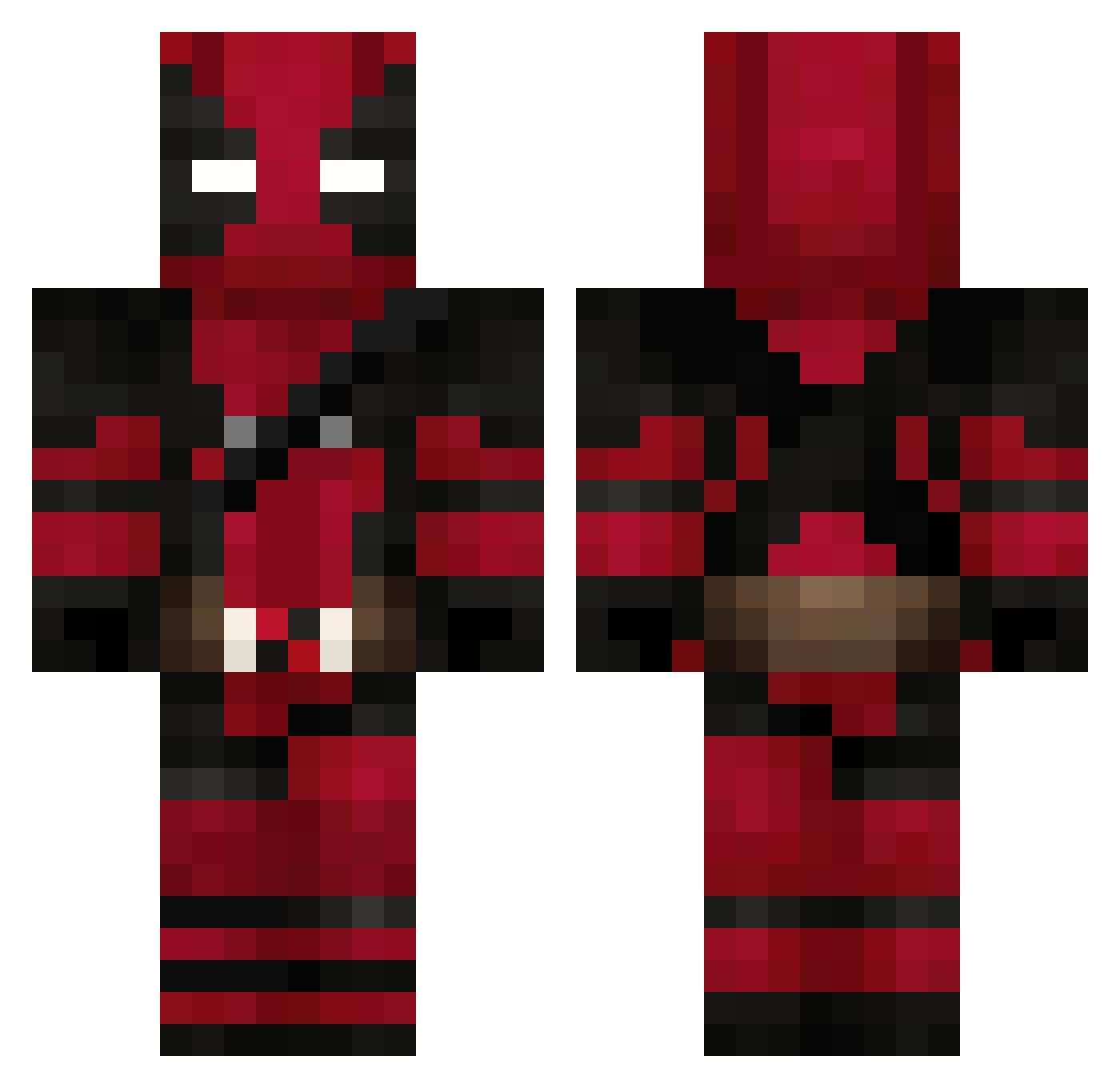
Other players with this skin (842)
Hee_Jae was the 785th player we have seen with this skin, first spotted on 04.11.2026. The same skin was seen on these players. Open a nickname to see their current skin and skin history.
 muffinssi_54 Virtuhous Shuyun03 bluemen_ kuroko_72 Cranki_T hu3iii Majorisii Nicobnuev011 Rokuro05 CycloneActionX Ravqx gusTTp mtcastro43 DaveGi JibbyJabbaJr xXiProSkillZz alparhanagaoglu lalio13001 Sp0ntane0us1 klidz lyraisdead Obiwan_Benobi lensdisc DeadPool_VR igorcolonna jonathanroll13 Lolmen_Ninja zelbius Dimitri_B Elbet011 _LisAda_ Louis_013 DaveThaDeer SatanekCz xRubinooo Woemodo TheDark_Abyss fjbvini johnc19 FlipperTrash_ MRUFO2006 haruhi0325 MrJoshua_ ploetzi DarkusDg Econo85 Caden_hk852 FANATICMAN matheusg23 iamNot4you gavisten Gugapac2001 LoneStarFK1 NADOM007 MonstreCoq ram_1798 sukipi0 XFedepronetX123X hmmngs
More Deadpool Minecraft skins
How to install the Hee_Jae skin
- Press the Download button above to save the skin as a PNG file.
- Minecraft: Bedrock Edition (PE): open the Dressing Room from the main menu (or tap your character → Edit Character), go to Classic Skins → Owned, press the + (new skin) button, choose the downloaded PNG and pick the Classic (Steve) model. Works on PC and mobile; consoles cannot import custom skins.
- Minecraft: Java Edition: open the Minecraft Launcher, go to the Skins tab, click New Skin, load the PNG, pick the Classic (Steve) model and press Save & Use. You can also upload it at minecraft.net → Profile → Change Skin.
The skin does not show up after import - what should I do?
Restart Minecraft and open the Dressing Room again - imported skins sometimes appear only after a restart. Also make sure you selected the imported skin and picked the Classic (Steve) model.
Which model should I choose, Classic or Slim?
This skin is designed for the Classic (Steve) model. If you pick the wrong model, the arms of the skin will look stretched or squeezed.
Is the skin of Hee_Jae free to download?
Yes. Press Download, save the PNG file and use it in Minecraft: Bedrock Edition or Java Edition - no payment or registration needed. The skin also works on multiplayer servers and Realms.
More skins
Looking for more? Go back to all Minecraft skins and check the top skins of the week, month and all time, or find any player's skin by nickname.