
Hedgecoin - Minecraft Skins & Skin History
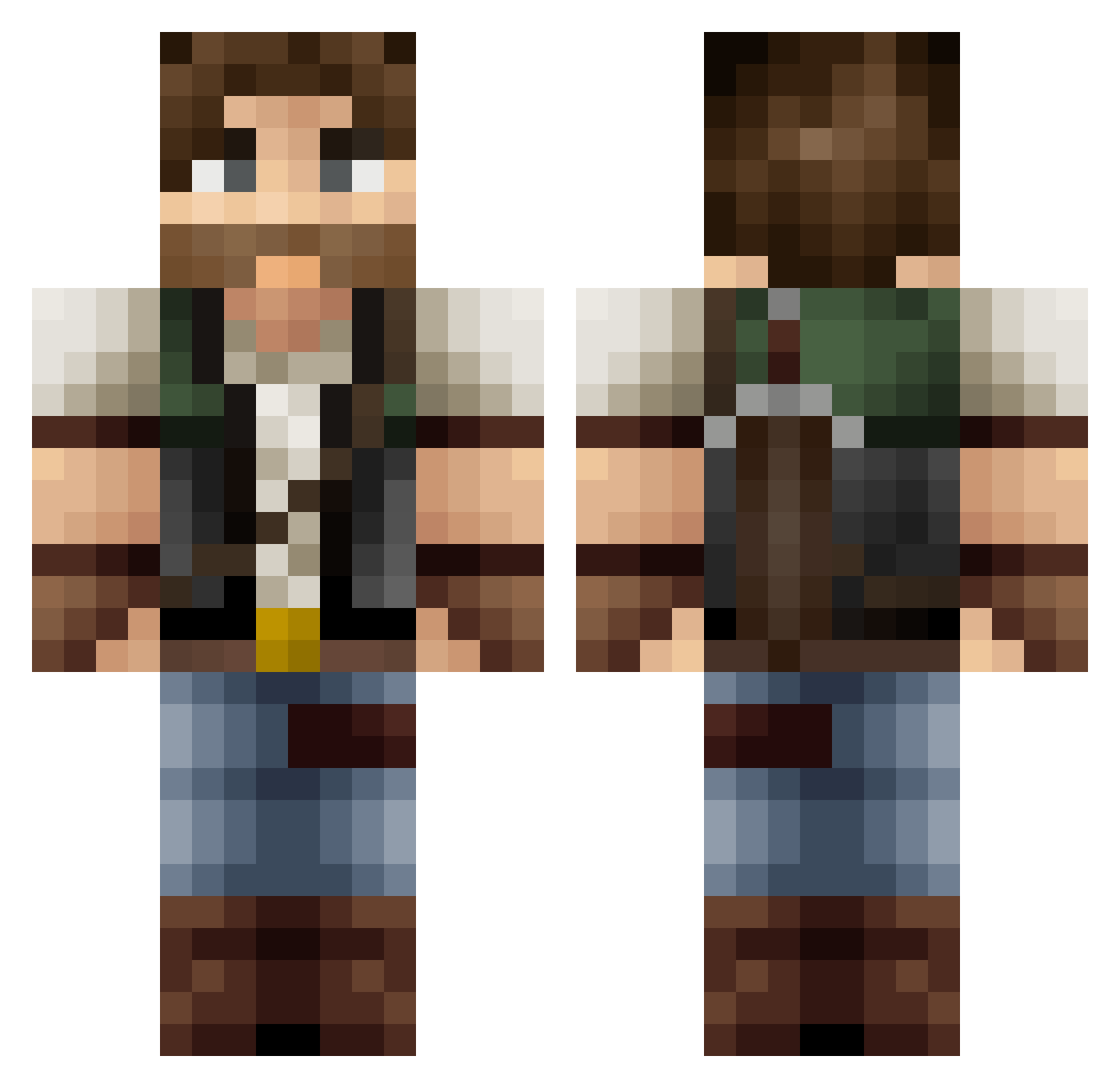
Current Minecraft skin of the player Hedgecoin, loaded from the official Mojang API. Rotate the 3D model with your mouse or finger, then download the skin as a PNG file and use it in Minecraft: Bedrock Edition or Java Edition for free. When Hedgecoin changes their skin, this page updates automatically and the old skin stays in the history below.
Other players with this skin (418)
Hedgecoin was the 394th player we have seen with this skin, first spotted on 15.10.2026. The same skin was seen on these players. Open a nickname to see their current skin and skin history.
 Mak_PvP DigBickDill Jedakar bostjanthediver B4YSIDE_ Javix83 Brygus15 Uman_101 JanSchecker15 armyoverdose kuami6 Mob_Extinction sirjackinthebox MXsmd kooldude66 zion_nc gublyb jamesroland Broudamere Lyzerd OPC Dji38 __Parker Anarchy_Gaming _Nugs_ Myctisp wille1024 Beracuss AKTARI mclan avalon_117 iEleggua Foyie HadlemDonalds JoJoRox2 Crazyeggs Soco_man Buzzsaw44 Zombienuts Derteer Gilaim GuyRyerson Krewel1 TheCucciMane ChaoticGamer stout0410 jacobdan123 Baconlunchbox thaakingg Alaaran BigsBy_123 Evolutionism xTimbaCos Grillton Grimfast ChippyClint Cadmus74 ninjalapants logiboy06 mysterymilk
More Joel Miller Minecraft skins
How to install the Hedgecoin skin
- Press the Download button above to save the skin as a PNG file.
- Minecraft: Bedrock Edition (PE): open the Dressing Room from the main menu (or tap your character → Edit Character), go to Classic Skins → Owned, press the + (new skin) button, choose the downloaded PNG and pick the Classic (Steve) model. Works on PC and mobile; consoles cannot import custom skins.
- Minecraft: Java Edition: open the Minecraft Launcher, go to the Skins tab, click New Skin, load the PNG, pick the Classic (Steve) model and press Save & Use. You can also upload it at minecraft.net → Profile → Change Skin.
The skin does not show up after import - what should I do?
Restart Minecraft and open the Dressing Room again - imported skins sometimes appear only after a restart. Also make sure you selected the imported skin and picked the Classic (Steve) model.
Which model should I choose, Classic or Slim?
This skin is designed for the Classic (Steve) model. If you pick the wrong model, the arms of the skin will look stretched or squeezed.
Is the skin of Hedgecoin free to download?
Yes. Press Download, save the PNG file and use it in Minecraft: Bedrock Edition or Java Edition - no payment or registration needed. The skin also works on multiplayer servers and Realms.
More skins
Looking for more? Go back to all Minecraft skins and check the top skins of the week, month and all time, or find any player's skin by nickname.