
HeatherWhenever - Minecraft Skins & Skin History
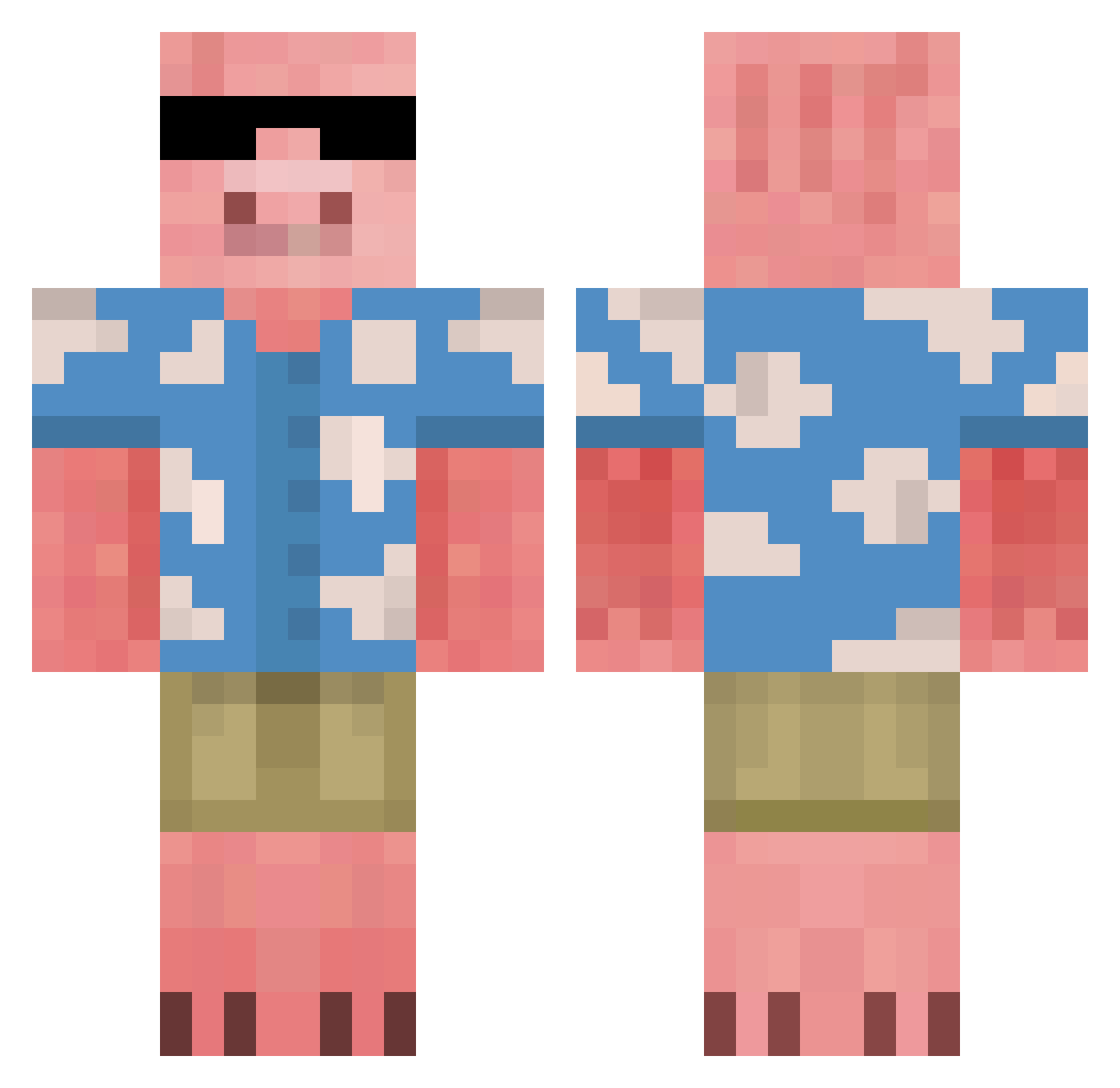
Current Minecraft skin of the player HeatherWhenever, loaded from the official Mojang API. Rotate the 3D model with your mouse or finger, then download the skin as a PNG file and use it in Minecraft: Bedrock Edition or Java Edition for free. When HeatherWhenever changes their skin, this page updates automatically and the old skin stays in the history below.
Other players with this skin (675)
HeatherWhenever was the 532nd player we have seen with this skin, first spotted on 15.10.2026. The same skin was seen on these players. Open a nickname to see their current skin and skin history.
 Iakw kirkvicular Rochax1 NervyMacaroon Sorew Navexlol Louisstiti S1rLagsalot yoitswideTony Renderrs _Rexxo_ _SnackAttack_ BillGatesBlows69 Miguel0199 Alistar70 Volt_Fred Pedrovski5 Olecripply Jaroun_ Block_Daddy_ echtermeyer GorillaGlue53 L0dziarz shamanooo averycoolname SUPONNZI GabeInsane Knorreberenmans FinestCookie Bdubz8 Bobking3293 Kooljex12 TobRoss47 LuneDeSoleil Vegeburger123 BasedChud Daq1ang OddHeybert itsHolah isntthatneat PiggyBax Prezpickles1 sewoooong gravedigger12345 cordero123 dhehdehd9 ketuae Nilari kizzykaz12 WargazmMonkey NickDDoesThings zGenon AndreiBandrei ScarthLord Eliasbobbi TrumpJDonald kapteinkebab MetalLemon Euge43 TheBananaMan_9
More Piglin Minecraft skins
How to install the HeatherWhenever skin
- Press the Download button above to save the skin as a PNG file.
- Minecraft: Bedrock Edition (PE): open the Dressing Room from the main menu (or tap your character → Edit Character), go to Classic Skins → Owned, press the + (new skin) button, choose the downloaded PNG and pick the Classic (Steve) model. Works on PC and mobile; consoles cannot import custom skins.
- Minecraft: Java Edition: open the Minecraft Launcher, go to the Skins tab, click New Skin, load the PNG, pick the Classic (Steve) model and press Save & Use. You can also upload it at minecraft.net → Profile → Change Skin.
The skin does not show up after import - what should I do?
Restart Minecraft and open the Dressing Room again - imported skins sometimes appear only after a restart. Also make sure you selected the imported skin and picked the Classic (Steve) model.
Which model should I choose, Classic or Slim?
This skin is designed for the Classic (Steve) model. If you pick the wrong model, the arms of the skin will look stretched or squeezed.
Is the skin of HeatherWhenever free to download?
Yes. Press Download, save the PNG file and use it in Minecraft: Bedrock Edition or Java Edition - no payment or registration needed. The skin also works on multiplayer servers and Realms.
More skins
Looking for more? Go back to all Minecraft skins and check the top skins of the week, month and all time, or find any player's skin by nickname.