
HeartMate - Minecraft Skins & Skin History
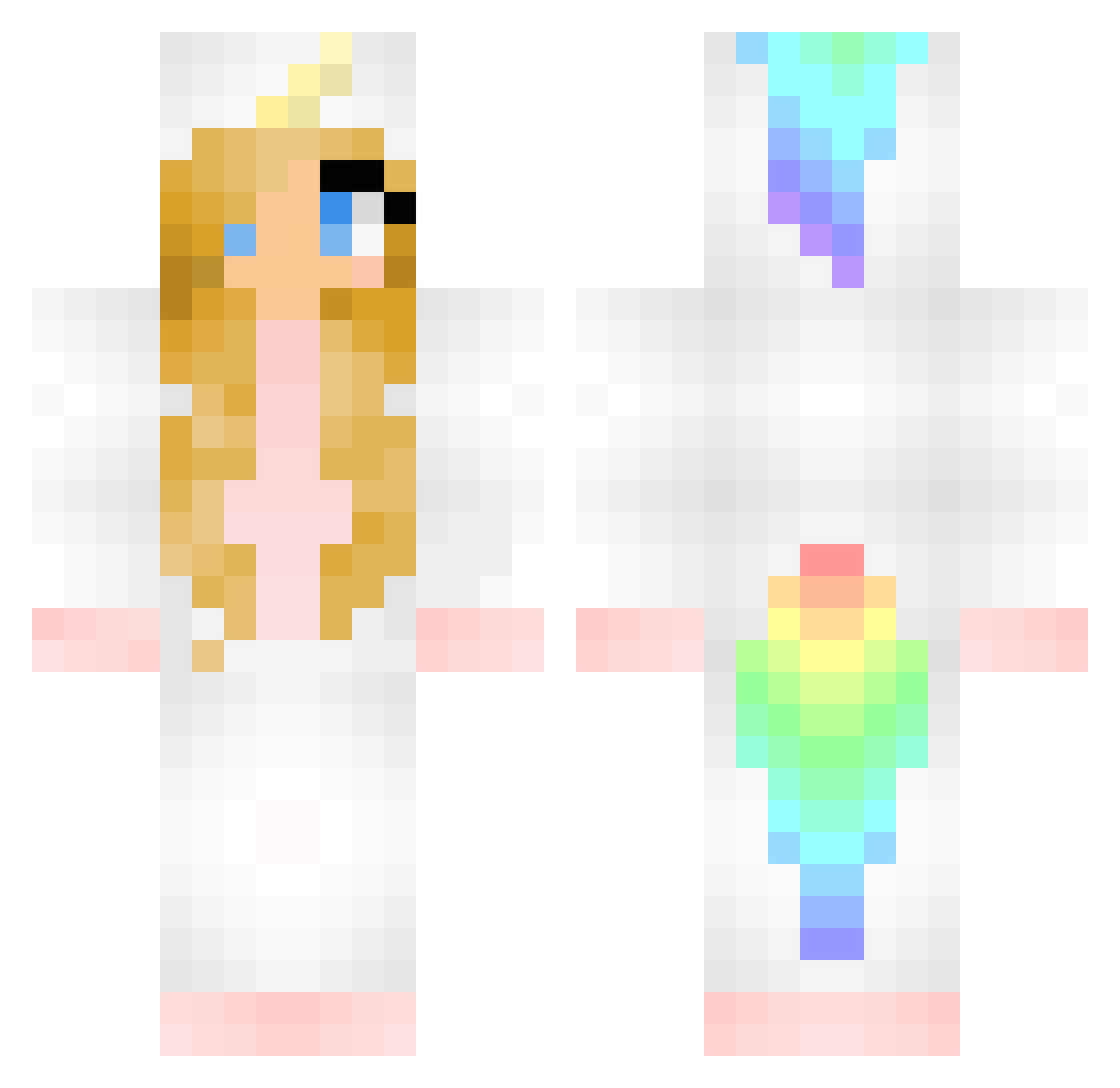
Current Minecraft skin of the player HeartMate, loaded from the official Mojang API. Rotate the 3D model with your mouse or finger, then download the skin as a PNG file and use it in Minecraft: Bedrock Edition or Java Edition for free. When HeartMate changes their skin, this page updates automatically and the old skin stays in the history below.
Other players with this skin (374)
HeartMate was the 316th player we have seen with this skin, first spotted on 17.10.2026. The same skin was seen on these players. Open a nickname to see their current skin and skin history.
 MissDeba mimiw22 Tovis Mackenzee243 mjnschuiling Brownie1032 aliyahsimmons09 DC_Marith julla04 Lautje93 Revenragen AuLani0211 crashyashy Jbeanie1228 cicimorgan1 ekvall03 Lizard_King25 sosobra hashtagepicness Pippylotta1980 ariel_123 fimbae just_brooke18 TheMangoDevil XMaddieHatterX CharlieBear456 I_Got_Hackusated Cheerios_101 kittyGirl_11 lucieclarke DLRacer maeve2527 lordfluffy943 ChernobylBarnet anal_seepage biihbarbosa Gray_OwO DonnaDMCH PonyoTheFish12 Unicorn_Rain96 JAZZY_GREEN sophiek1d pinkunicorn75 Megaronja DirkLeeuw Rinske Linster123 Barneyg1989 AuroraZabeo plooier yanran_chen majacordua seje_Nico xAnnaLaurax Siroskariam Shimhol skylove909 Cakanator Spinellie DiamondBandit9
More Unicorn Minecraft skins
How to install the HeartMate skin
- Press the Download button above to save the skin as a PNG file.
- Minecraft: Bedrock Edition (PE): open the Dressing Room from the main menu (or tap your character → Edit Character), go to Classic Skins → Owned, press the + (new skin) button, choose the downloaded PNG and pick the Classic (Steve) model. Works on PC and mobile; consoles cannot import custom skins.
- Minecraft: Java Edition: open the Minecraft Launcher, go to the Skins tab, click New Skin, load the PNG, pick the Classic (Steve) model and press Save & Use. You can also upload it at minecraft.net → Profile → Change Skin.
The skin does not show up after import - what should I do?
Restart Minecraft and open the Dressing Room again - imported skins sometimes appear only after a restart. Also make sure you selected the imported skin and picked the Classic (Steve) model.
Which model should I choose, Classic or Slim?
This skin is designed for the Classic (Steve) model. If you pick the wrong model, the arms of the skin will look stretched or squeezed.
Is the skin of HeartMate free to download?
Yes. Press Download, save the PNG file and use it in Minecraft: Bedrock Edition or Java Edition - no payment or registration needed. The skin also works on multiplayer servers and Realms.
More skins
Looking for more? Go back to all Minecraft skins and check the top skins of the week, month and all time, or find any player's skin by nickname.