
Hdavid64 - Minecraft Skins & Skin History
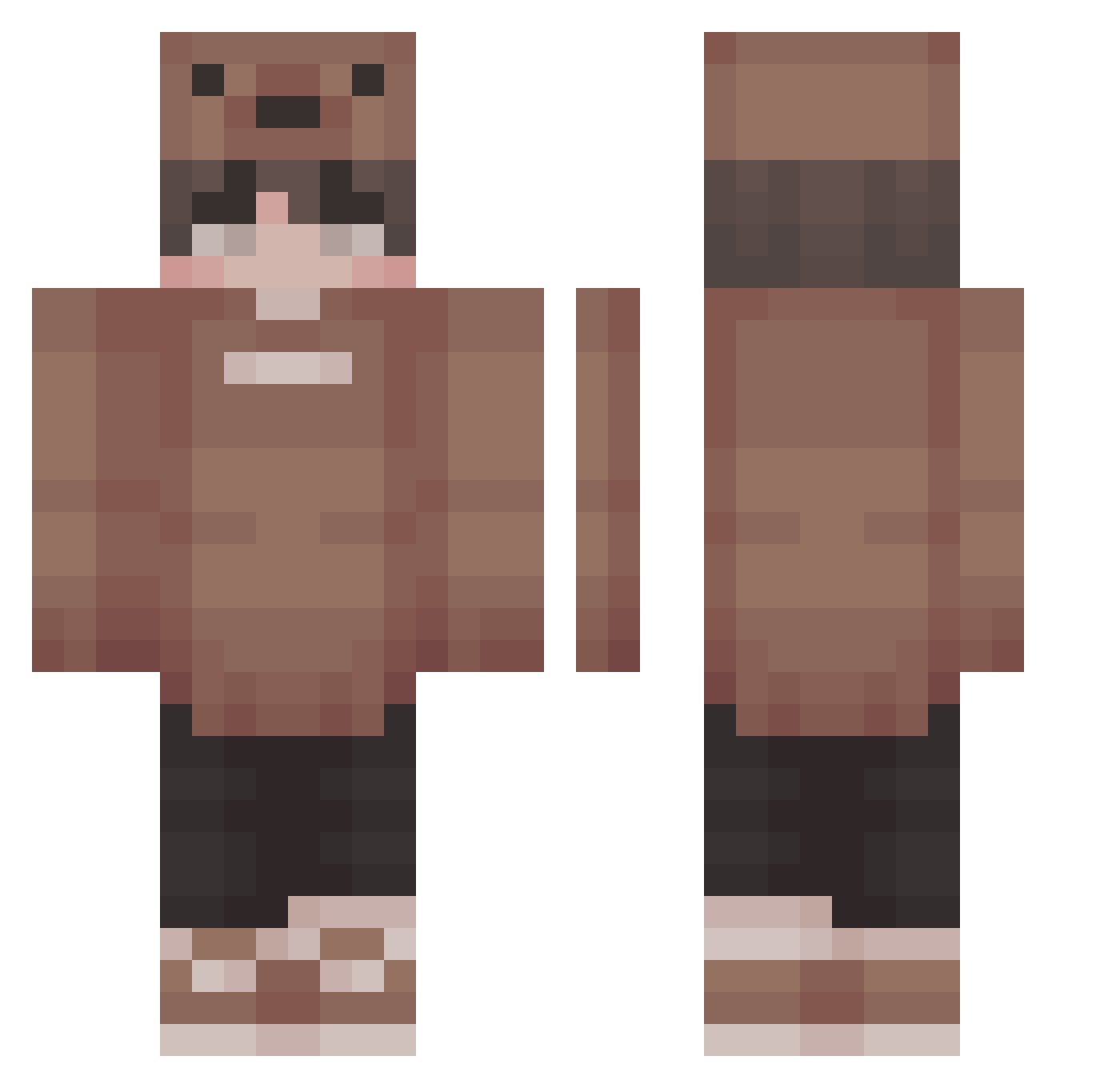
Current Minecraft skin of the player Hdavid64, loaded from the official Mojang API. Rotate the 3D model with your mouse or finger, then download the skin as a PNG file and use it in Minecraft: Bedrock Edition or Java Edition for free. When Hdavid64 changes their skin, this page updates automatically and the old skin stays in the history below.
Other players with this skin (226)
Hdavid64 was the 193rd player we have seen with this skin, first spotted on 20.10.2026. The same skin was seen on these players. Open a nickname to see their current skin and skin history.
 HoopeDaScoopy ToucanMC_ jemvdbroek xiaa Kzull __Borax__ Pablo_MiqZ VacationVV Squawast Dyvirgo31 inherentmess DanGamers123 nv_a Tornkik jun02201 SesKaza porkerhoss PullUpOnAKid_ Dittex JellyShroom17 TheTigerAsian TauriZie SsSuszi Kaybin DarkStar7230 Kevsandovaal blob_23 MC_Ayan Harbingar That1Outcast Miraiki44 RYZE9831 Tempest_Diff GoCryKiddo bjmcasf In__sanity Kadyn_7070 Herrrry IceWraithian darkxhornet anthony20021 Vophor XcLeoXc Bathunter5755 Stout64 Eruake Yot4ka_ TaraNtula69 kdwdk SolarisTKW Hetalila xNiksOff MadDweeb Biitsepsi_Poiss Phobos612 jiohh Tapesy dankon17 Arise69 Kevox2712
More Cute Minecraft skins
How to install the Hdavid64 skin
- Press the Download button above to save the skin as a PNG file.
- Minecraft: Bedrock Edition (PE): open the Dressing Room from the main menu (or tap your character → Edit Character), go to Classic Skins → Owned, press the + (new skin) button, choose the downloaded PNG and pick the Classic (Steve) model. Works on PC and mobile; consoles cannot import custom skins.
- Minecraft: Java Edition: open the Minecraft Launcher, go to the Skins tab, click New Skin, load the PNG, pick the Classic (Steve) model and press Save & Use. You can also upload it at minecraft.net → Profile → Change Skin.
The skin does not show up after import - what should I do?
Restart Minecraft and open the Dressing Room again - imported skins sometimes appear only after a restart. Also make sure you selected the imported skin and picked the Classic (Steve) model.
Which model should I choose, Classic or Slim?
This skin is designed for the Classic (Steve) model. If you pick the wrong model, the arms of the skin will look stretched or squeezed.
Is the skin of Hdavid64 free to download?
Yes. Press Download, save the PNG file and use it in Minecraft: Bedrock Edition or Java Edition - no payment or registration needed. The skin also works on multiplayer servers and Realms.
More skins
Looking for more? Go back to all Minecraft skins and check the top skins of the week, month and all time, or find any player's skin by nickname.