
Hayat0s - Minecraft Skins & Skin History
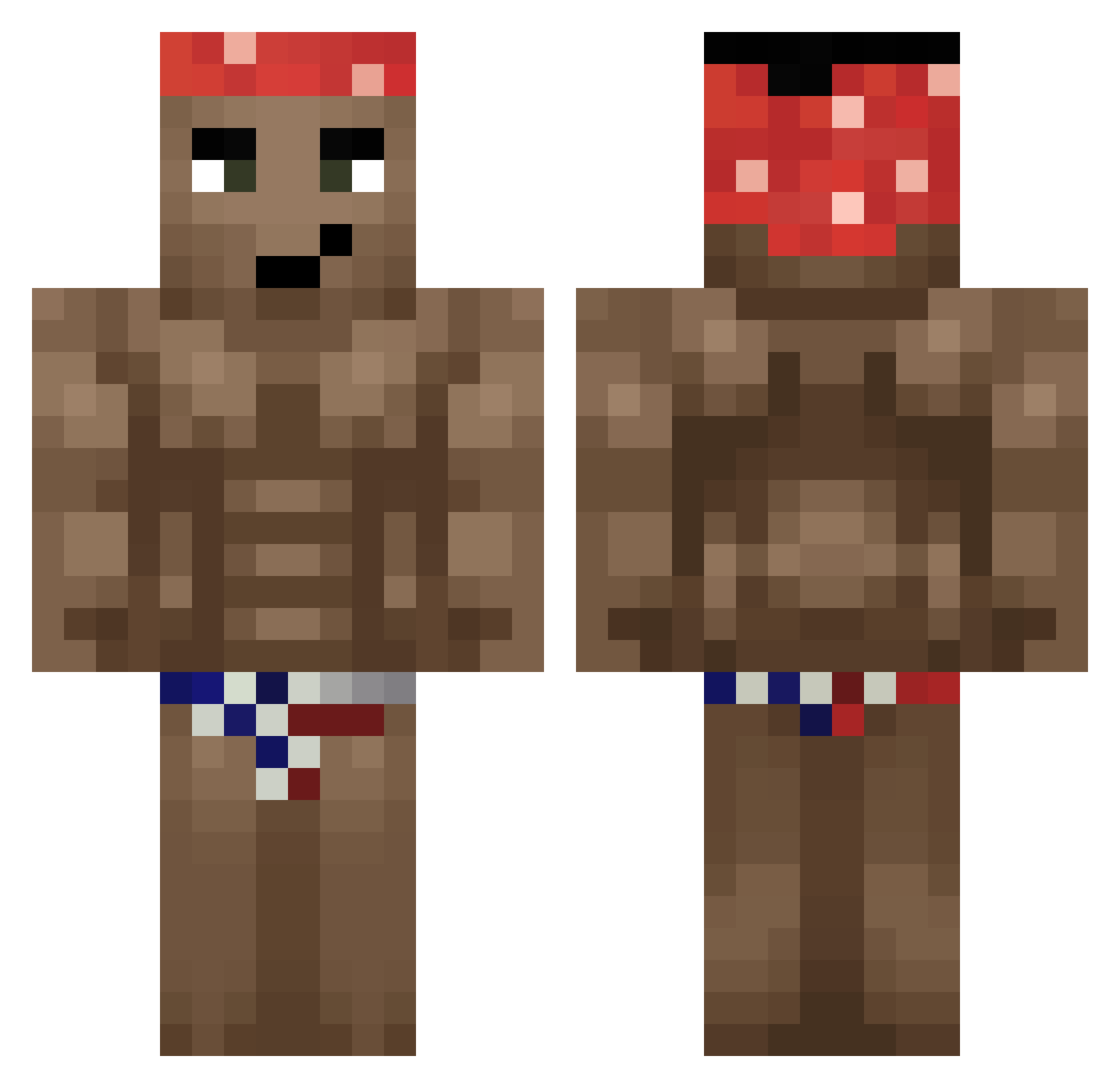
Current Minecraft skin of the player Hayat0s, loaded from the official Mojang API. Rotate the 3D model with your mouse or finger, then download the skin as a PNG file and use it in Minecraft: Bedrock Edition or Java Edition for free. When Hayat0s changes their skin, this page updates automatically and the old skin stays in the history below.
Other players with this skin (330)
Hayat0s was the 43rd player we have seen with this skin, first spotted on 08.08.2026. The same skin was seen on these players. Open a nickname to see their current skin and skin history.
 yuming87 Tracer_E Darlio pchuk21 Ashkan720 Ricard0Mil0s chinitotumbado Bistouille01 ToonsOne Elliotskii xaop777 p4lka tarochido theeKing Davidz777z F532D Teonessy Meloniq PeachyNest13232 Pedrosf OGLugge14 BALOFINHO gorolada Anthoy
 Harrygurka OT_Yuzuru sigmarcin67 Flap4er Wooshhhh KennyLee2580 Xuyunn Midles BattyCrease9000 BigDadLisaMarie Alcikkk Ivanoitaliano kodeqqq Chismolet DARBECiHAYDAR54 LipetskayaMafia Guillem_Tejon DerekC2004 IgoPros123 ColinPonch PixelTaTo fireaspeckt1733 Damian96 Black_Guy hj213 SaucyYoyo Alekeksi bykerem3120 BigBadManu TheBoyJared Mille_0 matix071 Aeosoft pablo0_3 160V AlphaMetrix
More Dancer Minecraft skins
How to install the Hayat0s skin
- Press the Download button above to save the skin as a PNG file.
- Minecraft: Bedrock Edition (PE): open the Dressing Room from the main menu (or tap your character → Edit Character), go to Classic Skins → Owned, press the + (new skin) button, choose the downloaded PNG and pick the Classic (Steve) model. Works on PC and mobile; consoles cannot import custom skins.
- Minecraft: Java Edition: open the Minecraft Launcher, go to the Skins tab, click New Skin, load the PNG, pick the Classic (Steve) model and press Save & Use. You can also upload it at minecraft.net → Profile → Change Skin.
The skin does not show up after import - what should I do?
Restart Minecraft and open the Dressing Room again - imported skins sometimes appear only after a restart. Also make sure you selected the imported skin and picked the Classic (Steve) model.
Which model should I choose, Classic or Slim?
This skin is designed for the Classic (Steve) model. If you pick the wrong model, the arms of the skin will look stretched or squeezed.
Is the skin of Hayat0s free to download?
Yes. Press Download, save the PNG file and use it in Minecraft: Bedrock Edition or Java Edition - no payment or registration needed. The skin also works on multiplayer servers and Realms.
More skins
Looking for more? Go back to all Minecraft skins and check the top skins of the week, month and all time, or find any player's skin by nickname.