
HarutoUzuchiro - Minecraft Skins & Skin History
Current Minecraft skin of the player HarutoUzuchiro, loaded from the official Mojang API. Rotate the 3D model with your mouse or finger, then download the skin as a PNG file and use it in Minecraft: Bedrock Edition or Java Edition for free. When HarutoUzuchiro changes their skin, this page updates automatically and the old skin stays in the history below.
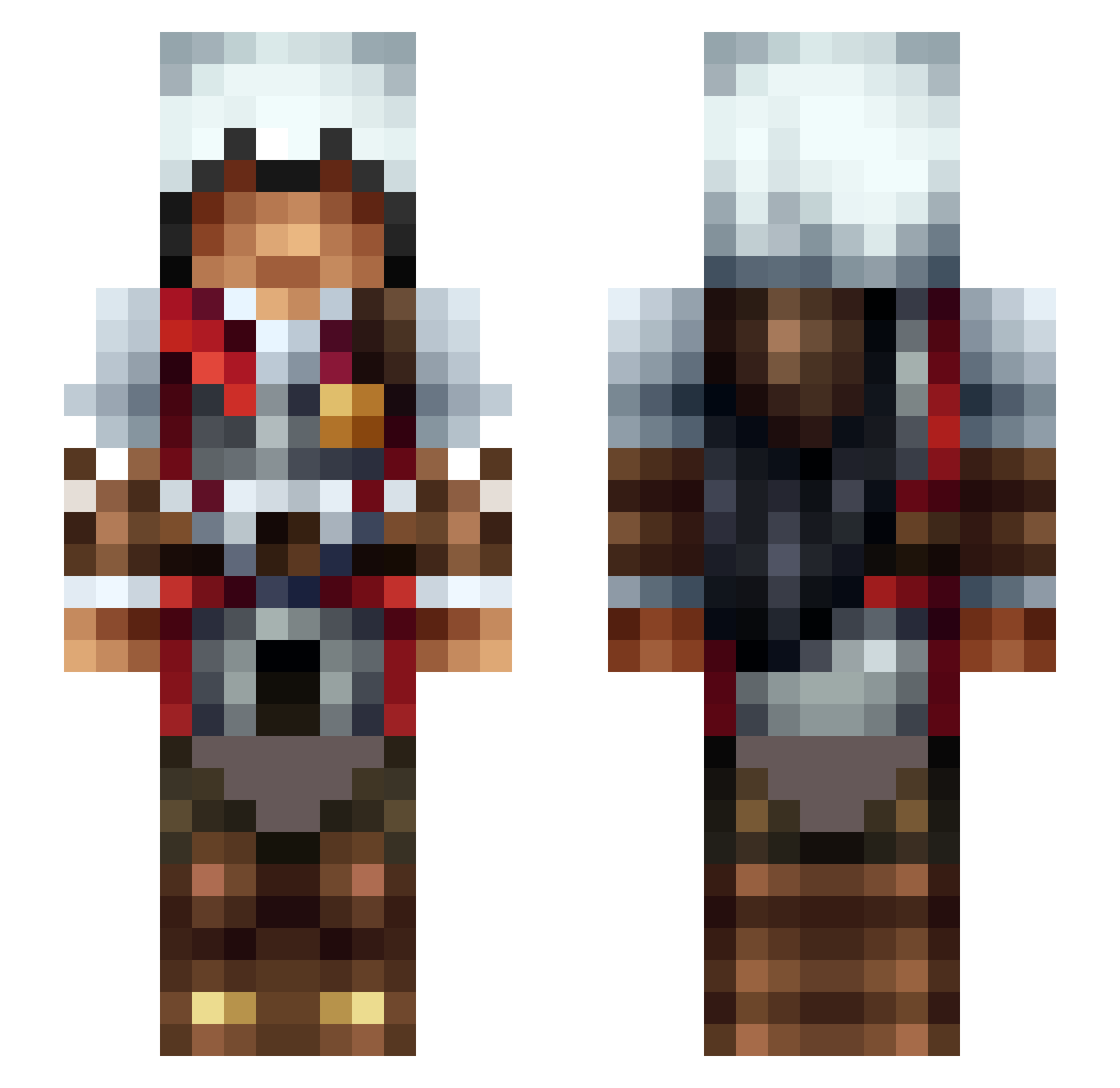
Other players with this skin (474)
HarutoUzuchiro was the 369th player we have seen with this skin, first spotted on 11.10.2026. The same skin was seen on these players. Open a nickname to see their current skin and skin history.
 nangra Megdkooeo uranium34 Traco92 Zero8445 Pyro4515 DestiniesY MrSkittleFarts Perfectionist23 Krukez AeternaVictrix26 richyblood CAPTAINxNEM0 Mobcraft Kawazi112 Fezikimo Vanifei pAt_2115 HaHing Kaberkuta Vinyato ChaosisHistory uspetst Sawtrollbee MrAquaSloth Guyvan KingFinigan Prince0fWrath Wisita AAAzazel rednoz MrProRT WiniarettoAudito Raapma12 Tartiflette2605 1FC0 Aspglutr IggyWarrick Equimanthorn91 Naycil7799 loganjc52 philasia harroZenith LastNightWasWild NoisyGinger Galaim Syunzzz Gragorus Taco131 AstroJam ItsWinken klm7793 PeskyHungarian ColourfulWhite Honfleur ghostrider47698 Scotty251 SpaceOff13 GorgeousCloth ZetioZ1
More Altair Minecraft skins
How to install the HarutoUzuchiro skin
- Press the Download button above to save the skin as a PNG file.
- Minecraft: Bedrock Edition (PE): open the Dressing Room from the main menu (or tap your character → Edit Character), go to Classic Skins → Owned, press the + (new skin) button, choose the downloaded PNG and pick the Slim (Alex) model. Works on PC and mobile; consoles cannot import custom skins.
- Minecraft: Java Edition: open the Minecraft Launcher, go to the Skins tab, click New Skin, load the PNG, pick the Slim (Alex) model and press Save & Use. You can also upload it at minecraft.net → Profile → Change Skin.
The skin does not show up after import - what should I do?
Restart Minecraft and open the Dressing Room again - imported skins sometimes appear only after a restart. Also make sure you selected the imported skin and picked the Slim (Alex) model.
Which model should I choose, Classic or Slim?
This skin is designed for the Slim (Alex) model. If you pick the wrong model, the arms of the skin will look stretched or squeezed.
Is the skin of HarutoUzuchiro free to download?
Yes. Press Download, save the PNG file and use it in Minecraft: Bedrock Edition or Java Edition - no payment or registration needed. The skin also works on multiplayer servers and Realms.
More skins
Looking for more? Go back to all Minecraft skins and check the top skins of the week, month and all time, or find any player's skin by nickname.