
Harukasuki - Minecraft Skins & Skin History
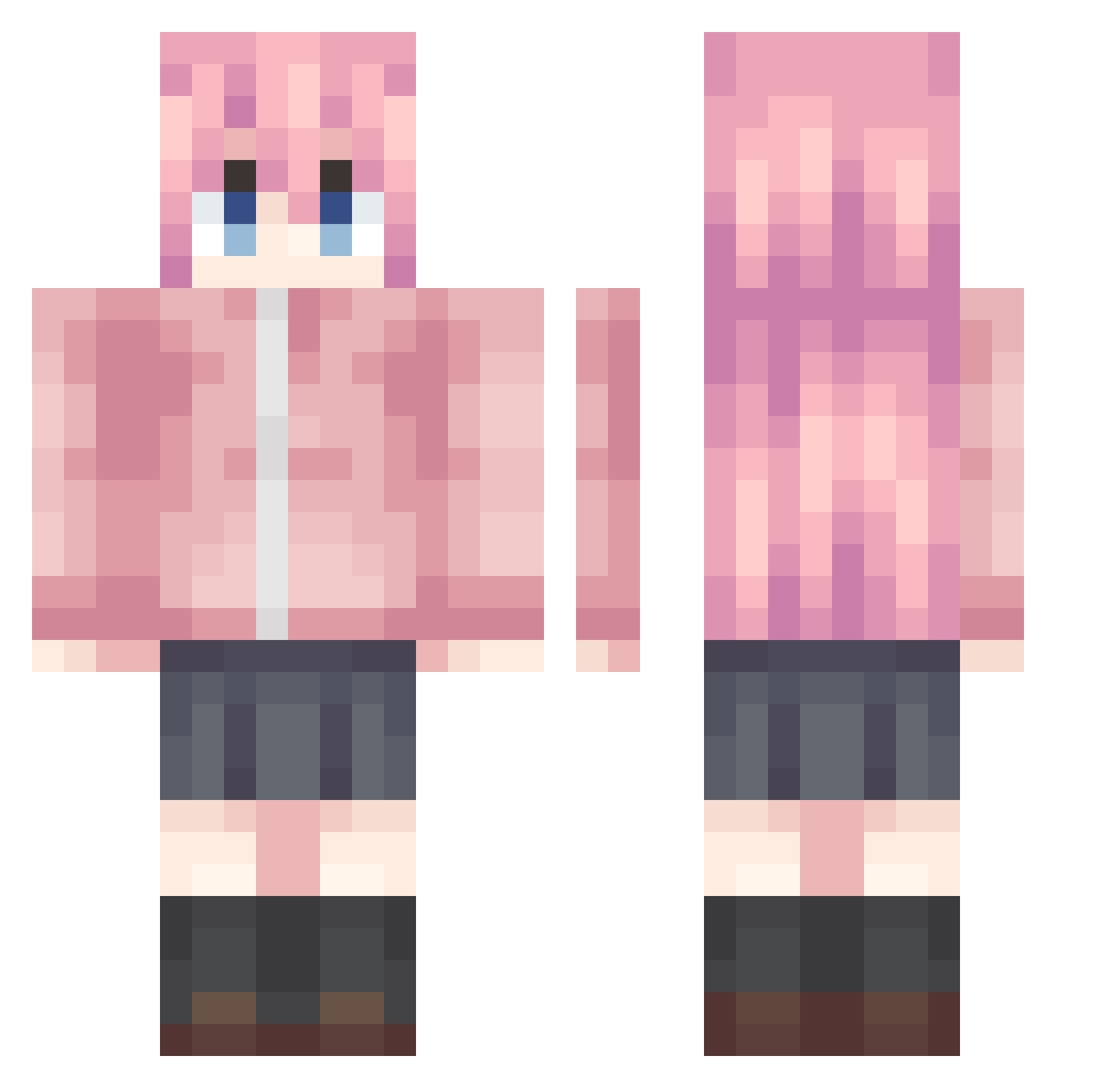
Current Minecraft skin of the player Harukasuki, loaded from the official Mojang API. Rotate the 3D model with your mouse or finger, then download the skin as a PNG file and use it in Minecraft: Bedrock Edition or Java Edition for free. When Harukasuki changes their skin, this page updates automatically and the old skin stays in the history below.
Other players with this skin (992)
Harukasuki was the 439th player we have seen with this skin, first spotted on 15.09.2026. The same skin was seen on these players. Open a nickname to see their current skin and skin history.
 _AltriaPendragon Lu_Shy Deaing Heitaly_SanYue Ciallo07 sachio999 BAD_MODE youhongwei Kamiki liuaolinxianren Searabbit_ Meng_meiling me107107 Xiao_mo1211 BeiZhai_ Lyuuuu NOENWEMOKNO yuyuyuuu1 Adybug100 xueluo999 DvemiC9 Xiao___Xiong_ QluCia Heyzerrita bluearchive100 45Rabbits btc152 hamada2357 Goto_Hitori1 ayuAlex Locovilli paipai111 cduiwjebncouinOb tomorrow666 mykinging zhuyuzei leega0614 ziner578 Amamiya_sei qiufeng61 HDFHOU RFVTGB78 fl33678 AphroditeYX Cyan915 xiao_mo696 KDzoom lxchilly xiaolv666666 yua_yu phonk24 CCHORD jjb775 bababa3322 tuquezin PochiKorone haru2208 killopi93 Inari_KD saumer8
More Bocchi Minecraft skins
How to install the Harukasuki skin
- Press the Download button above to save the skin as a PNG file.
- Minecraft: Bedrock Edition (PE): open the Dressing Room from the main menu (or tap your character → Edit Character), go to Classic Skins → Owned, press the + (new skin) button, choose the downloaded PNG and pick the Classic (Steve) model. Works on PC and mobile; consoles cannot import custom skins.
- Minecraft: Java Edition: open the Minecraft Launcher, go to the Skins tab, click New Skin, load the PNG, pick the Classic (Steve) model and press Save & Use. You can also upload it at minecraft.net → Profile → Change Skin.
The skin does not show up after import - what should I do?
Restart Minecraft and open the Dressing Room again - imported skins sometimes appear only after a restart. Also make sure you selected the imported skin and picked the Classic (Steve) model.
Which model should I choose, Classic or Slim?
This skin is designed for the Classic (Steve) model. If you pick the wrong model, the arms of the skin will look stretched or squeezed.
Is the skin of Harukasuki free to download?
Yes. Press Download, save the PNG file and use it in Minecraft: Bedrock Edition or Java Edition - no payment or registration needed. The skin also works on multiplayer servers and Realms.
More skins
Looking for more? Go back to all Minecraft skins and check the top skins of the week, month and all time, or find any player's skin by nickname.