
HaraBaru - Minecraft Skins & Skin History
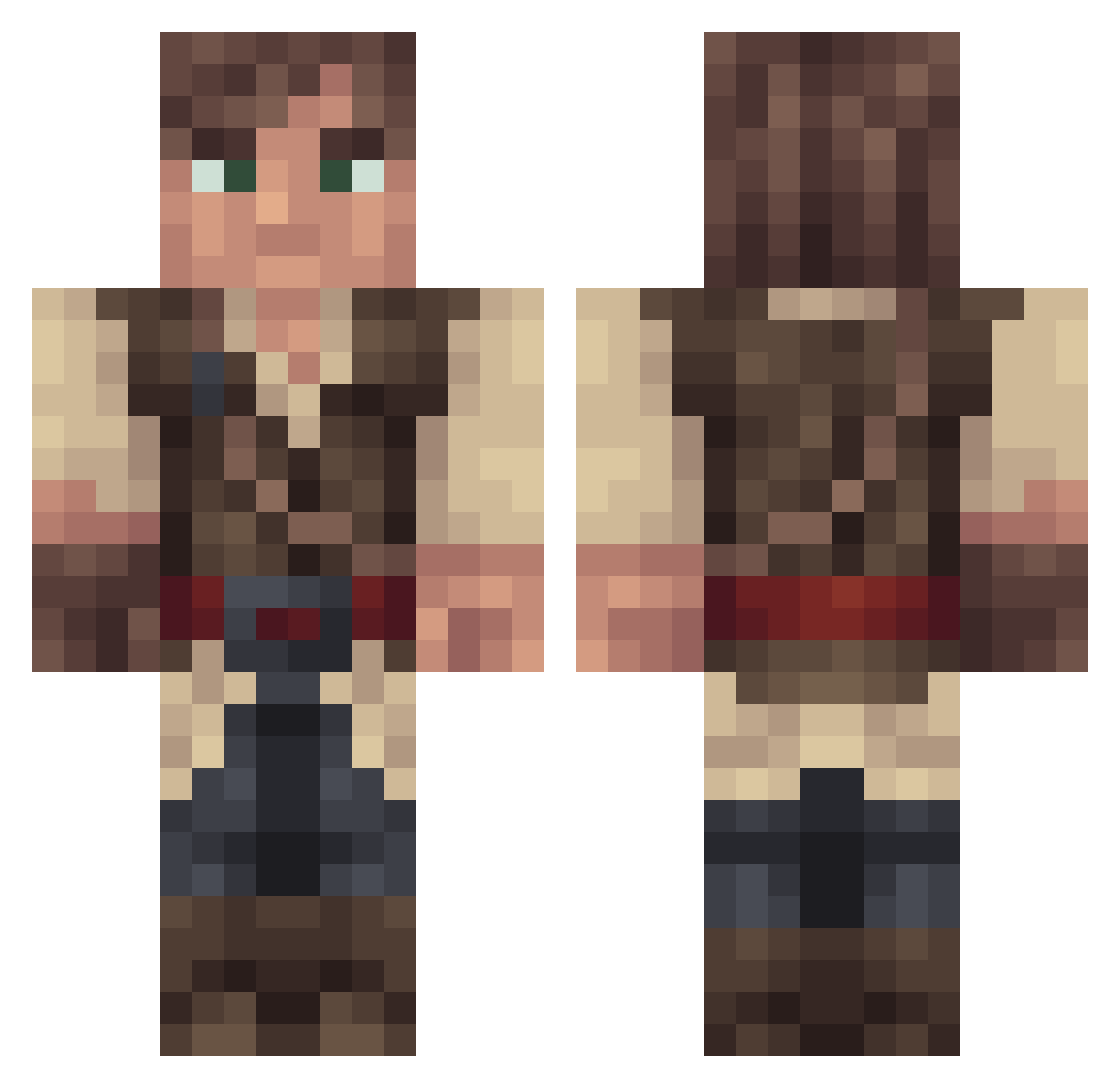
Current Minecraft skin of the player HaraBaru, loaded from the official Mojang API. Rotate the 3D model with your mouse or finger, then download the skin as a PNG file and use it in Minecraft: Bedrock Edition or Java Edition for free. When HaraBaru changes their skin, this page updates automatically and the old skin stays in the history below.
Other players with this skin (315)
HaraBaru was the 270th player we have seen with this skin, first spotted on 20.10.2026. The same skin was seen on these players. Open a nickname to see their current skin and skin history.
 Jonibek831 _Pequod zhuans Kamikkazz02 Nick_Griff scrr_scrr_colin Padlok CarllRoss ma1wy Nieklahs omitser KulanZack DashRiprock8 MegaPvps Riftstep TheBeastIsAlive Booker__ Jusb0x Pagan_Guy Tonton_Fri grintdel Sharky_36 Royale_Fussion NewRosc Resarok J_Boii Toeterino Seebohh NitroZima Djelina SzybkiSzymon12 Hyp3rscor3 BenjaminStrums Ser_KarsBak snakestu cadfish Nico_XD93 Gam3rWare DragonFire41 Juregodd TheBiggDaddy SnookDawgg l4k1P Tixsman Cloutman_ DearkovzZ SoubaK974 tesi_ Raidenfall LeFlyingMushroom TheHatter smakker97 3_9xs Supalast AdvogadoXx ShaneAreSmith Jitlan Controlled_Khaos SaltedFish0 Antioch394
More Nathan Drake Minecraft skins
See all 114 Nathan Drake skins
How to install the HaraBaru skin
- Press the Download button above to save the skin as a PNG file.
- Minecraft: Bedrock Edition (PE): open the Dressing Room from the main menu (or tap your character → Edit Character), go to Classic Skins → Owned, press the + (new skin) button, choose the downloaded PNG and pick the Classic (Steve) model. Works on PC and mobile; consoles cannot import custom skins.
- Minecraft: Java Edition: open the Minecraft Launcher, go to the Skins tab, click New Skin, load the PNG, pick the Classic (Steve) model and press Save & Use. You can also upload it at minecraft.net → Profile → Change Skin.
The skin does not show up after import - what should I do?
Restart Minecraft and open the Dressing Room again - imported skins sometimes appear only after a restart. Also make sure you selected the imported skin and picked the Classic (Steve) model.
Which model should I choose, Classic or Slim?
This skin is designed for the Classic (Steve) model. If you pick the wrong model, the arms of the skin will look stretched or squeezed.
Is the skin of HaraBaru free to download?
Yes. Press Download, save the PNG file and use it in Minecraft: Bedrock Edition or Java Edition - no payment or registration needed. The skin also works on multiplayer servers and Realms.
More skins
Looking for more? Go back to all Minecraft skins and check the top skins of the week, month and all time, or find any player's skin by nickname.