
Hansworst212 - Minecraft Skins & Skin History
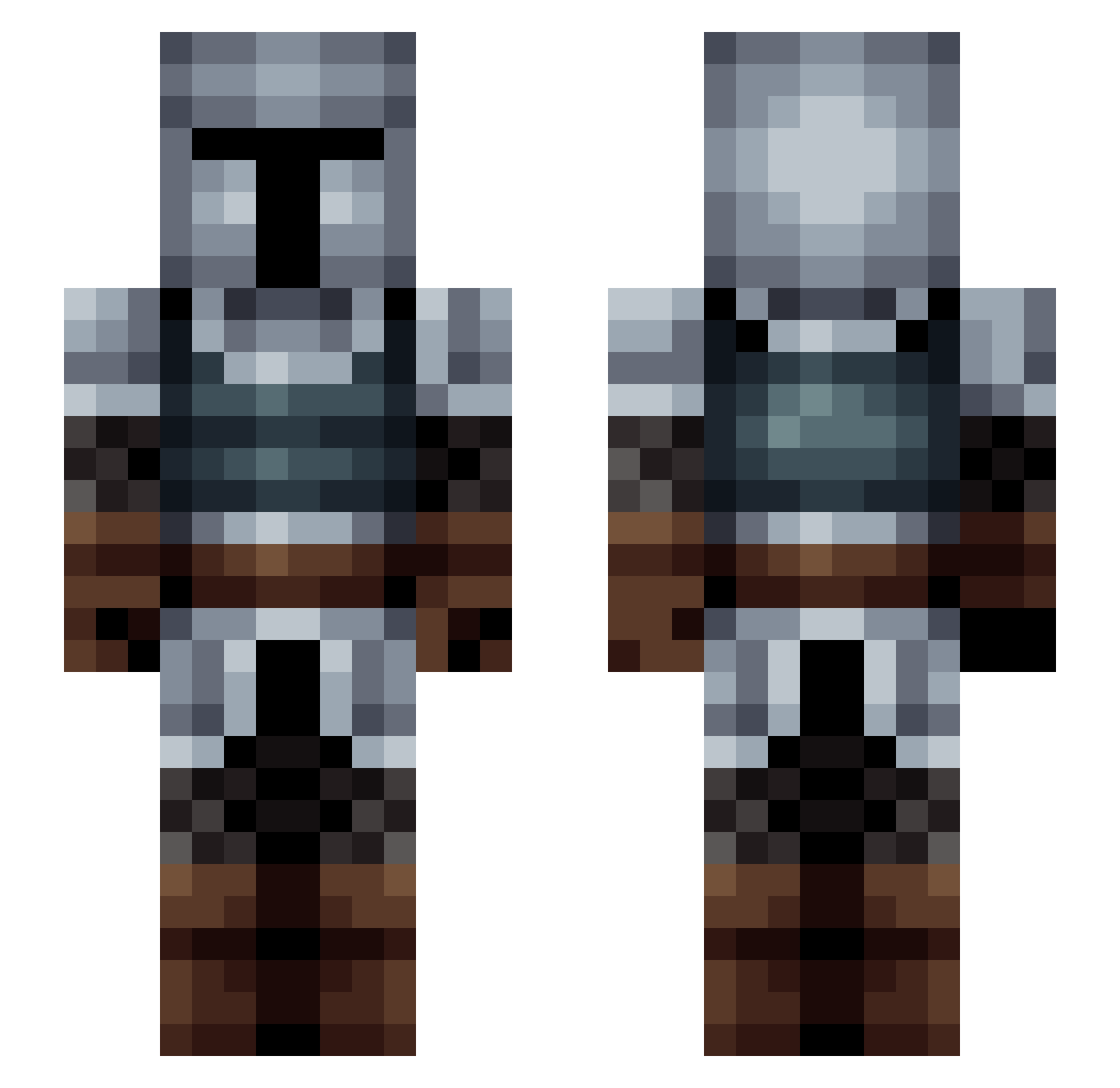
Current Minecraft skin of the player Hansworst212, loaded from the official Mojang API. Rotate the 3D model with your mouse or finger, then download the skin as a PNG file and use it in Minecraft: Bedrock Edition or Java Edition for free. When Hansworst212 changes their skin, this page updates automatically and the old skin stays in the history below.
Other players with this skin (204)
Hansworst212 was the 191st player we have seen with this skin, first spotted on 02.11.2026. The same skin was seen on these players. Open a nickname to see their current skin and skin history.
 Jewbacca31 Finndb2001 Angeluss RoyalG4rd Game_Knight_TV Ekodge MATTDOG777 MiniJoshie HackTom jemich LiamDaSexyBeast toprowe FastOrange Derbardin sev3ns TheLuke7 firebird999 Chappy098 fredricz Abel_Madagaar463 TeoHadSkils lordlordor BeastBot2121 Xarandir __lad__ dragonslayer2323 Sotik Beastl87 incrediblepizza Adult_Cereal sinfultictac Lunarwolf24 LoneGrunt crispy093 banchou1201 GamingDolby ghostyfrey NicoletheFireFox __alexis__ B0mberz22 Artorius17 emmajean9818 PurixUS Btoum DoctorBond Bingo_Slam harvester1337 fred2215555 Nagisa__Ushio Cdey78 rex13245 Lmaster07 Gimeldorf Mecha_Kingler Stigandr23 Balingar ChefVincent Minuss AltPlanet Mandalorian312
More Medieval Minecraft skins
How to install the Hansworst212 skin
- Press the Download button above to save the skin as a PNG file.
- Minecraft: Bedrock Edition (PE): open the Dressing Room from the main menu (or tap your character → Edit Character), go to Classic Skins → Owned, press the + (new skin) button, choose the downloaded PNG and pick the Slim (Alex) model. Works on PC and mobile; consoles cannot import custom skins.
- Minecraft: Java Edition: open the Minecraft Launcher, go to the Skins tab, click New Skin, load the PNG, pick the Slim (Alex) model and press Save & Use. You can also upload it at minecraft.net → Profile → Change Skin.
The skin does not show up after import - what should I do?
Restart Minecraft and open the Dressing Room again - imported skins sometimes appear only after a restart. Also make sure you selected the imported skin and picked the Slim (Alex) model.
Which model should I choose, Classic or Slim?
This skin is designed for the Slim (Alex) model. If you pick the wrong model, the arms of the skin will look stretched or squeezed.
Is the skin of Hansworst212 free to download?
Yes. Press Download, save the PNG file and use it in Minecraft: Bedrock Edition or Java Edition - no payment or registration needed. The skin also works on multiplayer servers and Realms.
More skins
Looking for more? Go back to all Minecraft skins and check the top skins of the week, month and all time, or find any player's skin by nickname.