
Handzy - Minecraft Skins & Skin History
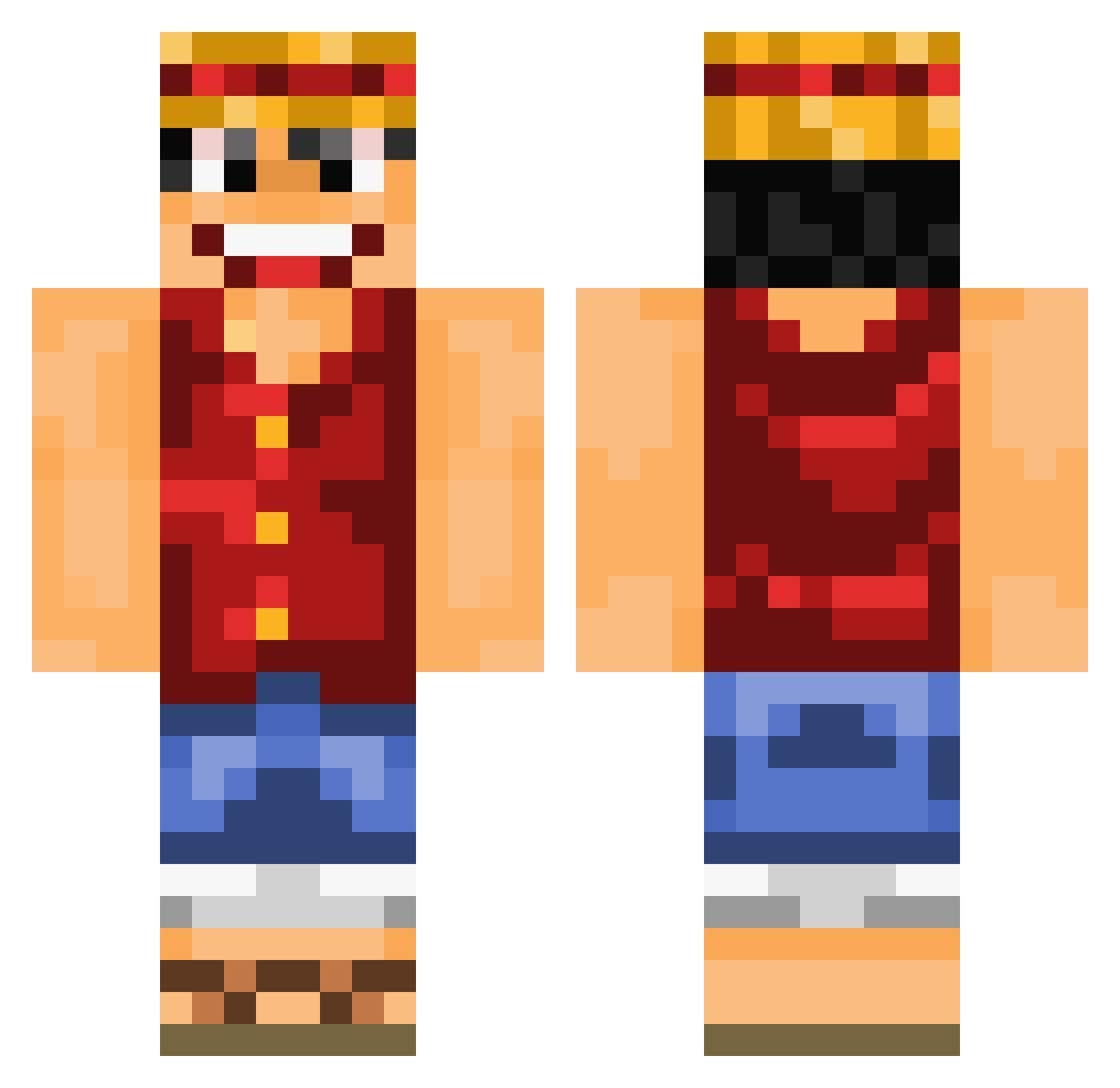
Current Minecraft skin of the player Handzy, loaded from the official Mojang API. Rotate the 3D model with your mouse or finger, then download the skin as a PNG file and use it in Minecraft: Bedrock Edition or Java Edition for free. When Handzy changes their skin, this page updates automatically and the old skin stays in the history below.
Other players with this skin (892)
Handzy was the 353rd player we have seen with this skin, first spotted on 02.09.2026. The same skin was seen on these players. Open a nickname to see their current skin and skin history.
 TeeJAYHol haruchild nakedstealth Kizaru78 Bamselito xxzezox Disenchants volgavia9 luca8498 xShockzx PapaSheep ElPirateKing Zharlock WebbedTuba24 warlord_lucky Iconix14 COVID420 Niongenesis kimboGcannon patmatscher coin7701 DGiven t4mt4mb4m mapcube xProLowx dragonmon1997 Luffyirone Zuzulan xHyperonx Eirosse JieGeKK HaniAli1564 ScatMan54321 Breaau AxelaRator Z0nso SunsetPanda Owick Persay Razelkel ochan64 aldbour Neox88 BeMyMilf Chamaret Elevnovs iiALM7trf tmike22 xfantasy57 MrCraftCakes fahadxkiller drunkninjagod JJmoes SandDemon23 QquoaA HVT_BlancheNeige kkuanz willedbowl mattatak90 hanbyull
More Luffy Minecraft skins
How to install the Handzy skin
- Press the Download button above to save the skin as a PNG file.
- Minecraft: Bedrock Edition (PE): open the Dressing Room from the main menu (or tap your character → Edit Character), go to Classic Skins → Owned, press the + (new skin) button, choose the downloaded PNG and pick the Classic (Steve) model. Works on PC and mobile; consoles cannot import custom skins.
- Minecraft: Java Edition: open the Minecraft Launcher, go to the Skins tab, click New Skin, load the PNG, pick the Classic (Steve) model and press Save & Use. You can also upload it at minecraft.net → Profile → Change Skin.
The skin does not show up after import - what should I do?
Restart Minecraft and open the Dressing Room again - imported skins sometimes appear only after a restart. Also make sure you selected the imported skin and picked the Classic (Steve) model.
Which model should I choose, Classic or Slim?
This skin is designed for the Classic (Steve) model. If you pick the wrong model, the arms of the skin will look stretched or squeezed.
Is the skin of Handzy free to download?
Yes. Press Download, save the PNG file and use it in Minecraft: Bedrock Edition or Java Edition - no payment or registration needed. The skin also works on multiplayer servers and Realms.
More skins
Looking for more? Go back to all Minecraft skins and check the top skins of the week, month and all time, or find any player's skin by nickname.