
Hanan1x1 - Minecraft Skins & Skin History
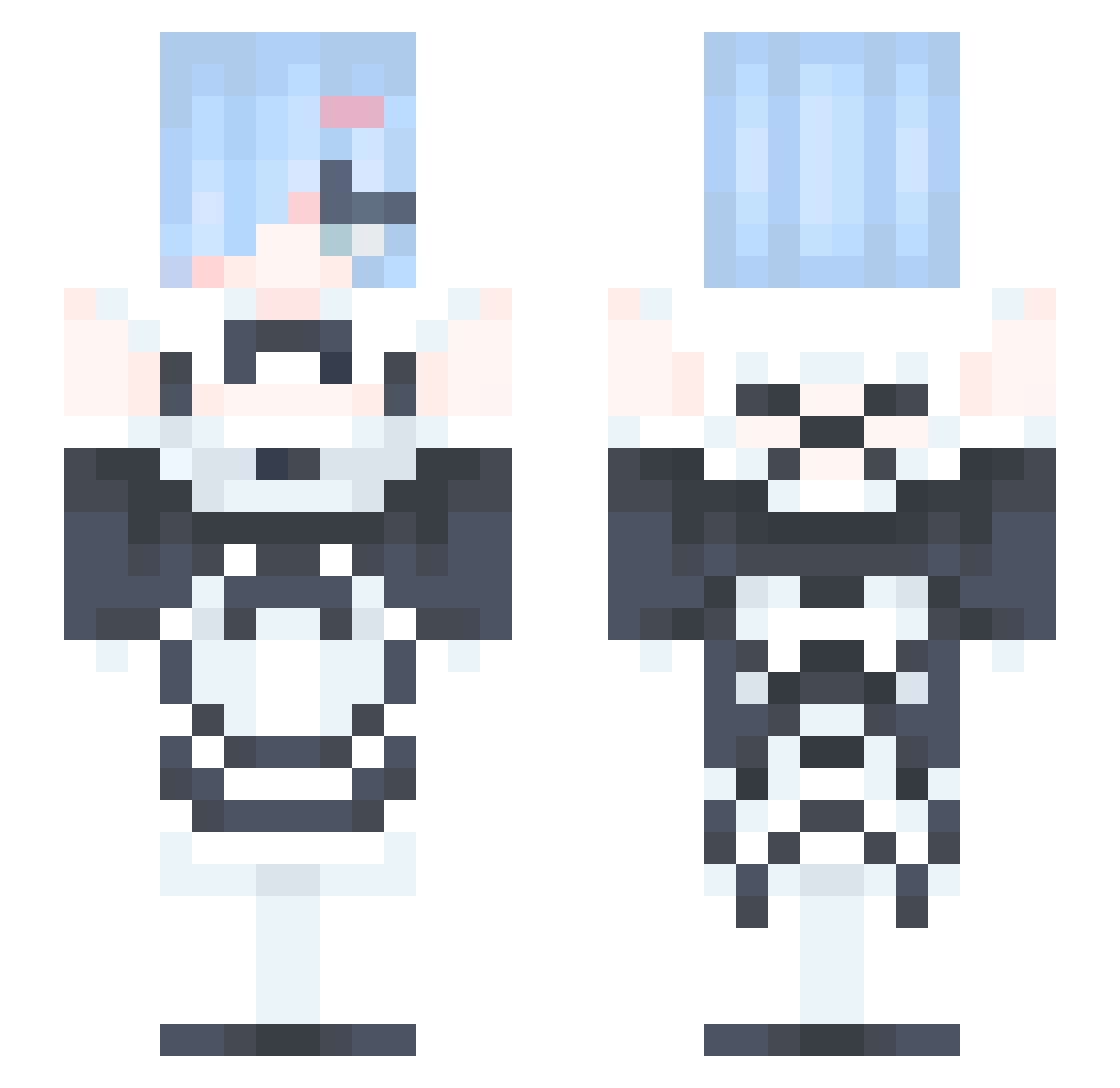
Current Minecraft skin of the player Hanan1x1, loaded from the official Mojang API. Rotate the 3D model with your mouse or finger, then download the skin as a PNG file and use it in Minecraft: Bedrock Edition or Java Edition for free. When Hanan1x1 changes their skin, this page updates automatically and the old skin stays in the history below.
Other players with this skin (380)
Hanan1x1 was the 250th player we have seen with this skin, first spotted on 06.10.2026. The same skin was seen on these players. Open a nickname to see their current skin and skin history.
 salmenak Turtle007007 N4mSon boss0177 Gorkhao SugaRyun flandre_s Blaubeer__Waffel Rem061 OniiChanOxO Shodon5 Markwok_1212 j0n_n Voice683 TWHodala ghswkfwkfrk ROK_mistook KatarinaQEWQR MRKOBU CaseKitty PuruWu TTV_Thunderstruc flippedmix yohanguy actionj73 R_3_M_ haventmetyou_yet Beastboy__ Akiyaama RitaRossweisse7 IKaitoXDI k30258 ItsGumIs aonitric kazu1821 mesa39 IGuguI ByNya GhostGamer9211 Hiyorem sinbbang ICE_Pepsi gumbatroopa awnrt _Kinax_ Ericrice Rexxz1 Kubra569 LzerK_ darulord dadarush Rhccnl bekaisemo bicuis XxXColt06XxX chaechuu PiercePP Term_Noob adoreabbey albedoTH
More Rem Minecraft skins
How to install the Hanan1x1 skin
- Press the Download button above to save the skin as a PNG file.
- Minecraft: Bedrock Edition (PE): open the Dressing Room from the main menu (or tap your character → Edit Character), go to Classic Skins → Owned, press the + (new skin) button, choose the downloaded PNG and pick the Slim (Alex) model. Works on PC and mobile; consoles cannot import custom skins.
- Minecraft: Java Edition: open the Minecraft Launcher, go to the Skins tab, click New Skin, load the PNG, pick the Slim (Alex) model and press Save & Use. You can also upload it at minecraft.net → Profile → Change Skin.
The skin does not show up after import - what should I do?
Restart Minecraft and open the Dressing Room again - imported skins sometimes appear only after a restart. Also make sure you selected the imported skin and picked the Slim (Alex) model.
Which model should I choose, Classic or Slim?
This skin is designed for the Slim (Alex) model. If you pick the wrong model, the arms of the skin will look stretched or squeezed.
Is the skin of Hanan1x1 free to download?
Yes. Press Download, save the PNG file and use it in Minecraft: Bedrock Edition or Java Edition - no payment or registration needed. The skin also works on multiplayer servers and Realms.
More skins
Looking for more? Go back to all Minecraft skins and check the top skins of the week, month and all time, or find any player's skin by nickname.