
HamsterRebellion - Minecraft Skins & Skin History
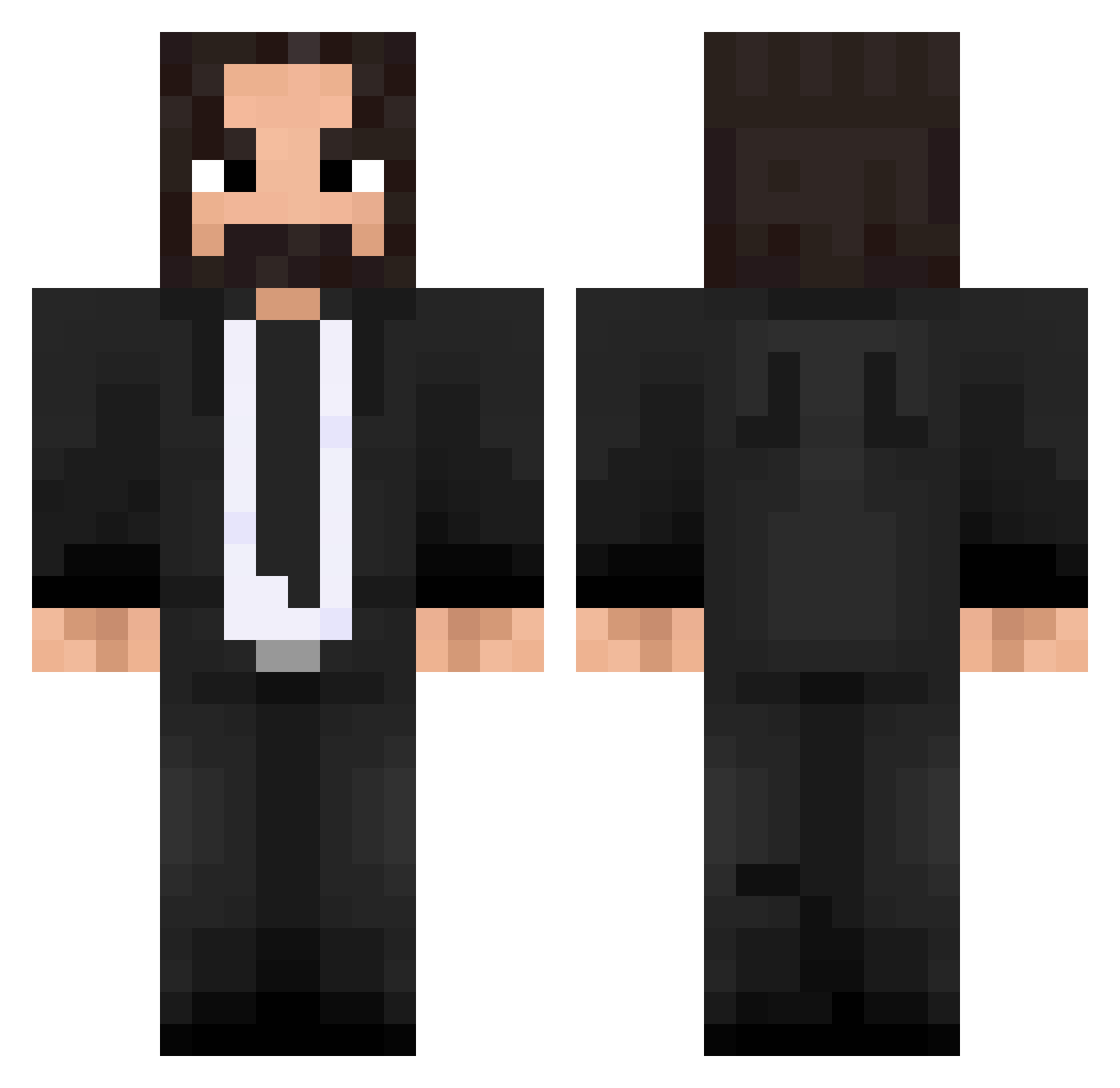
Current Minecraft skin of the player HamsterRebellion, loaded from the official Mojang API. Rotate the 3D model with your mouse or finger, then download the skin as a PNG file and use it in Minecraft: Bedrock Edition or Java Edition for free. When HamsterRebellion changes their skin, this page updates automatically and the old skin stays in the history below.
Other players with this skin (475)
HamsterRebellion was the 360th player we have seen with this skin, first spotted on 12.10.2026. The same skin was seen on these players. Open a nickname to see their current skin and skin history.
 Mr_Nargoll CriimBow LiLFoo BIGPP4U Dancing_sunlight Grithen Firetheking M_A_REX123 Gaerts SpinyCrescent10 kingofdragons10 skateghost2002 UFR1K ZetaRayZod FizzOyunda xnxx01 Eatmorechips KTM50rider Horexon TheRealRLS __gLiss PfcWinters Krolun don_Santiago_pvp BlakeLax27 DemianHardest Dancore182 JereMT09 rodrigokiller zdzisiu08 fiery_sentinel AlexPKL marche4ever Alroniiss MRX_NotFound Tomzizette LT249 tunu01 NiV4EveR Oyeared Pingo87 Binjette RaptorFetus PatrickLane_oiko Ultimate_Furnace TheWick_YT EPStrider009 Squishy108 GaMeCrUsHr97 charthebuilder dmajikes Belzuk2 John019 ElTurqo38 JohnWickX Titorblr koQQQ TheDatTriple Bhoenix0 myClorox
More John Wick Minecraft skins
How to install the HamsterRebellion skin
- Press the Download button above to save the skin as a PNG file.
- Minecraft: Bedrock Edition (PE): open the Dressing Room from the main menu (or tap your character → Edit Character), go to Classic Skins → Owned, press the + (new skin) button, choose the downloaded PNG and pick the Classic (Steve) model. Works on PC and mobile; consoles cannot import custom skins.
- Minecraft: Java Edition: open the Minecraft Launcher, go to the Skins tab, click New Skin, load the PNG, pick the Classic (Steve) model and press Save & Use. You can also upload it at minecraft.net → Profile → Change Skin.
The skin does not show up after import - what should I do?
Restart Minecraft and open the Dressing Room again - imported skins sometimes appear only after a restart. Also make sure you selected the imported skin and picked the Classic (Steve) model.
Which model should I choose, Classic or Slim?
This skin is designed for the Classic (Steve) model. If you pick the wrong model, the arms of the skin will look stretched or squeezed.
Is the skin of HamsterRebellion free to download?
Yes. Press Download, save the PNG file and use it in Minecraft: Bedrock Edition or Java Edition - no payment or registration needed. The skin also works on multiplayer servers and Realms.
More skins
Looking for more? Go back to all Minecraft skins and check the top skins of the week, month and all time, or find any player's skin by nickname.