
Hammer66666 - Minecraft Skins & Skin History
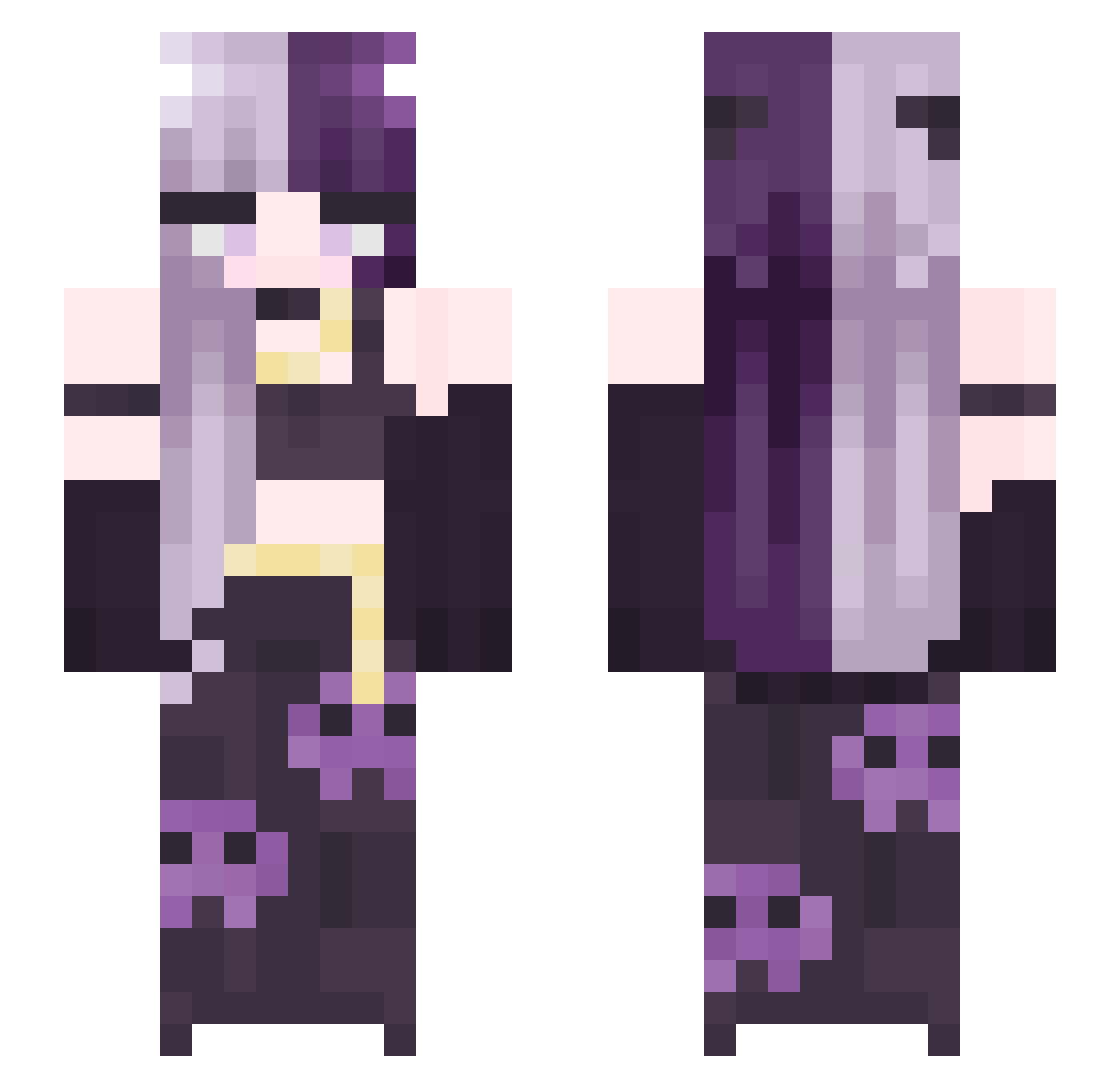
Current Minecraft skin of the player Hammer66666, loaded from the official Mojang API. Rotate the 3D model with your mouse or finger, then download the skin as a PNG file and use it in Minecraft: Bedrock Edition or Java Edition for free. When Hammer66666 changes their skin, this page updates automatically and the old skin stays in the history below.
Other players with this skin (245)
Hammer66666 was the 77th player we have seen with this skin, first spotted on 23.08.2026. The same skin was seen on these players. Open a nickname to see their current skin and skin history.
 TacoTabby leleanzd Sunsetcurve6 aruceuwu lhname SQUAREASH58 Juventie
 julie_Is_baka Nyx_Rizz DuoLuoWangLing __Ev3Lyn__ Drybnzz VENOM_520 WetTop Mystiq2009 LadyFenix Tyemu0404 Azula_On getahabii Iluvfeet5128 Jayyxxo JxssJinxx ZST0NY Saritaa9 zbotz_ Ezperansita Wilkersa4 He110kitty cheese_toasty12 MarleyR11 Josh6slaya xRosePetalsx MasnyOlek canon03 caucauM Chickynuuggy YTAP pamsyy Mika609 MelElizabeth KoalaKillerr Schoto3567 xSayuwu FauxPluto grubbiicat ssinisterr KSO170 AuggieInsane pumpkin2222 YaeSakura0122 Zero_FuxGiven xiaoheiya520 ElishaB
 ywobahcs soyaaaaana Galaxitaa littleharm nabee08 IchBinGruut FrankyRumple
More Split Dye Minecraft skins
How to install the Hammer66666 skin
- Press the Download button above to save the skin as a PNG file.
- Minecraft: Bedrock Edition (PE): open the Dressing Room from the main menu (or tap your character → Edit Character), go to Classic Skins → Owned, press the + (new skin) button, choose the downloaded PNG and pick the Slim (Alex) model. Works on PC and mobile; consoles cannot import custom skins.
- Minecraft: Java Edition: open the Minecraft Launcher, go to the Skins tab, click New Skin, load the PNG, pick the Slim (Alex) model and press Save & Use. You can also upload it at minecraft.net → Profile → Change Skin.
The skin does not show up after import - what should I do?
Restart Minecraft and open the Dressing Room again - imported skins sometimes appear only after a restart. Also make sure you selected the imported skin and picked the Slim (Alex) model.
Which model should I choose, Classic or Slim?
This skin is designed for the Slim (Alex) model. If you pick the wrong model, the arms of the skin will look stretched or squeezed.
Is the skin of Hammer66666 free to download?
Yes. Press Download, save the PNG file and use it in Minecraft: Bedrock Edition or Java Edition - no payment or registration needed. The skin also works on multiplayer servers and Realms.
More skins
Looking for more? Go back to all Minecraft skins and check the top skins of the week, month and all time, or find any player's skin by nickname.