
HammaMC - Minecraft Skins & Skin History
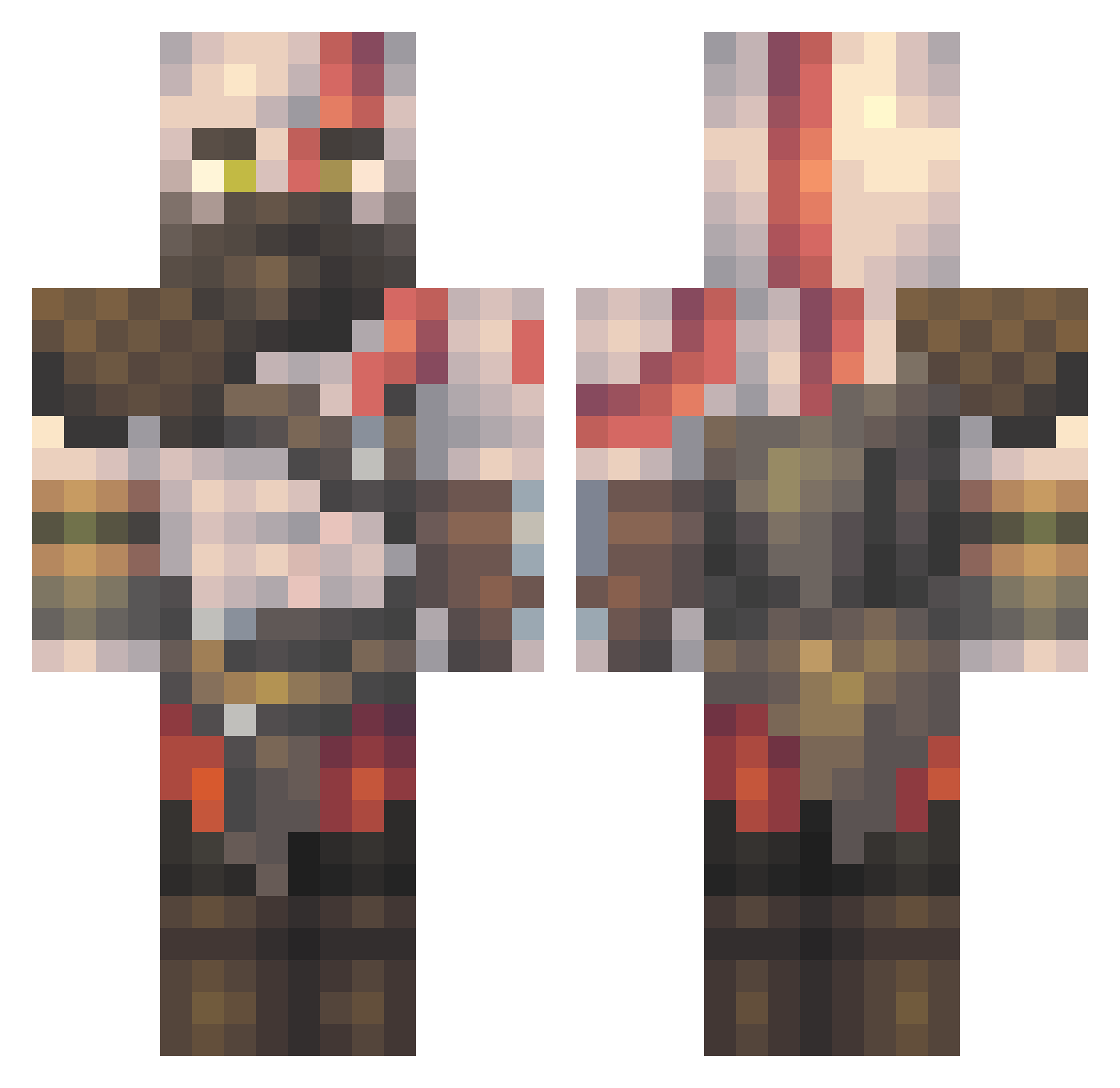
Current Minecraft skin of the player HammaMC, loaded from the official Mojang API. Rotate the 3D model with your mouse or finger, then download the skin as a PNG file and use it in Minecraft: Bedrock Edition or Java Edition for free. When HammaMC changes their skin, this page updates automatically and the old skin stays in the history below.
Other players with this skin (618)
HammaMC was the 581st player we have seen with this skin, first spotted on 11.11.2026. The same skin was seen on these players. Open a nickname to see their current skin and skin history.
 S_KOLL AjanYondaime Diegoarias1234 caneton22 GreJtous ReidtheWorm DrMilo Dovah_98 kastermolbasaur Ardass12b Messinchez Vanitas_Kev bergmany Miincy Karperslam DeMCraft LoneWanderer19 Squashed__Bozo Littlehurdle22 FilthyMooner darien43 TheBeasT_NH Briguer garfield97 Hubzeee bigbootyraf KingofChina5 SimonHD30 JamesSalsa ElRey197 FoxZika zandi_color Dan13_12 voxak Arc_N DiatomicYeti342 VladOancea575 jrkl_97 apexgaming825 AdenosineIV S_Lincoln Funkybrick TheBigBaller ZaneBrain117 cogmaster343 Majin_Jay TalalSparta Shwaggers Adrian200631 MrKersek brianhughes1994 Ruku_3 Papracu IBeratI TheRed1978 OgDevman Henriinit cheeeezys 0____z MariCarla
More Kratos Minecraft skins
How to install the HammaMC skin
- Press the Download button above to save the skin as a PNG file.
- Minecraft: Bedrock Edition (PE): open the Dressing Room from the main menu (or tap your character → Edit Character), go to Classic Skins → Owned, press the + (new skin) button, choose the downloaded PNG and pick the Classic (Steve) model. Works on PC and mobile; consoles cannot import custom skins.
- Minecraft: Java Edition: open the Minecraft Launcher, go to the Skins tab, click New Skin, load the PNG, pick the Classic (Steve) model and press Save & Use. You can also upload it at minecraft.net → Profile → Change Skin.
The skin does not show up after import - what should I do?
Restart Minecraft and open the Dressing Room again - imported skins sometimes appear only after a restart. Also make sure you selected the imported skin and picked the Classic (Steve) model.
Which model should I choose, Classic or Slim?
This skin is designed for the Classic (Steve) model. If you pick the wrong model, the arms of the skin will look stretched or squeezed.
Is the skin of HammaMC free to download?
Yes. Press Download, save the PNG file and use it in Minecraft: Bedrock Edition or Java Edition - no payment or registration needed. The skin also works on multiplayer servers and Realms.
More skins
Looking for more? Go back to all Minecraft skins and check the top skins of the week, month and all time, or find any player's skin by nickname.