
Ham_Ham_Kunefe - Minecraft Skins & Skin History
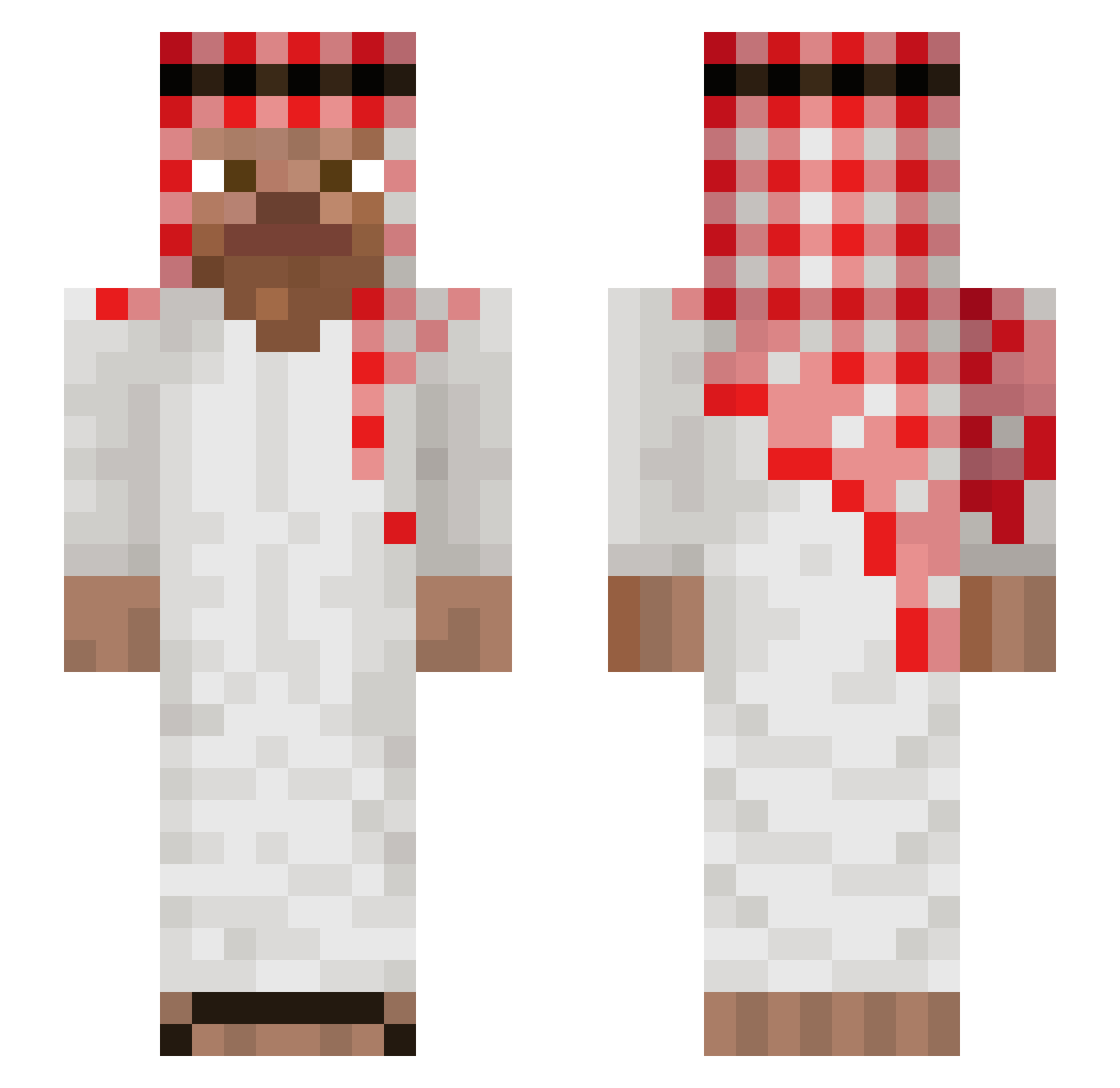
Current Minecraft skin of the player Ham_Ham_Kunefe, loaded from the official Mojang API. Rotate the 3D model with your mouse or finger, then download the skin as a PNG file and use it in Minecraft: Bedrock Edition or Java Edition for free. When Ham_Ham_Kunefe changes their skin, this page updates automatically and the old skin stays in the history below.
Other players with this skin (1264)
Ham_Ham_Kunefe was the 1217th player we have seen with this skin, first spotted on 16.11.2026. The same skin was seen on these players. Open a nickname to see their current skin and skin history.
 myaurizzi PelaMela9184 Itzz_Olafeq VoidXSenPo1 laysssss Legacy224 berhim LustNickzin ZeaPea KochamCpac MinerBro917 Donut3g2a5y UnLuckyTom12 Assiontive ElDilancioo ben_a_drill Pasta_77 GusjangPee lucsal matthieu1234 Mantaderf Zemie3676 Halaxus Trzmiel98 WChikenTandory Mathiusthepr0 Grzybnycweluch aqrila Samu2609 JojoEtRiri Arsen_Markaryan SLaAMm Cesarillooo Sab1nex Graterlate krond1006 MerTTYL Marceleeek Juan_Jose AZBEST7017 tomek1214 Munawar6969 Yavor4o theWuarez normalny_gracz7 Alma0s ApeSpuppet PalominMensajero xkacperek Szyszek_Szynszyl vortaxfr ilovemoms00 Bombowy_Krzys nonoximan sosiegao777 Glabalaba nilknar benibw kulthan Bamfort
More Arabic Minecraft skins
How to install the Ham_Ham_Kunefe skin
- Press the Download button above to save the skin as a PNG file.
- Minecraft: Bedrock Edition (PE): open the Dressing Room from the main menu (or tap your character → Edit Character), go to Classic Skins → Owned, press the + (new skin) button, choose the downloaded PNG and pick the Slim (Alex) model. Works on PC and mobile; consoles cannot import custom skins.
- Minecraft: Java Edition: open the Minecraft Launcher, go to the Skins tab, click New Skin, load the PNG, pick the Slim (Alex) model and press Save & Use. You can also upload it at minecraft.net → Profile → Change Skin.
The skin does not show up after import - what should I do?
Restart Minecraft and open the Dressing Room again - imported skins sometimes appear only after a restart. Also make sure you selected the imported skin and picked the Slim (Alex) model.
Which model should I choose, Classic or Slim?
This skin is designed for the Slim (Alex) model. If you pick the wrong model, the arms of the skin will look stretched or squeezed.
Is the skin of Ham_Ham_Kunefe free to download?
Yes. Press Download, save the PNG file and use it in Minecraft: Bedrock Edition or Java Edition - no payment or registration needed. The skin also works on multiplayer servers and Realms.
More skins
Looking for more? Go back to all Minecraft skins and check the top skins of the week, month and all time, or find any player's skin by nickname.