
Hallonzylt - Minecraft Skins & Skin History
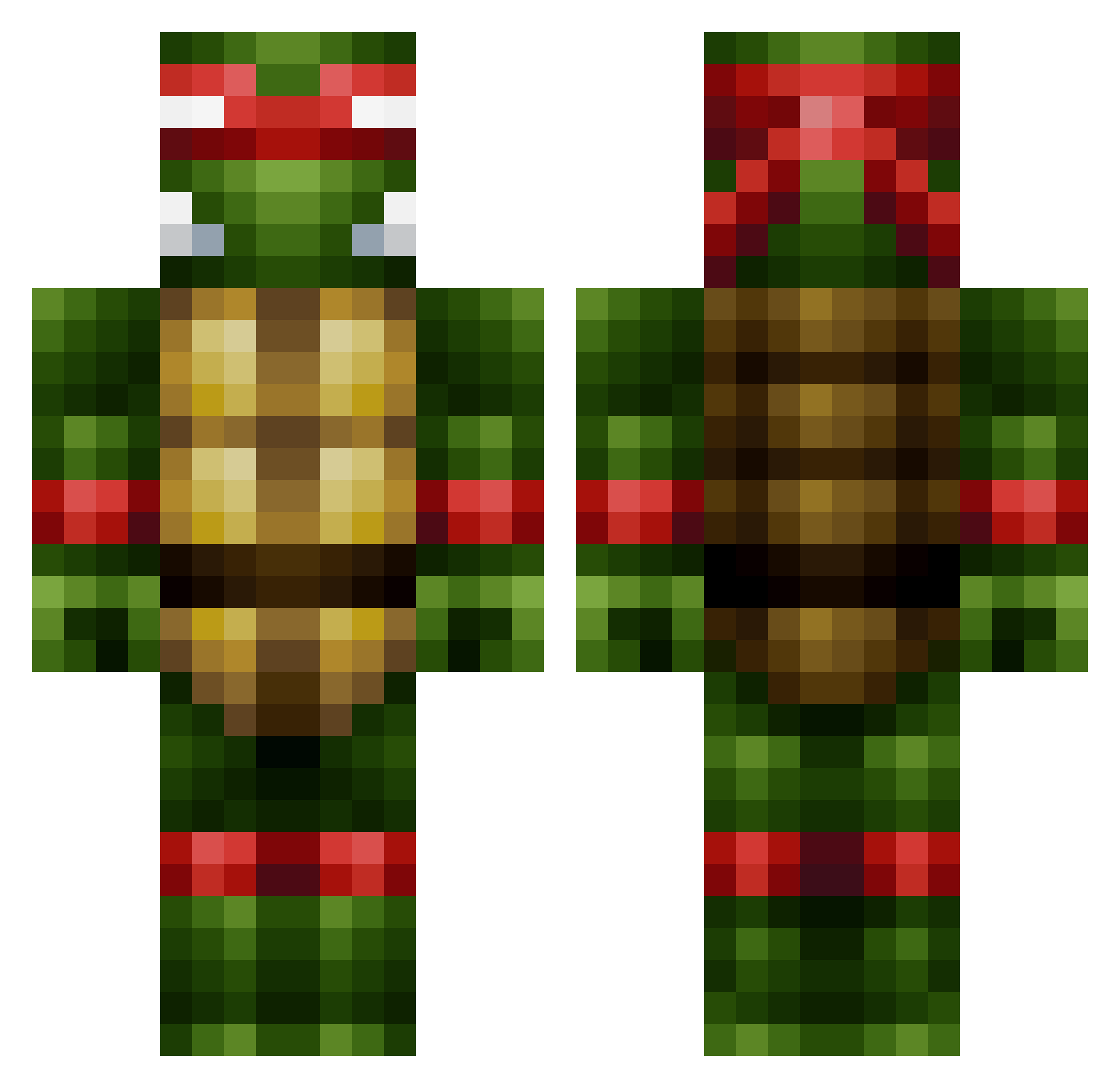
Current Minecraft skin of the player Hallonzylt, loaded from the official Mojang API. Rotate the 3D model with your mouse or finger, then download the skin as a PNG file and use it in Minecraft: Bedrock Edition or Java Edition for free. When Hallonzylt changes their skin, this page updates automatically and the old skin stays in the history below.
Other players with this skin (444)
Hallonzylt was the 254th player we have seen with this skin, first spotted on 23.09.2026. The same skin was seen on these players. Open a nickname to see their current skin and skin history.
 legend360o 123Dani ZukoBadger elbirdyo MICHA4L DeChoo Transactions NinjaSwagger99 nooksien James2712 JP07Y vooodoo dantefull ACmarkas Redsyrinx yiayiaS trumpetplayer10 FatBase Gohzd R3VZoneBeta edzard IRecordFrogs Deathspace17 QuincyVerhagen Gorgonsqual frN13 CreightonA hodgee2323 BountyLayer RaisedHand xXDestiny1808Xx GirthanthaclopZ Rads007 AquaBlaze13 GhettoVan krisheat87 Ikni jumpcj Mjolnerd magic_magic MikeyWestsides Sarkawt Pioneer4 CallumB6_ armymoshdude1 Beeston9 CaptinCookie1234 REVOLVER104 BLBLBLBL danielw9980 jerneye snowcat2000 Beast_Z_Man XxToxicBananasxX LeapingLiger04 DerpEnzo ChiefLongFeather bedrock64 11piggy_burner11 UnclePab
More Raphael Minecraft skins
How to install the Hallonzylt skin
- Press the Download button above to save the skin as a PNG file.
- Minecraft: Bedrock Edition (PE): open the Dressing Room from the main menu (or tap your character → Edit Character), go to Classic Skins → Owned, press the + (new skin) button, choose the downloaded PNG and pick the Classic (Steve) model. Works on PC and mobile; consoles cannot import custom skins.
- Minecraft: Java Edition: open the Minecraft Launcher, go to the Skins tab, click New Skin, load the PNG, pick the Classic (Steve) model and press Save & Use. You can also upload it at minecraft.net → Profile → Change Skin.
The skin does not show up after import - what should I do?
Restart Minecraft and open the Dressing Room again - imported skins sometimes appear only after a restart. Also make sure you selected the imported skin and picked the Classic (Steve) model.
Which model should I choose, Classic or Slim?
This skin is designed for the Classic (Steve) model. If you pick the wrong model, the arms of the skin will look stretched or squeezed.
Is the skin of Hallonzylt free to download?
Yes. Press Download, save the PNG file and use it in Minecraft: Bedrock Edition or Java Edition - no payment or registration needed. The skin also works on multiplayer servers and Realms.
More skins
Looking for more? Go back to all Minecraft skins and check the top skins of the week, month and all time, or find any player's skin by nickname.