
Haku5721 - Minecraft Skins & Skin History
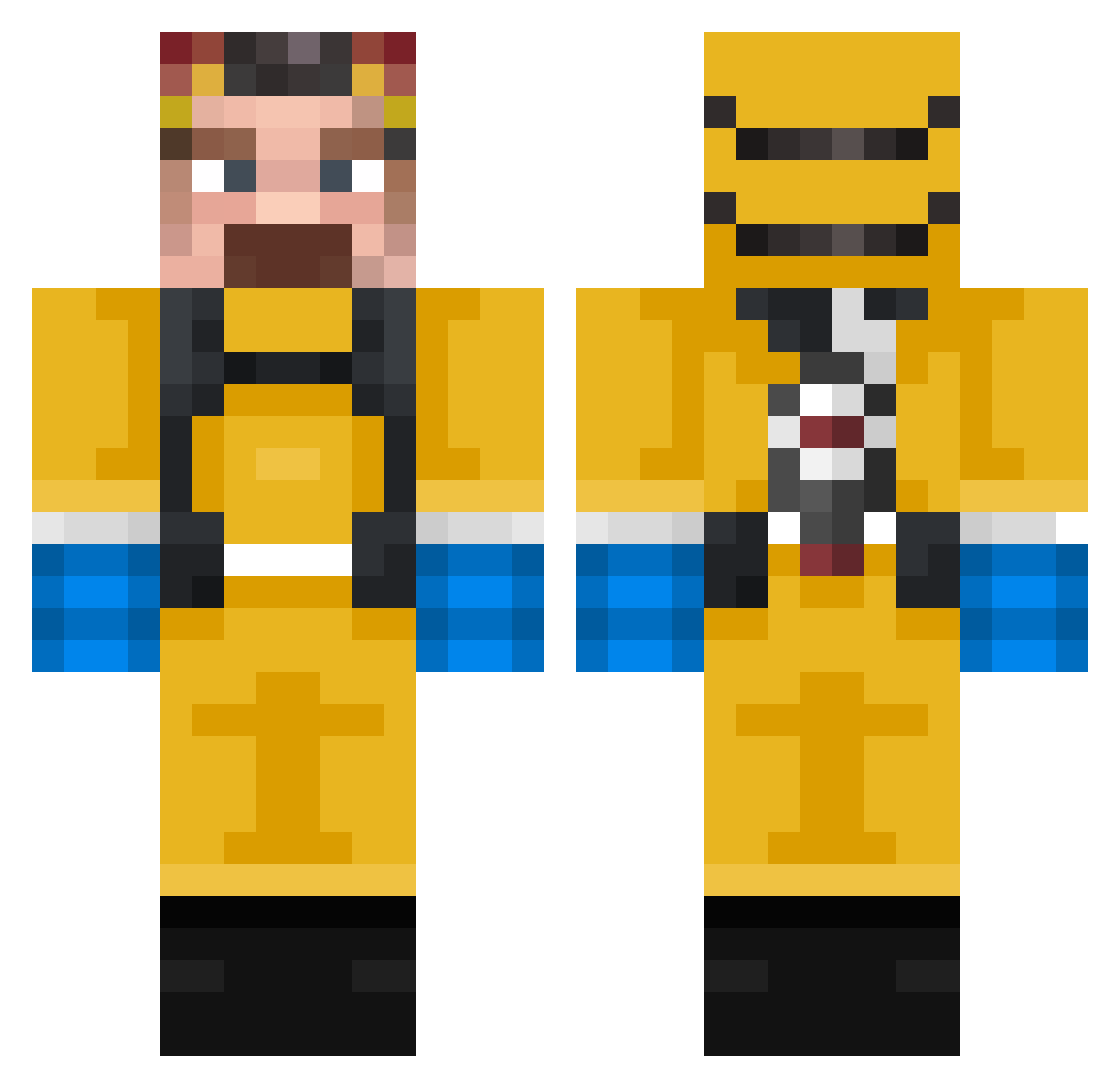
Current Minecraft skin of the player Haku5721, loaded from the official Mojang API. Rotate the 3D model with your mouse or finger, then download the skin as a PNG file and use it in Minecraft: Bedrock Edition or Java Edition for free. When Haku5721 changes their skin, this page updates automatically and the old skin stays in the history below.
Other players with this skin (318)
Haku5721 was the 123rd player we have seen with this skin, first spotted on 29.08.2026. The same skin was seen on these players. Open a nickname to see their current skin and skin history.
 Zuzer_Abuser Supremebard florao_02 Ideal_Male_Body TimingHD Kacu Gartherd_165 MightyLlama10 Corialiance offlinedude77 Bisuits
 m1reczek Meenth8 AnguiloZZ dunke777 anxcvv sl1therAu JustTomPig ahmetefe3215 mezmezz JhonnyGuitar Solaris_Sun Debosiu TomAlexander Jzivko02 BeachedWhale_122 giangixv Big_Dolf doctordisco01 Bicicleta33 MeowmereDPS CobraXor HeladoDeJamon _Jol lm_Shmoney wizardtron JoeDugroselier Comrade_S1ZE FriendlyPotatoM mlotysz tygarr Cipriano2 Kahesendine tomussel SubmarineOak409 Macandrux Kaktus321323
 titanrn012 xJackpie THRAX1187 CaptainM_1 420NAGATO stayyzz BobikBobson seabreest JoshDoesStuff Menendez_ ttyllb1 I_Love_My_Horsey Raskoln1k0v
More Walter White Minecraft skins
See all 568 Walter White skins
How to install the Haku5721 skin
- Press the Download button above to save the skin as a PNG file.
- Minecraft: Bedrock Edition (PE): open the Dressing Room from the main menu (or tap your character → Edit Character), go to Classic Skins → Owned, press the + (new skin) button, choose the downloaded PNG and pick the Classic (Steve) model. Works on PC and mobile; consoles cannot import custom skins.
- Minecraft: Java Edition: open the Minecraft Launcher, go to the Skins tab, click New Skin, load the PNG, pick the Classic (Steve) model and press Save & Use. You can also upload it at minecraft.net → Profile → Change Skin.
The skin does not show up after import - what should I do?
Restart Minecraft and open the Dressing Room again - imported skins sometimes appear only after a restart. Also make sure you selected the imported skin and picked the Classic (Steve) model.
Which model should I choose, Classic or Slim?
This skin is designed for the Classic (Steve) model. If you pick the wrong model, the arms of the skin will look stretched or squeezed.
Is the skin of Haku5721 free to download?
Yes. Press Download, save the PNG file and use it in Minecraft: Bedrock Edition or Java Edition - no payment or registration needed. The skin also works on multiplayer servers and Realms.
More skins
Looking for more? Go back to all Minecraft skins and check the top skins of the week, month and all time, or find any player's skin by nickname.