
Hakha47 - Minecraft Skins & Skin History
Current Minecraft skin of the player Hakha47, loaded from the official Mojang API. Rotate the 3D model with your mouse or finger, then download the skin as a PNG file and use it in Minecraft: Bedrock Edition or Java Edition for free. When Hakha47 changes their skin, this page updates automatically and the old skin stays in the history below.
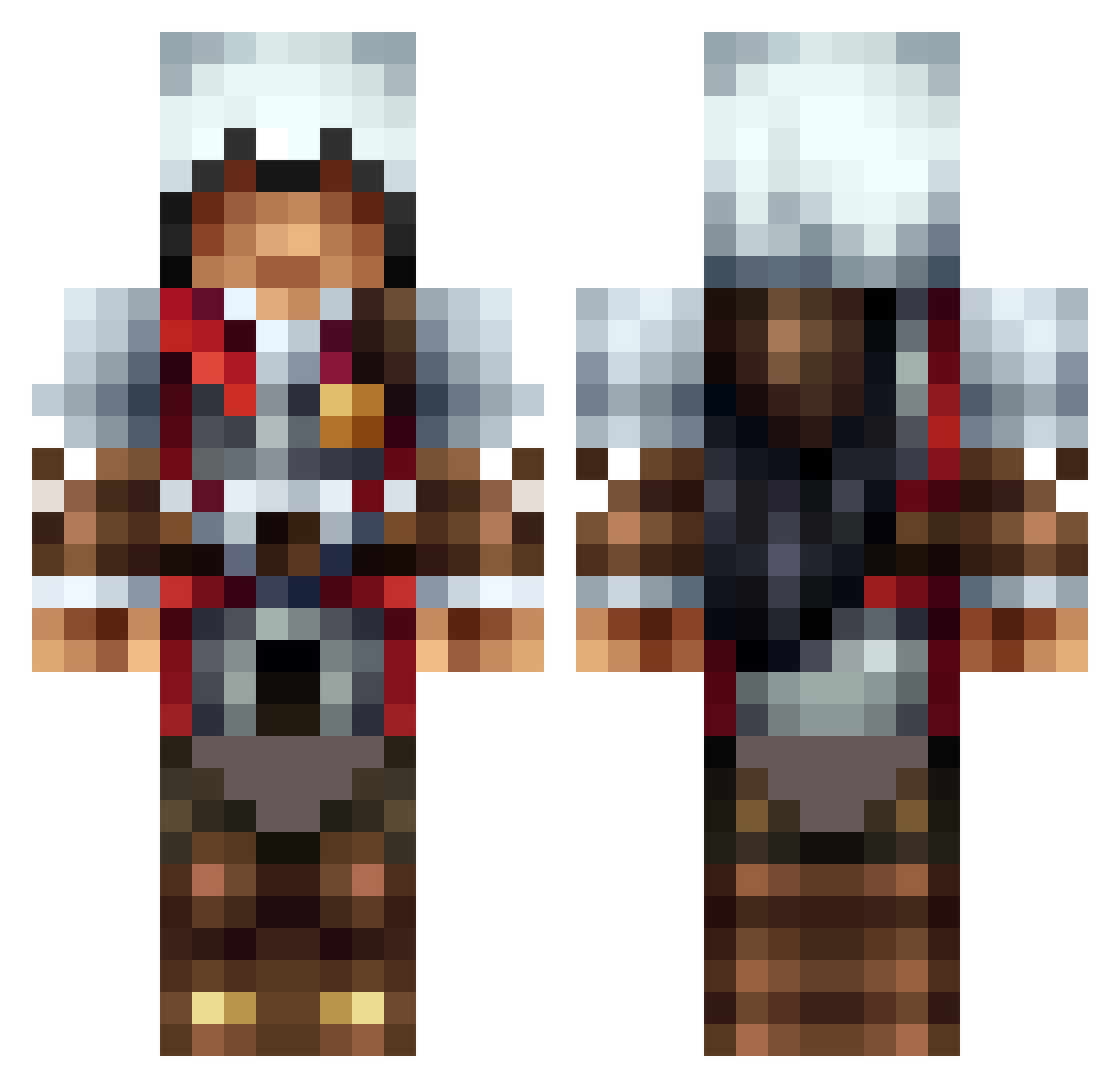
Other players with this skin (1585)
Hakha47 was the 1350th player we have seen with this skin, first spotted on 03.11.2026. The same skin was seen on these players. Open a nickname to see their current skin and skin history.
 Fritti15 MKDoc xDingDingx leroyjenkins0502 Blackmat Conquest666 MoNsterSoul2209 Ap0ll0_ CheeseyPounders Winniejy CagedBird Teroxi04 The_1Redwolf herminator16 itova04 TheUltrapro12 Michael0351 kronosasb M20A02X gaturei123 makoshark80 gapete Toniodu67 Evalomp freshmasta03 augi15 xxxTentaCioncxxx Kine14 thegreenflash720 KineticCam Gobeille eliasroy THEXXLBIGMAC lkillgore CARZZUN kingkoopa0406 Ashgan22 arc_of_anger healy8055 jcurzon UnTeD_R4mP4g3 sebastian080808 LeetMark Crazy_Gamer82 reduscus Daoxu Putte20 BradenSF12 Pacifistrapist BattleBot25 johnnyFNbravo quintin200 Danzxcy bluedragon883 Master_Ace_02 redaisenjack WoodpeckerN tricastin26 HaMR_Isa Repar
More Altair Minecraft skins
How to install the Hakha47 skin
- Press the Download button above to save the skin as a PNG file.
- Minecraft: Bedrock Edition (PE): open the Dressing Room from the main menu (or tap your character → Edit Character), go to Classic Skins → Owned, press the + (new skin) button, choose the downloaded PNG and pick the Classic (Steve) model. Works on PC and mobile; consoles cannot import custom skins.
- Minecraft: Java Edition: open the Minecraft Launcher, go to the Skins tab, click New Skin, load the PNG, pick the Classic (Steve) model and press Save & Use. You can also upload it at minecraft.net → Profile → Change Skin.
The skin does not show up after import - what should I do?
Restart Minecraft and open the Dressing Room again - imported skins sometimes appear only after a restart. Also make sure you selected the imported skin and picked the Classic (Steve) model.
Which model should I choose, Classic or Slim?
This skin is designed for the Classic (Steve) model. If you pick the wrong model, the arms of the skin will look stretched or squeezed.
Is the skin of Hakha47 free to download?
Yes. Press Download, save the PNG file and use it in Minecraft: Bedrock Edition or Java Edition - no payment or registration needed. The skin also works on multiplayer servers and Realms.
More skins
Looking for more? Go back to all Minecraft skins and check the top skins of the week, month and all time, or find any player's skin by nickname.