
Hacker1191 - Minecraft Skins & Skin History
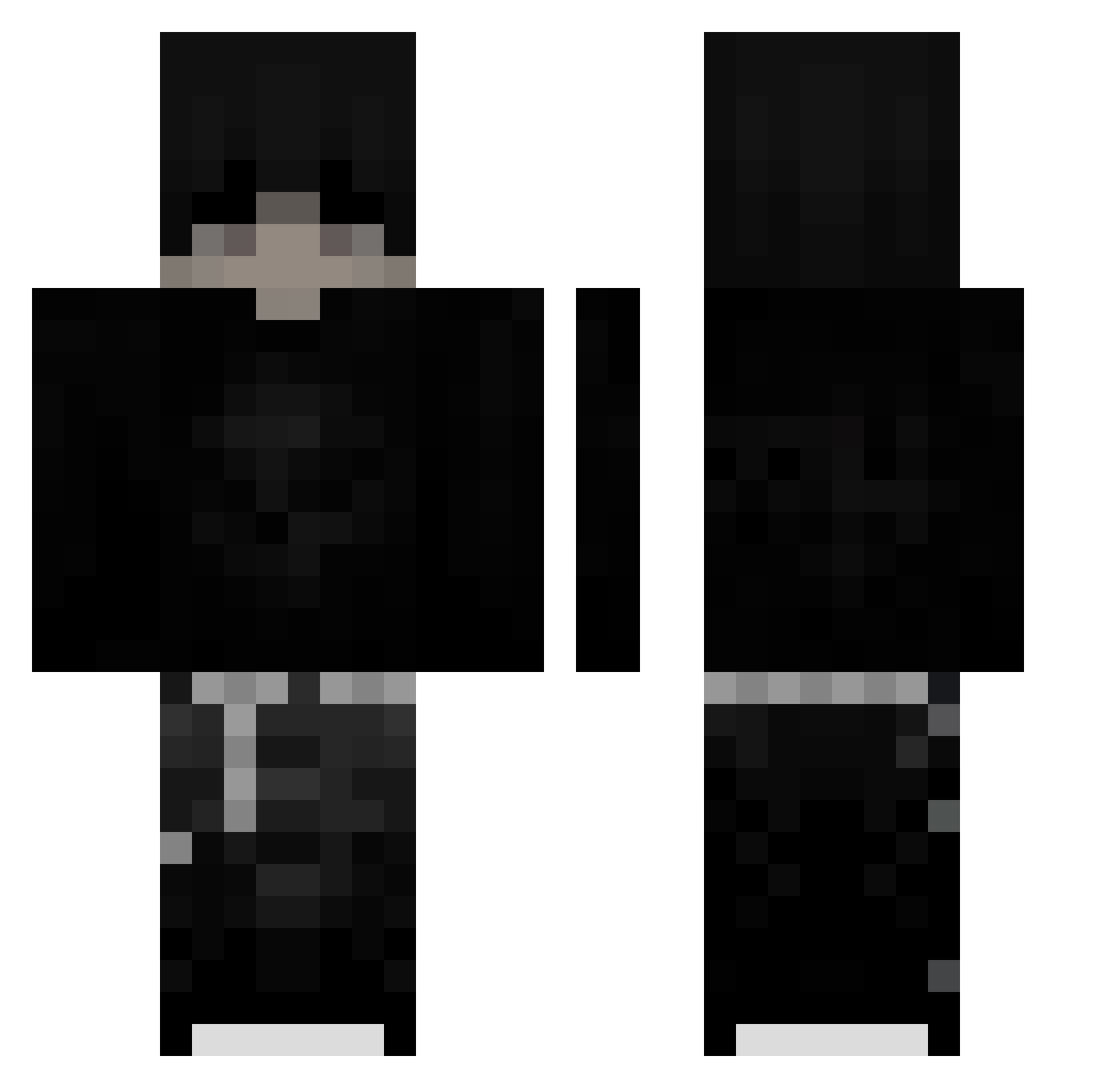
Current Minecraft skin of the player Hacker1191, loaded from the official Mojang API. Rotate the 3D model with your mouse or finger, then download the skin as a PNG file and use it in Minecraft: Bedrock Edition or Java Edition for free. When Hacker1191 changes their skin, this page updates automatically and the old skin stays in the history below.
Other players with this skin (218)
Hacker1191 was the 171st player we have seen with this skin, first spotted on 06.10.2026. The same skin was seen on these players. Open a nickname to see their current skin and skin history.
 RopeMaxer iz_me_Alex Canellada2 TheRedactedGuy Sleepy_JR Souta_Akutsu Cosmic_blox _hez EdgyKing68 _Rafifi oVxin Witek_I Luke13Cody Senereymen07 xten0_0 NicoTheMenace820 kobbyszn Jannis6050 dendobonda basale_ Fendermen5783 BoyDepZai GCMN_3ym3n NOTYET1 MountainPG SoLiX6673 xTery_ someone00_ G_AA kfyd_ Arzeal Nexsiak123 SBAIXO Darkgamer456 K1d1_Kyr0 buczek30 ikytgh Naisujoku faliasik Fd_N antnik WyZzen Narancs0 MlodySIMBA11 Bryan2511 Sealeaf bambo213 Garduu Itz_Sykloz ScurvyCpvp Kirill_Nefor Continuado HIIKAARII TomixSlayer vBudp kqeix xMerlix123 JaibaNuke ItzRealBurr Mogalts_25i6y
More Emo Minecraft skins
How to install the Hacker1191 skin
- Press the Download button above to save the skin as a PNG file.
- Minecraft: Bedrock Edition (PE): open the Dressing Room from the main menu (or tap your character → Edit Character), go to Classic Skins → Owned, press the + (new skin) button, choose the downloaded PNG and pick the Classic (Steve) model. Works on PC and mobile; consoles cannot import custom skins.
- Minecraft: Java Edition: open the Minecraft Launcher, go to the Skins tab, click New Skin, load the PNG, pick the Classic (Steve) model and press Save & Use. You can also upload it at minecraft.net → Profile → Change Skin.
The skin does not show up after import - what should I do?
Restart Minecraft and open the Dressing Room again - imported skins sometimes appear only after a restart. Also make sure you selected the imported skin and picked the Classic (Steve) model.
Which model should I choose, Classic or Slim?
This skin is designed for the Classic (Steve) model. If you pick the wrong model, the arms of the skin will look stretched or squeezed.
Is the skin of Hacker1191 free to download?
Yes. Press Download, save the PNG file and use it in Minecraft: Bedrock Edition or Java Edition - no payment or registration needed. The skin also works on multiplayer servers and Realms.
More skins
Looking for more? Go back to all Minecraft skins and check the top skins of the week, month and all time, or find any player's skin by nickname.