
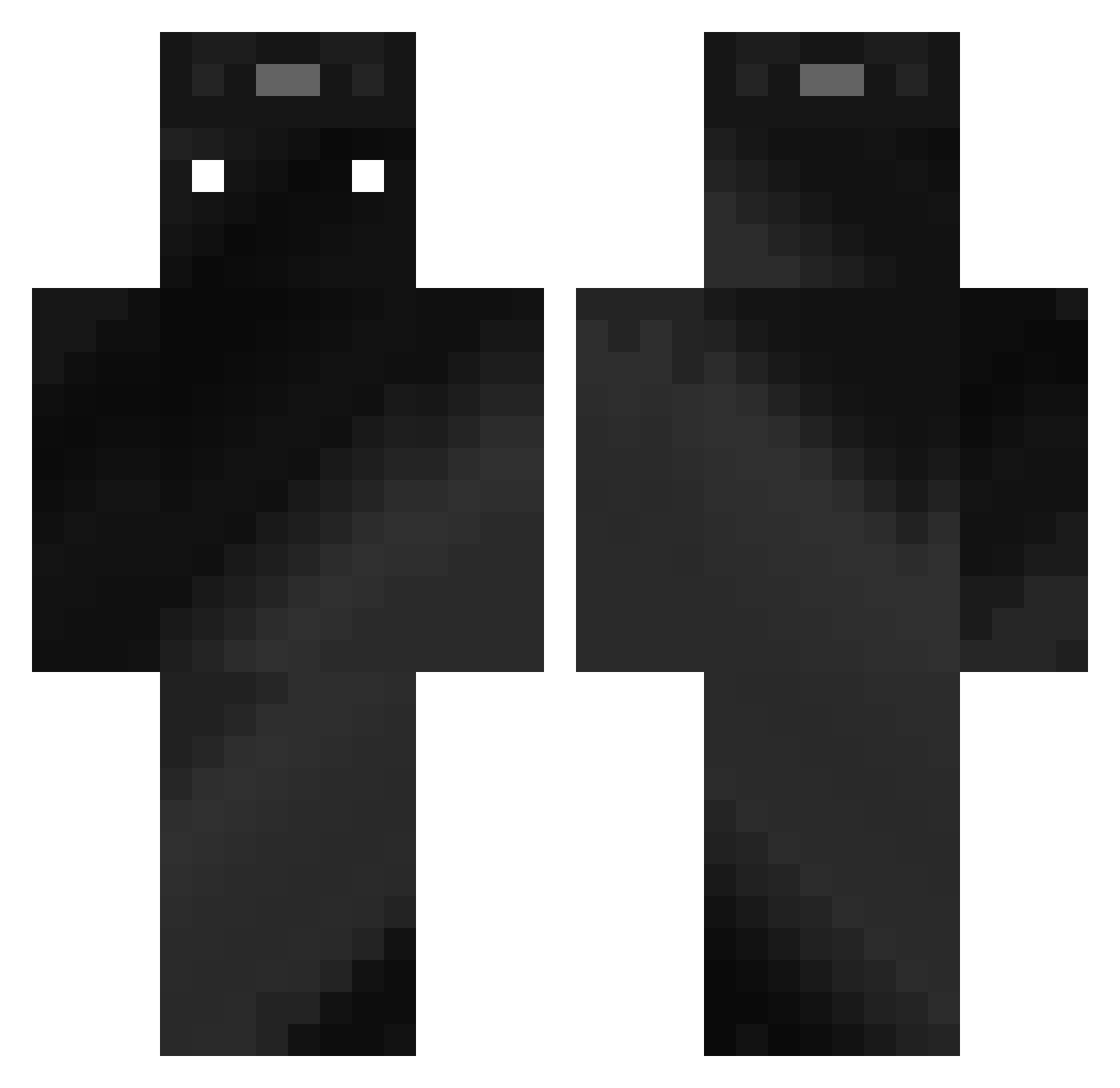
Current Minecraft skin of the player HW4NM1N, loaded from the official Mojang API. Rotate the 3D model with your mouse or finger, then download the skin as a PNG file and use it in Minecraft: Bedrock Edition or Java Edition for free. When HW4NM1N changes their skin, this page updates automatically and the old skin stays in the history below.
Other players with this skin (314)
HW4NM1N was the 29th player we have seen with this skin, first spotted on 02.08.2026. The same skin was seen on these players. Open a nickname to see their current skin and skin history.
 jiyul0710
 Aprizess frfonseca ggnekito_vnQDC GrandKeed Yakanyaka Sc3mer ccnor 0Legendary0 wkdxorua Ja_son07 slugger2009 oligr UAE_Wolf25 Morton_72 SapoitX davidcass danny10113 IMAWANOKIWA830 Skylan_27 NEXTSTEP2024 lYekunl Harnock_ IzumiShadow AlwaysUp___ Ovalgacek ImNotKarma Colde0 CarlitoDespasito rusgui200 NeJoo Serrekpl
 JackSparrow51
 kimyache_1130 MineGab meet09 fantasma0i _Darksparks sbL3GO Muhahahavlis ABC0629 Fernando_T RealEdibleGames TDTMINOR ZKRazer F_e_j_m_o ROMA_774 Kanis18 CallMeMelly SmokeDetector0 jordomdom NiklasW itzsh4rke NullToughy Meerkat53 ShadowLord34 _Torgamik_ Jukehunter1 park0421 Caygamer360
How to install the HW4NM1N skin
- Press the Download button above to save the skin as a PNG file.
- Minecraft: Bedrock Edition (PE): open the Dressing Room from the main menu (or tap your character → Edit Character), go to Classic Skins → Owned, press the + (new skin) button, choose the downloaded PNG and pick the Classic (Steve) model. Works on PC and mobile; consoles cannot import custom skins.
- Minecraft: Java Edition: open the Minecraft Launcher, go to the Skins tab, click New Skin, load the PNG, pick the Classic (Steve) model and press Save & Use. You can also upload it at minecraft.net → Profile → Change Skin.
The skin does not show up after import - what should I do?
Restart Minecraft and open the Dressing Room again - imported skins sometimes appear only after a restart. Also make sure you selected the imported skin and picked the Classic (Steve) model.
Which model should I choose, Classic or Slim?
This skin is designed for the Classic (Steve) model. If you pick the wrong model, the arms of the skin will look stretched or squeezed.
Is the skin of HW4NM1N free to download?
Yes. Press Download, save the PNG file and use it in Minecraft: Bedrock Edition or Java Edition - no payment or registration needed. The skin also works on multiplayer servers and Realms.
More skins
Looking for more? Go back to all Minecraft skins and check the top skins of the week, month and all time, or find any player's skin by nickname.