
HJJIHJ - Minecraft Skins & Skin History
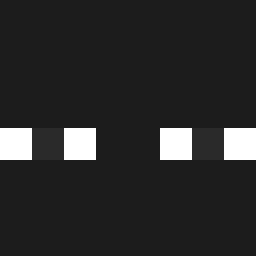
Current Minecraft skin of the player HJJIHJ, loaded from the official Mojang API. Rotate the 3D model with your mouse or finger, then download the skin as a PNG file and use it in Minecraft: Bedrock Edition or Java Edition for free. When HJJIHJ changes their skin, this page updates automatically and the old skin stays in the history below.

Other players with this skin (1121)
HJJIHJ was the 768th player we have seen with this skin, first spotted on 01.10.2026. The same skin was seen on these players. Open a nickname to see their current skin and skin history.
 Crabtopus wrhls __Krono__ HnnMjwsk North1337_ exeknyaz TurboTooter2000 cl227 kokokokom Father______ Senhel 2137ciastko nicoGA Max_Yrui QauanQ EndCodeX DARKSUIT12 GGG4432 Regeneze oldennc jonnyyG mi8o8nu Roisox Grillingham abonit justondaith Fosterzin Tahiel25 Andrewj 18dic2022 LewisP04 Styr0x IlGrissino luket70 thiago_mx SoraTran Pdr07 septolet TheuhO31 SwayeeMC TOMM61 Hubert_Yang lwifun MrDebugs roxxkkj vbaosh Jx3tin lavaisburning BN0P8feSK2 yssinera Imamoral13 zwnee Ro8ert_ Dilemma60 Young_Herbo EXC1T3D xDelirix akr_real hulubaa bt7022
How to install the HJJIHJ skin
- Press the Download button above to save the skin as a PNG file.
- Minecraft: Bedrock Edition (PE): open the Dressing Room from the main menu (or tap your character → Edit Character), go to Classic Skins → Owned, press the + (new skin) button, choose the downloaded PNG and pick the Classic (Steve) model. Works on PC and mobile; consoles cannot import custom skins.
- Minecraft: Java Edition: open the Minecraft Launcher, go to the Skins tab, click New Skin, load the PNG, pick the Classic (Steve) model and press Save & Use. You can also upload it at minecraft.net → Profile → Change Skin.
The skin does not show up after import - what should I do?
Restart Minecraft and open the Dressing Room again - imported skins sometimes appear only after a restart. Also make sure you selected the imported skin and picked the Classic (Steve) model.
Which model should I choose, Classic or Slim?
This skin is designed for the Classic (Steve) model. If you pick the wrong model, the arms of the skin will look stretched or squeezed.
Is the skin of HJJIHJ free to download?
Yes. Press Download, save the PNG file and use it in Minecraft: Bedrock Edition or Java Edition - no payment or registration needed. The skin also works on multiplayer servers and Realms.
More skins
Looking for more? Go back to all Minecraft skins and check the top skins of the week, month and all time, or find any player's skin by nickname.