
HD_Block - Minecraft Skins & Skin History
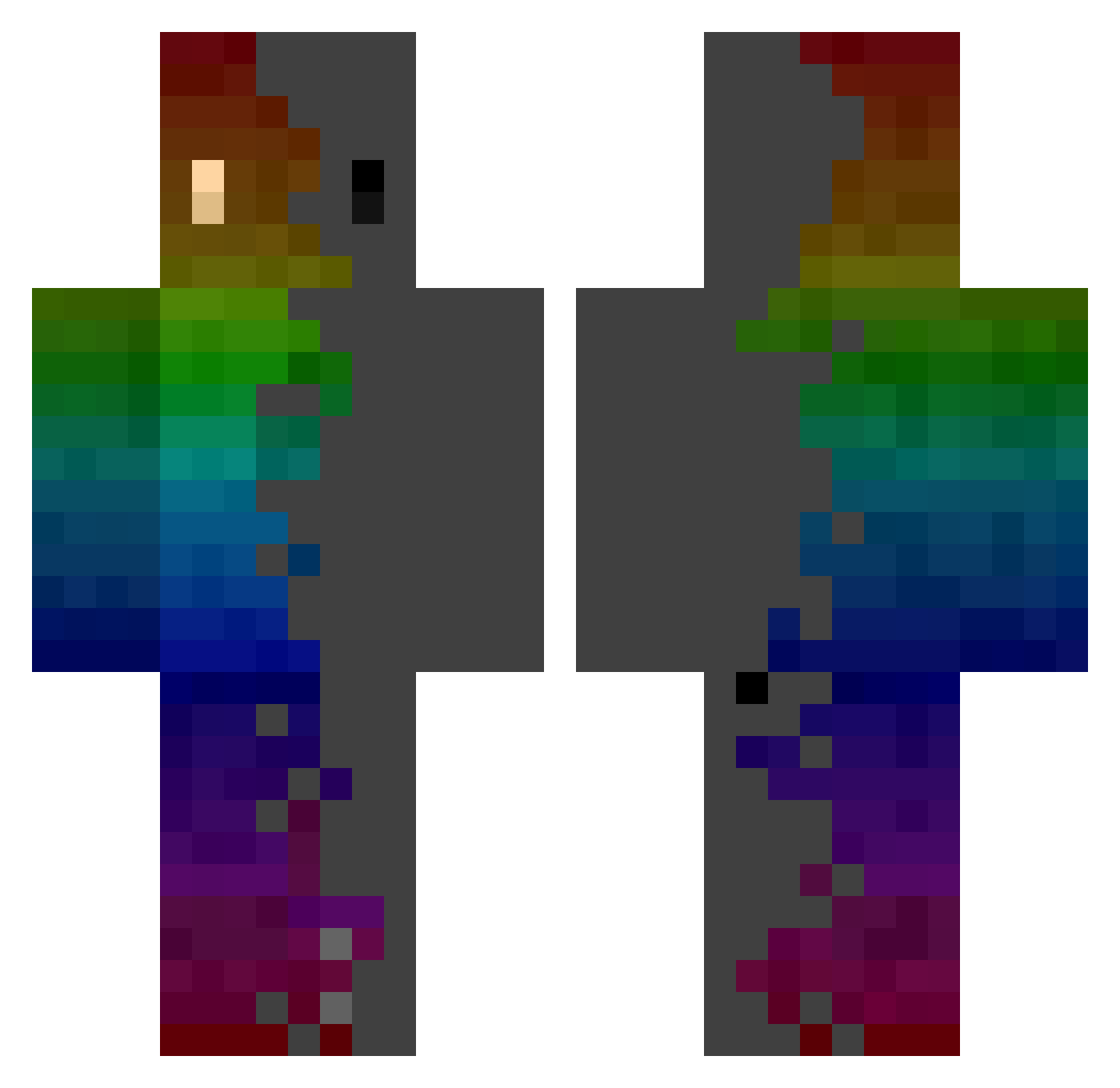
Current Minecraft skin of the player HD_Block, loaded from the official Mojang API. Rotate the 3D model with your mouse or finger, then download the skin as a PNG file and use it in Minecraft: Bedrock Edition or Java Edition for free. When HD_Block changes their skin, this page updates automatically and the old skin stays in the history below.
Other players with this skin (742)
HD_Block was the 619th player we have seen with this skin, first spotted on 07.10.2026. The same skin was seen on these players. Open a nickname to see their current skin and skin history.
 Zombie886 CrinklyRex772 BetaGaming59 Peter_Pines L4nkyK0ng Fronczous lochy20300 xiaomama6268 reafer55 ACiDDudeZ Nerochan79 Jallo170 Buskeuz CreeperAdri_1 Morveyn bruxeve stopppboii GuardianOfDoy TraackS MikeDaicy sorbecikPL Nemaraa PhoenixDevice EpicTroll58 Y_y_B kakatsuno Mama79 DiochonX DarthPagett BZYD_CA Alyawin Boblik CHEMA8755 Zinosaurier __sullyoon Mobb12 Daishinkan_sama vitaminQAQ adfa_ tyu800 Silver4rc AMV_Over SimpL0rd69420 WokeTb catsandmusic Lander_33 joiropero9 lin111164 Evan395338 el_del_otro_dia Only7teen ThatTwistedDj Herolito bird_man1337 Valkrych Flavourful_ Jense0815 flipalex7 Kacper_TV yagofly
How to install the HD_Block skin
- Press the Download button above to save the skin as a PNG file.
- Minecraft: Bedrock Edition (PE): open the Dressing Room from the main menu (or tap your character → Edit Character), go to Classic Skins → Owned, press the + (new skin) button, choose the downloaded PNG and pick the Classic (Steve) model. Works on PC and mobile; consoles cannot import custom skins.
- Minecraft: Java Edition: open the Minecraft Launcher, go to the Skins tab, click New Skin, load the PNG, pick the Classic (Steve) model and press Save & Use. You can also upload it at minecraft.net → Profile → Change Skin.
The skin does not show up after import - what should I do?
Restart Minecraft and open the Dressing Room again - imported skins sometimes appear only after a restart. Also make sure you selected the imported skin and picked the Classic (Steve) model.
Which model should I choose, Classic or Slim?
This skin is designed for the Classic (Steve) model. If you pick the wrong model, the arms of the skin will look stretched or squeezed.
Is the skin of HD_Block free to download?
Yes. Press Download, save the PNG file and use it in Minecraft: Bedrock Edition or Java Edition - no payment or registration needed. The skin also works on multiplayer servers and Realms.
More skins
Looking for more? Go back to all Minecraft skins and check the top skins of the week, month and all time, or find any player's skin by nickname.