
HDX113_ - Minecraft Skins & Skin History
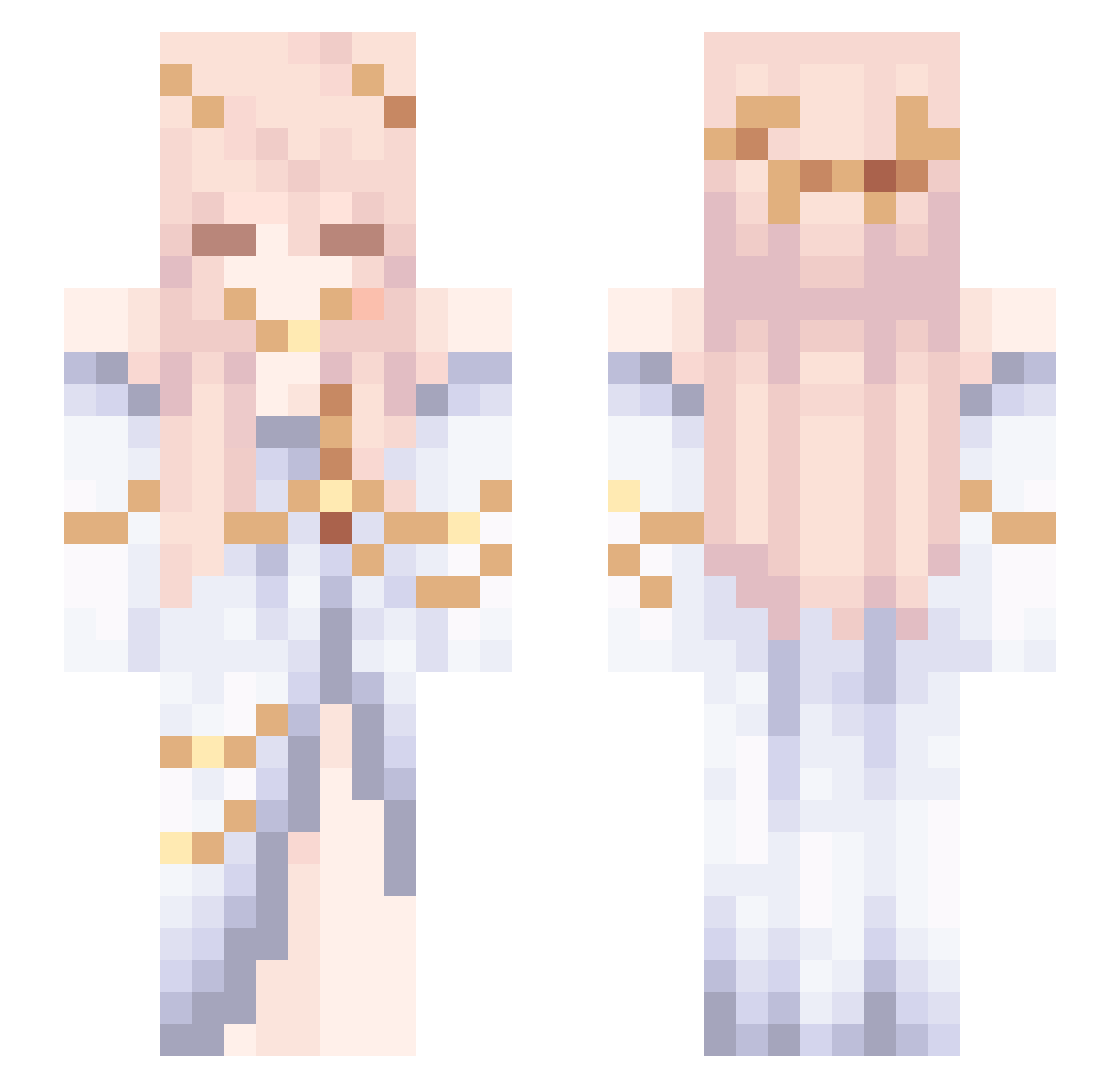
Current Minecraft skin of the player HDX113_, loaded from the official Mojang API. Rotate the 3D model with your mouse or finger, then download the skin as a PNG file and use it in Minecraft: Bedrock Edition or Java Edition for free. When HDX113_ changes their skin, this page updates automatically and the old skin stays in the history below.
Other players with this skin (59)
HDX113_ was the 25th player we have seen with this skin, first spotted on 10.10.2026. The same skin was seen on these players. Open a nickname to see their current skin and skin history.
 zyaaiel YouthMagazine Konkors NanaHoushi Tigris_Tinea lilwalfy Raydiance101 yuyu_sjl 0o______o0 bluerrry TheBoLi114514 xMoOneGirlYee Relaxxxx_ Felix_Lorenz vrruj Therranor MCQY1 _FluffyPaws_ Saintlike audio_creep ArcticFlowersss KakaBaby qsdxm Cynnny Sakiyaa_ doctorK12138 Phat basiclyaimbot jawja12121 Lorigxy lyzesq aceita Confectionary_ Katsuyu59 H1ke_LOVE honeydew_bee aleq_ks cuiqieyu nb_87 xiaozhufeng Jkyoutuber steak41 Xenophmix 12DD37 jay921213 Repazinho M8tsu_ Ayrtonwashere icebludy IM4Y_DaYI _sXrious_ Shu_Xia_149 ddrox Nebarra Reivax331 Ari_K_ danis__ girlies FIFTHCheese
More Gold Minecraft skins
How to install the HDX113_ skin
- Press the Download button above to save the skin as a PNG file.
- Minecraft: Bedrock Edition (PE): open the Dressing Room from the main menu (or tap your character → Edit Character), go to Classic Skins → Owned, press the + (new skin) button, choose the downloaded PNG and pick the Slim (Alex) model. Works on PC and mobile; consoles cannot import custom skins.
- Minecraft: Java Edition: open the Minecraft Launcher, go to the Skins tab, click New Skin, load the PNG, pick the Slim (Alex) model and press Save & Use. You can also upload it at minecraft.net → Profile → Change Skin.
The skin does not show up after import - what should I do?
Restart Minecraft and open the Dressing Room again - imported skins sometimes appear only after a restart. Also make sure you selected the imported skin and picked the Slim (Alex) model.
Which model should I choose, Classic or Slim?
This skin is designed for the Slim (Alex) model. If you pick the wrong model, the arms of the skin will look stretched or squeezed.
Is the skin of HDX113_ free to download?
Yes. Press Download, save the PNG file and use it in Minecraft: Bedrock Edition or Java Edition - no payment or registration needed. The skin also works on multiplayer servers and Realms.
More skins
Looking for more? Go back to all Minecraft skins and check the top skins of the week, month and all time, or find any player's skin by nickname.