
HCdeer - Minecraft Skins & Skin History
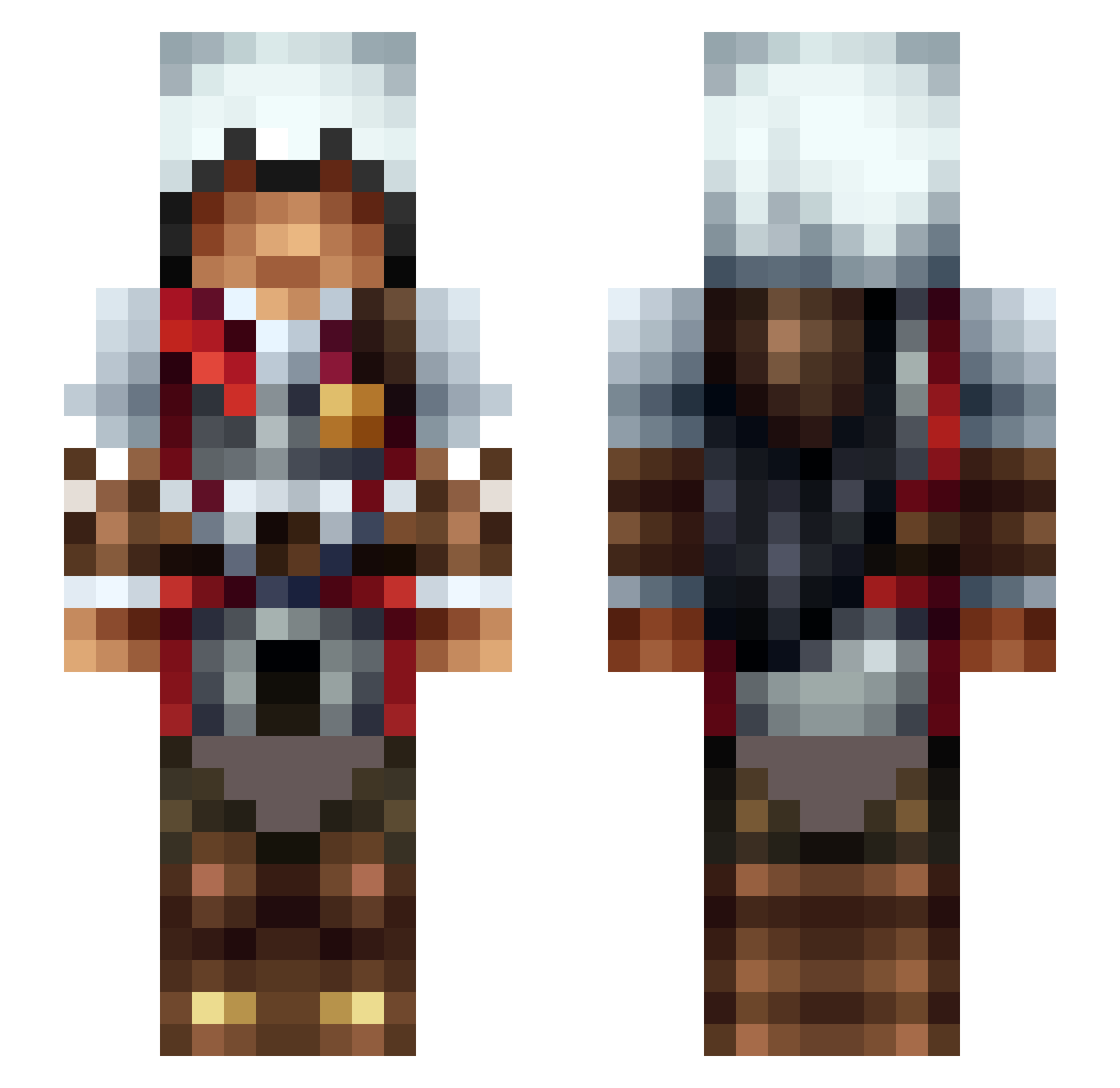
Current Minecraft skin of the player HCdeer, loaded from the official Mojang API. Rotate the 3D model with your mouse or finger, then download the skin as a PNG file and use it in Minecraft: Bedrock Edition or Java Edition for free. When HCdeer changes their skin, this page updates automatically and the old skin stays in the history below.
Other players with this skin (475)
HCdeer was the 312th player we have seen with this skin, first spotted on 03.10.2026. The same skin was seen on these players. Open a nickname to see their current skin and skin history.
 lunamoonstar8 wushanyao YslayeR22 Arpezen val57250 Elev8dCarbon Riclove Jennyx2121 Arod2903 Chrysantheus blackout9087 PANATOJA bacoma McNoni Raider109 ErenJaegerz Legenaris aqrBrien SpinningTerse120 Tyr_vom_Gesinde Precel220PL The_Awesome_Mr_T WingedStudent89 ImRuL3zZ Wickey14 DavidCruz7 xfa105 Epimer dan4ilik NinjaAssasine29 Atn0quE Gamek6170 BrunoDPPFonseca benny3642 ZetioZ1 atlanliang GorgeousCloth Soccerboo1 SpaceOff13 Scotty251 ghostrider47698 Honfleur PadajSniegu PeskyHungarian klm7793 bavxyan ItsWinken Sob_ops Aendez Syunzzz Avaren RobboSayle04 _V3ntus Galaim NoisyGinger LastNightWasWild harroZenith yoshilla Dioptra IggyWarrick
More Altair Minecraft skins
How to install the HCdeer skin
- Press the Download button above to save the skin as a PNG file.
- Minecraft: Bedrock Edition (PE): open the Dressing Room from the main menu (or tap your character → Edit Character), go to Classic Skins → Owned, press the + (new skin) button, choose the downloaded PNG and pick the Slim (Alex) model. Works on PC and mobile; consoles cannot import custom skins.
- Minecraft: Java Edition: open the Minecraft Launcher, go to the Skins tab, click New Skin, load the PNG, pick the Slim (Alex) model and press Save & Use. You can also upload it at minecraft.net → Profile → Change Skin.
The skin does not show up after import - what should I do?
Restart Minecraft and open the Dressing Room again - imported skins sometimes appear only after a restart. Also make sure you selected the imported skin and picked the Slim (Alex) model.
Which model should I choose, Classic or Slim?
This skin is designed for the Slim (Alex) model. If you pick the wrong model, the arms of the skin will look stretched or squeezed.
Is the skin of HCdeer free to download?
Yes. Press Download, save the PNG file and use it in Minecraft: Bedrock Edition or Java Edition - no payment or registration needed. The skin also works on multiplayer servers and Realms.
More skins
Looking for more? Go back to all Minecraft skins and check the top skins of the week, month and all time, or find any player's skin by nickname.