
HC_Kayto - Minecraft Skins & Skin History
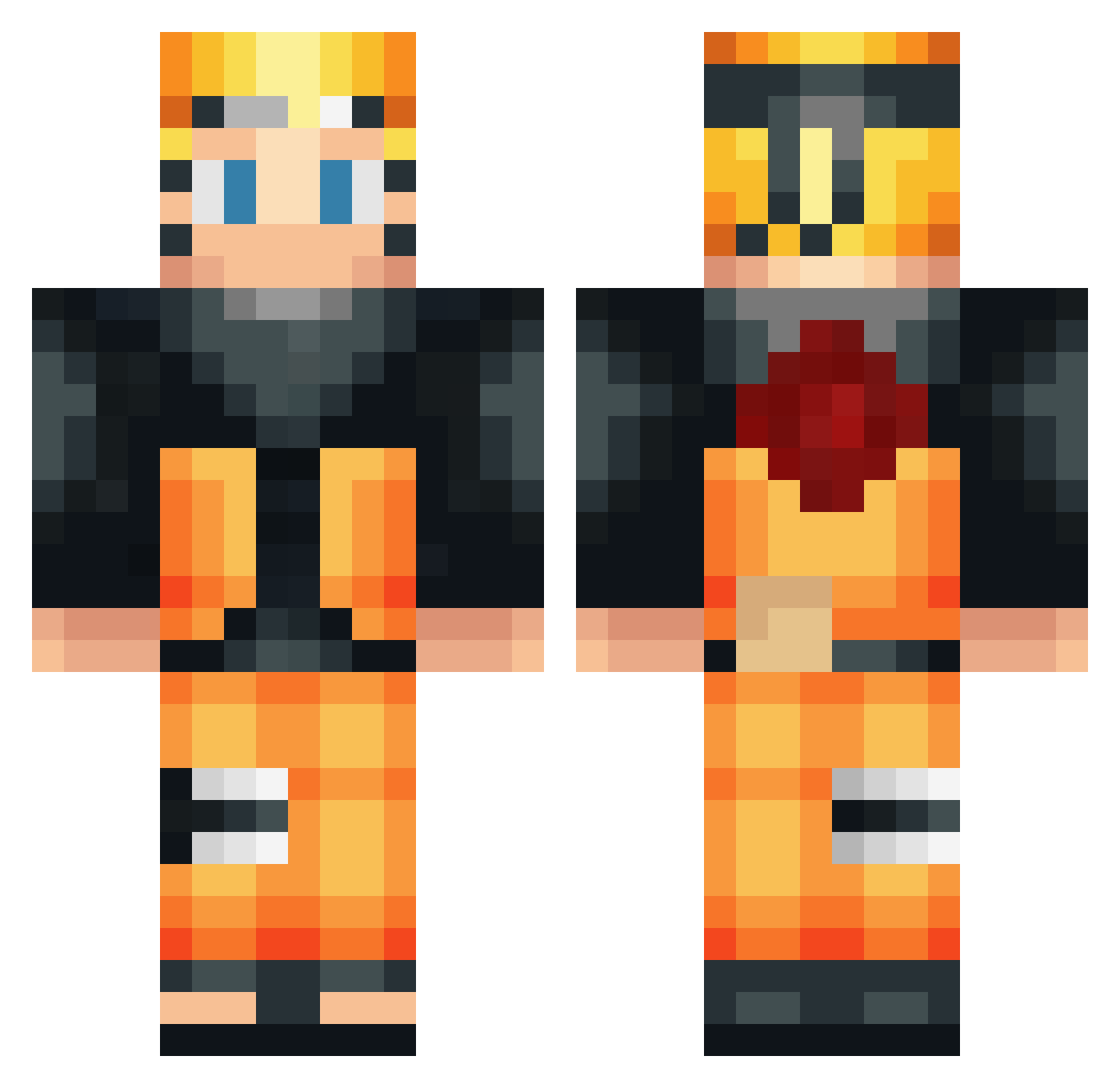
Current Minecraft skin of the player HC_Kayto, loaded from the official Mojang API. Rotate the 3D model with your mouse or finger, then download the skin as a PNG file and use it in Minecraft: Bedrock Edition or Java Edition for free. When HC_Kayto changes their skin, this page updates automatically and the old skin stays in the history below.
Other players with this skin (534)
HC_Kayto was the 302nd player we have seen with this skin, first spotted on 28.09.2026. The same skin was seen on these players. Open a nickname to see their current skin and skin history.
 Martuniuk Magatama1 ToutankhartonIV fluorrr mmmmhmmmmm pierre27150 191dark Chrisnojoke Triotyx SaitamaTheHero juanto146 Malik248 Eclair_60 Ringy4 Lincolny RedstoneBlock_LP iDevil24 daltrock4 Big_Chaman bigmaxxxxxx fireman628 thibnthib76 byblack20 Jariilo Wilhelm6872 FCBPEPE b04__ hortonhearssajew Jotapzinfps OuiOui_Baguettes Mostix207 Kenzoh02 Xovernout FleranhagamerBr Doritos_02 yuuzuu666 WolfGangt23 dizzydizzyto Judeslaktare EL_swesy GhostMaxXx Gaspachorelien Arklen Majekal RektBySFR_ sclexx xXMrToeLickerXx BigSmokeGS MAAAAAAAARN oscarcads12 David_Dvs SalientBrush V4g4th OzFy_ ChewBiby KNHON144HZ _NarutoTheBest_ F8L_Hollowz MartinezUzumaki Luccammartins
More Naruto Uzumaki Minecraft skins
See all 473 Naruto Uzumaki skins
How to install the HC_Kayto skin
- Press the Download button above to save the skin as a PNG file.
- Minecraft: Bedrock Edition (PE): open the Dressing Room from the main menu (or tap your character → Edit Character), go to Classic Skins → Owned, press the + (new skin) button, choose the downloaded PNG and pick the Classic (Steve) model. Works on PC and mobile; consoles cannot import custom skins.
- Minecraft: Java Edition: open the Minecraft Launcher, go to the Skins tab, click New Skin, load the PNG, pick the Classic (Steve) model and press Save & Use. You can also upload it at minecraft.net → Profile → Change Skin.
The skin does not show up after import - what should I do?
Restart Minecraft and open the Dressing Room again - imported skins sometimes appear only after a restart. Also make sure you selected the imported skin and picked the Classic (Steve) model.
Which model should I choose, Classic or Slim?
This skin is designed for the Classic (Steve) model. If you pick the wrong model, the arms of the skin will look stretched or squeezed.
Is the skin of HC_Kayto free to download?
Yes. Press Download, save the PNG file and use it in Minecraft: Bedrock Edition or Java Edition - no payment or registration needed. The skin also works on multiplayer servers and Realms.
More skins
Looking for more? Go back to all Minecraft skins and check the top skins of the week, month and all time, or find any player's skin by nickname.