
HASHFELD - Minecraft Skins & Skin History
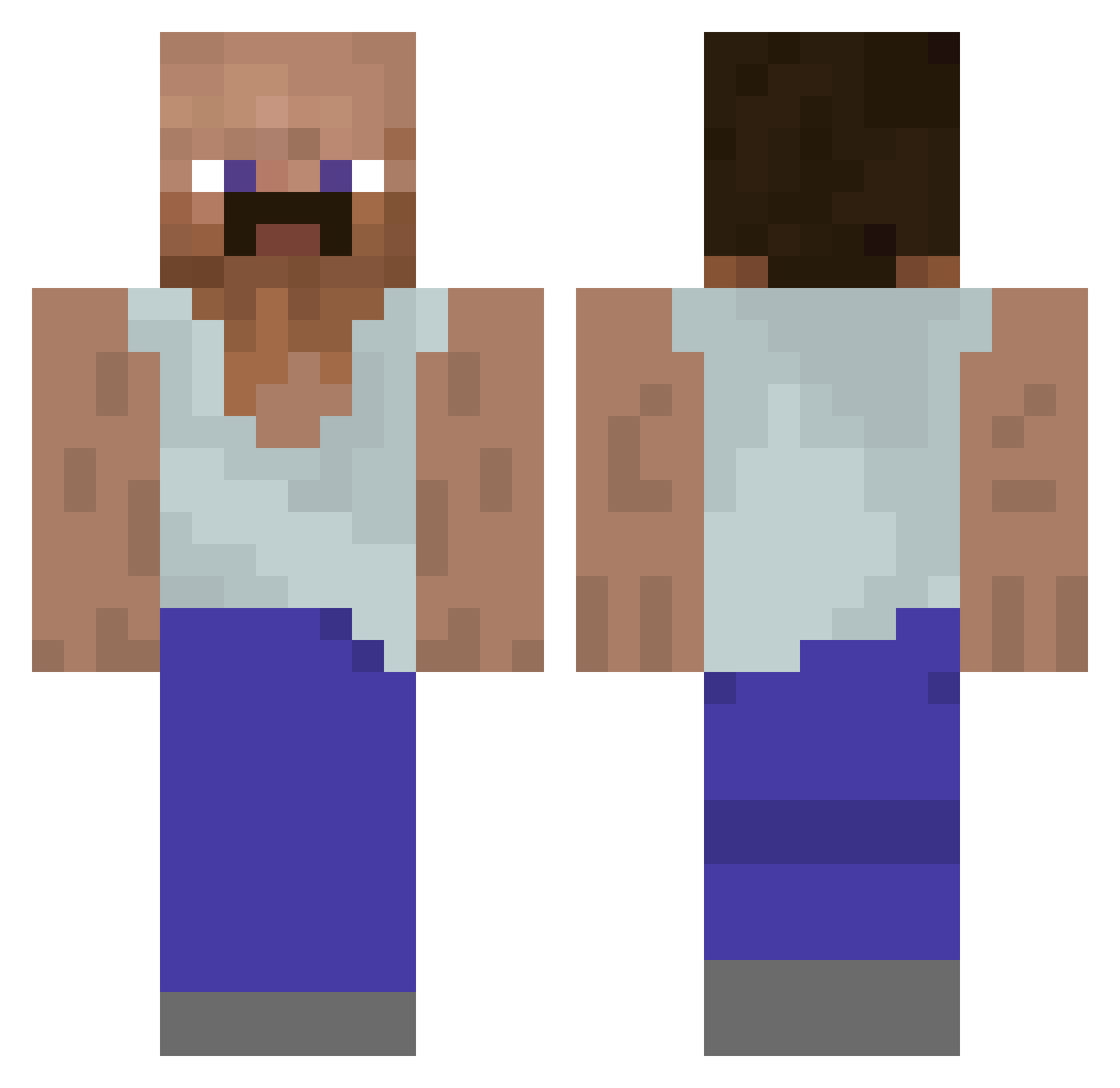
Current Minecraft skin of the player HASHFELD, loaded from the official Mojang API. Rotate the 3D model with your mouse or finger, then download the skin as a PNG file and use it in Minecraft: Bedrock Edition or Java Edition for free. When HASHFELD changes their skin, this page updates automatically and the old skin stays in the history below.
Other players with this skin (930)
HASHFELD was the 621st player we have seen with this skin, first spotted on 02.10.2026. The same skin was seen on these players. Open a nickname to see their current skin and skin history.
 Teh2chao2 MrTschiTschi PrankbroKelvin KoFiHunter Lourenco_2009 oPrint_ TDM_Temsor jje314 Pavai vjjd unicornluvr0000 pepperoni11 tjeld Mooooiiiiii ViejoVIagrero Bruhmans32 hych5573 Beakin42 DrLowly BHerath FiruKevin187 Gtonstuff_ SureAsh scooby_steve schigli KwasnyBen Crgio jujalag herbvciarz jusilver DungDonkey2 MemePasUnPeu zLukxF Podojo chimozuki_gaming Elpato2107 Extrupilson_Jr Anonis_ AcnWlogia HaxenFaxe DrKruse UncleBad_ thegreamus jaemin0601 diddylover Flexl_Brate DieDorade PinkJake Guyster_02 xXBaySametXx kububa KIngbino1 Winstoniann yurhhh xWeeDix Firehelmet999 dixis9 AddeTOSH Zizimi_Palto FartWart
More Mustache Minecraft skins
How to install the HASHFELD skin
- Press the Download button above to save the skin as a PNG file.
- Minecraft: Bedrock Edition (PE): open the Dressing Room from the main menu (or tap your character → Edit Character), go to Classic Skins → Owned, press the + (new skin) button, choose the downloaded PNG and pick the Classic (Steve) model. Works on PC and mobile; consoles cannot import custom skins.
- Minecraft: Java Edition: open the Minecraft Launcher, go to the Skins tab, click New Skin, load the PNG, pick the Classic (Steve) model and press Save & Use. You can also upload it at minecraft.net → Profile → Change Skin.
The skin does not show up after import - what should I do?
Restart Minecraft and open the Dressing Room again - imported skins sometimes appear only after a restart. Also make sure you selected the imported skin and picked the Classic (Steve) model.
Which model should I choose, Classic or Slim?
This skin is designed for the Classic (Steve) model. If you pick the wrong model, the arms of the skin will look stretched or squeezed.
Is the skin of HASHFELD free to download?
Yes. Press Download, save the PNG file and use it in Minecraft: Bedrock Edition or Java Edition - no payment or registration needed. The skin also works on multiplayer servers and Realms.
More skins
Looking for more? Go back to all Minecraft skins and check the top skins of the week, month and all time, or find any player's skin by nickname.