
H4D3US - Minecraft Skins & Skin History
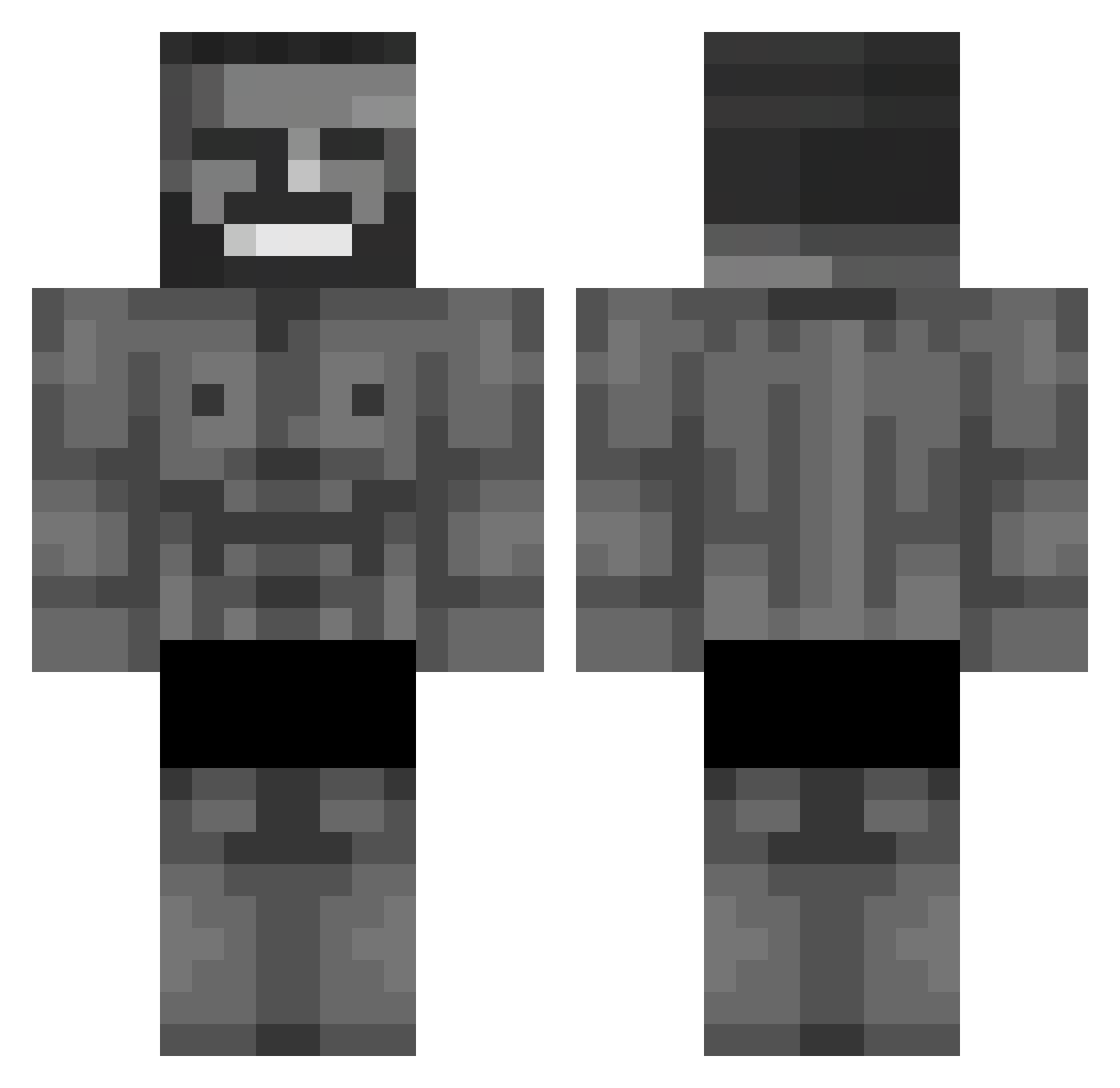
Current Minecraft skin of the player H4D3US, loaded from the official Mojang API. Rotate the 3D model with your mouse or finger, then download the skin as a PNG file and use it in Minecraft: Bedrock Edition or Java Edition for free. When H4D3US changes their skin, this page updates automatically and the old skin stays in the history below.
Other players with this skin (652)
H4D3US was the 488th player we have seen with this skin, first spotted on 10.10.2026. The same skin was seen on these players. Open a nickname to see their current skin and skin history.
 ilandyy1 masudakagami Blindo00 Mottin Sipvic cinar34 NISHINDON BoNight Giga_YroKun TyPleRee GamerKidYT n0tm_3t Rivaiheheheityou Jastinky TLT_Finn Maarten_Taarten NonoCraft974 ElTacosdimexican pe9puk betonchik MekkyTvaroh kiraii77 peren92 Kxbus64 JOUPODER SirPantin Ozycooli MrRepollo nuno_le_zin billotrela T1mjan Shellow092 Samu_038 lokm1 Ineocan AIK103 TAYTAY228 victorlmf Nem_Dragon AntonioP_ Hz_Timur rooui Tuberclose OstBlink Hypier76 Hranicar M1xch12 kivixlad Arenn68 Arda_Durden TheMarcelcrack18 MURO28 OddKingRagnar M4SEY MCDONJR st1er_ ZeuS_61 skoowhoo fastpete4 TymekWxD
More Gigachad Minecraft skins
How to install the H4D3US skin
- Press the Download button above to save the skin as a PNG file.
- Minecraft: Bedrock Edition (PE): open the Dressing Room from the main menu (or tap your character → Edit Character), go to Classic Skins → Owned, press the + (new skin) button, choose the downloaded PNG and pick the Classic (Steve) model. Works on PC and mobile; consoles cannot import custom skins.
- Minecraft: Java Edition: open the Minecraft Launcher, go to the Skins tab, click New Skin, load the PNG, pick the Classic (Steve) model and press Save & Use. You can also upload it at minecraft.net → Profile → Change Skin.
The skin does not show up after import - what should I do?
Restart Minecraft and open the Dressing Room again - imported skins sometimes appear only after a restart. Also make sure you selected the imported skin and picked the Classic (Steve) model.
Which model should I choose, Classic or Slim?
This skin is designed for the Classic (Steve) model. If you pick the wrong model, the arms of the skin will look stretched or squeezed.
Is the skin of H4D3US free to download?
Yes. Press Download, save the PNG file and use it in Minecraft: Bedrock Edition or Java Edition - no payment or registration needed. The skin also works on multiplayer servers and Realms.
More skins
Looking for more? Go back to all Minecraft skins and check the top skins of the week, month and all time, or find any player's skin by nickname.