
H3rm3l - Minecraft Skins & Skin History
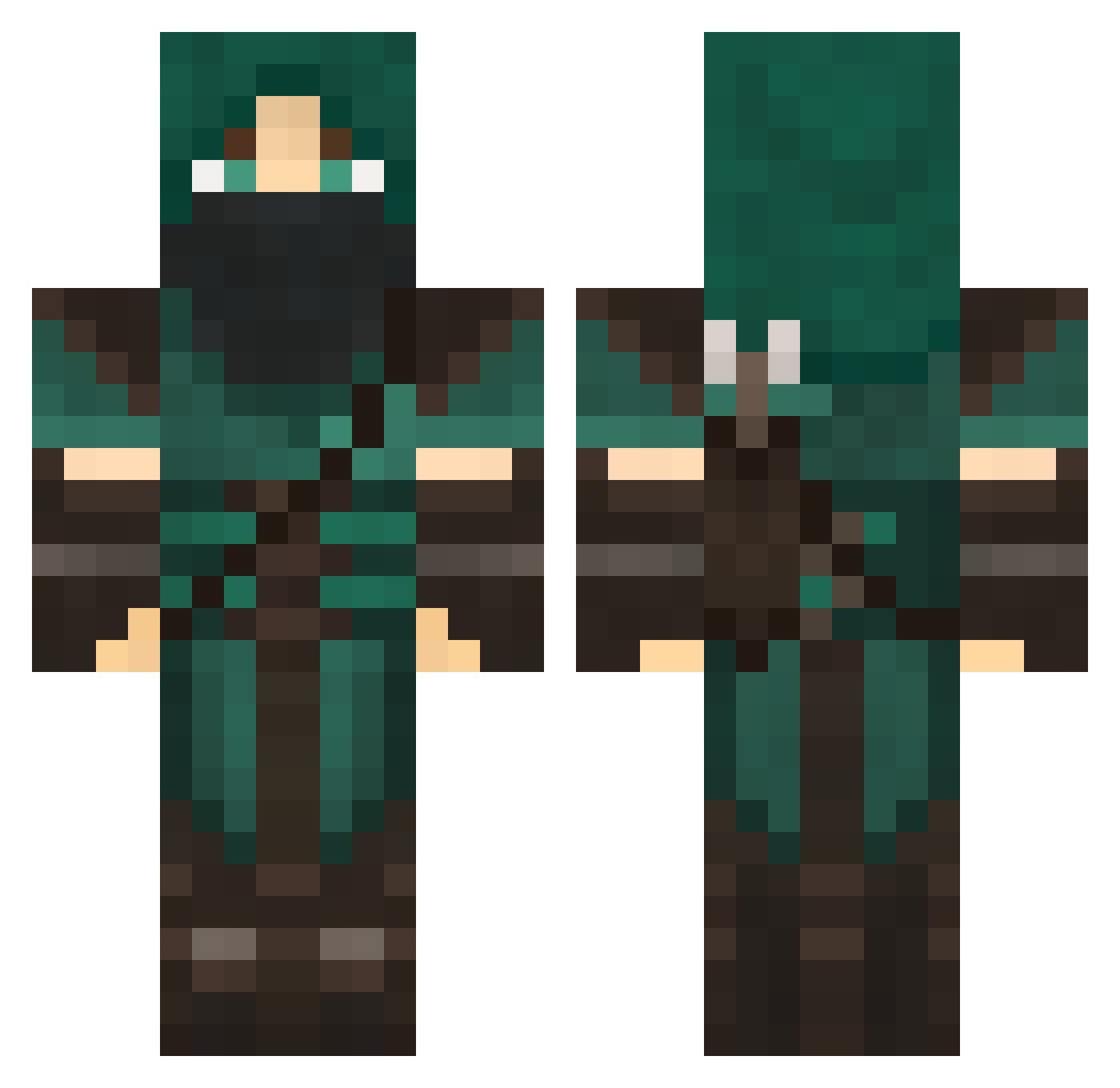
Current Minecraft skin of the player H3rm3l, loaded from the official Mojang API. Rotate the 3D model with your mouse or finger, then download the skin as a PNG file and use it in Minecraft: Bedrock Edition or Java Edition for free. When H3rm3l changes their skin, this page updates automatically and the old skin stays in the history below.
Other players with this skin (707)
H3rm3l was the 593rd player we have seen with this skin, first spotted on 20.10.2026. The same skin was seen on these players. Open a nickname to see their current skin and skin history.
 goochmonkey EclipseOmega XrfX Chrrub bones1166 Kapital17 Phrixie Evilpigges Llencire Bearenstein direcnon Dandamos Daarkyxx YummyFriedRice Deathtec FalcoreShadow LUKEBOSS4365 SkyGrunt1 Hawxthorn brantfunk547 joreke4 Arcanis01 Warigul dwildes Iterathi Velithe Lime_Man MindTripped Lahe5 qabplay flathats Partially_Panda hand1234 Viceltorio Taugosz Baltic_Cookie Panthertats Willissocoollike Deader zombieslayer323 Spank_Tank_69 Macasan stoneCole1 aagaardhansen ac1814 Dark_Angel_92 Blue_sheep441443 VisionZ_ AdrianMac42 Slappy_M cardsharp1651 khobal Jakiern fredthefrog123 cowpat10 h1967 Awesomeapple94 MinerGkar1977 NLNeesd Drifter91
More Rogue Minecraft skins
How to install the H3rm3l skin
- Press the Download button above to save the skin as a PNG file.
- Minecraft: Bedrock Edition (PE): open the Dressing Room from the main menu (or tap your character → Edit Character), go to Classic Skins → Owned, press the + (new skin) button, choose the downloaded PNG and pick the Classic (Steve) model. Works on PC and mobile; consoles cannot import custom skins.
- Minecraft: Java Edition: open the Minecraft Launcher, go to the Skins tab, click New Skin, load the PNG, pick the Classic (Steve) model and press Save & Use. You can also upload it at minecraft.net → Profile → Change Skin.
The skin does not show up after import - what should I do?
Restart Minecraft and open the Dressing Room again - imported skins sometimes appear only after a restart. Also make sure you selected the imported skin and picked the Classic (Steve) model.
Which model should I choose, Classic or Slim?
This skin is designed for the Classic (Steve) model. If you pick the wrong model, the arms of the skin will look stretched or squeezed.
Is the skin of H3rm3l free to download?
Yes. Press Download, save the PNG file and use it in Minecraft: Bedrock Edition or Java Edition - no payment or registration needed. The skin also works on multiplayer servers and Realms.
More skins
Looking for more? Go back to all Minecraft skins and check the top skins of the week, month and all time, or find any player's skin by nickname.