
H2OBubbles - Minecraft Skins & Skin History
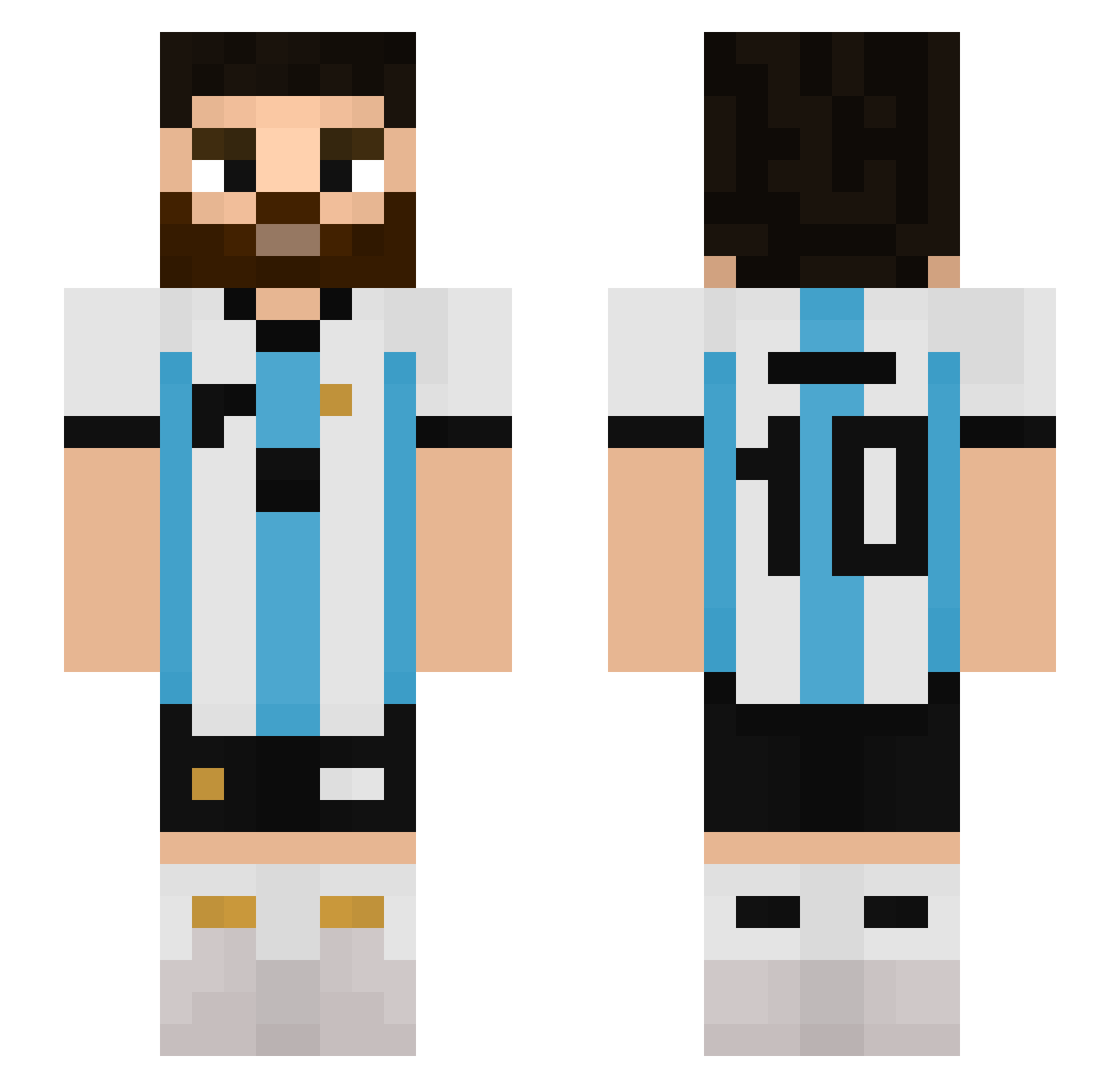
Current Minecraft skin of the player H2OBubbles, loaded from the official Mojang API. Rotate the 3D model with your mouse or finger, then download the skin as a PNG file and use it in Minecraft: Bedrock Edition or Java Edition for free. When H2OBubbles changes their skin, this page updates automatically and the old skin stays in the history below.
Other players with this skin (512)
H2OBubbles was the 391st player we have seen with this skin, first spotted on 03.10.2026. The same skin was seen on these players. Open a nickname to see their current skin and skin history.
 Jokesta_ TheMasterPvP1 SartenDeCeramica sasha_sefu Nemegax 2D_Lewito ElTunita24 Gaelicc Matei_exe M1EBOSS Ivan0126 oXoFRANCEZCOoXo Jer3_ diangelo59 SebastianfT9 Maga146 zScorpin tayopi EK1N3314 skyxmarita Nakamori_Akina Colott8 alejandro268749 Zunii2710 SrAdrianV javiii_707 Brainstop falconverde11 Jonas030301 AxelGP2K yoonhu0310 Profeta2 JhosuexGamer riquellme Nite_bell taeeon Rixijs hugh_jass200 glizmister AGUEROO00o Mesinaldo Fernannn22 FranMaggi98 lslo12 cristhiansr Pat__playz JEFFRYSAM King_br7 Plumaplop Brunocraftt gena185 Fullthrower2112 hotdog3313 Palteinzenberg messi10wordcup tinygamer2647 ordb LionelSantos cagravc Mess_10
More Argentina Minecraft skins
How to install the H2OBubbles skin
- Press the Download button above to save the skin as a PNG file.
- Minecraft: Bedrock Edition (PE): open the Dressing Room from the main menu (or tap your character → Edit Character), go to Classic Skins → Owned, press the + (new skin) button, choose the downloaded PNG and pick the Slim (Alex) model. Works on PC and mobile; consoles cannot import custom skins.
- Minecraft: Java Edition: open the Minecraft Launcher, go to the Skins tab, click New Skin, load the PNG, pick the Slim (Alex) model and press Save & Use. You can also upload it at minecraft.net → Profile → Change Skin.
The skin does not show up after import - what should I do?
Restart Minecraft and open the Dressing Room again - imported skins sometimes appear only after a restart. Also make sure you selected the imported skin and picked the Slim (Alex) model.
Which model should I choose, Classic or Slim?
This skin is designed for the Slim (Alex) model. If you pick the wrong model, the arms of the skin will look stretched or squeezed.
Is the skin of H2OBubbles free to download?
Yes. Press Download, save the PNG file and use it in Minecraft: Bedrock Edition or Java Edition - no payment or registration needed. The skin also works on multiplayer servers and Realms.
More skins
Looking for more? Go back to all Minecraft skins and check the top skins of the week, month and all time, or find any player's skin by nickname.