
H00ter - Minecraft Skins & Skin History
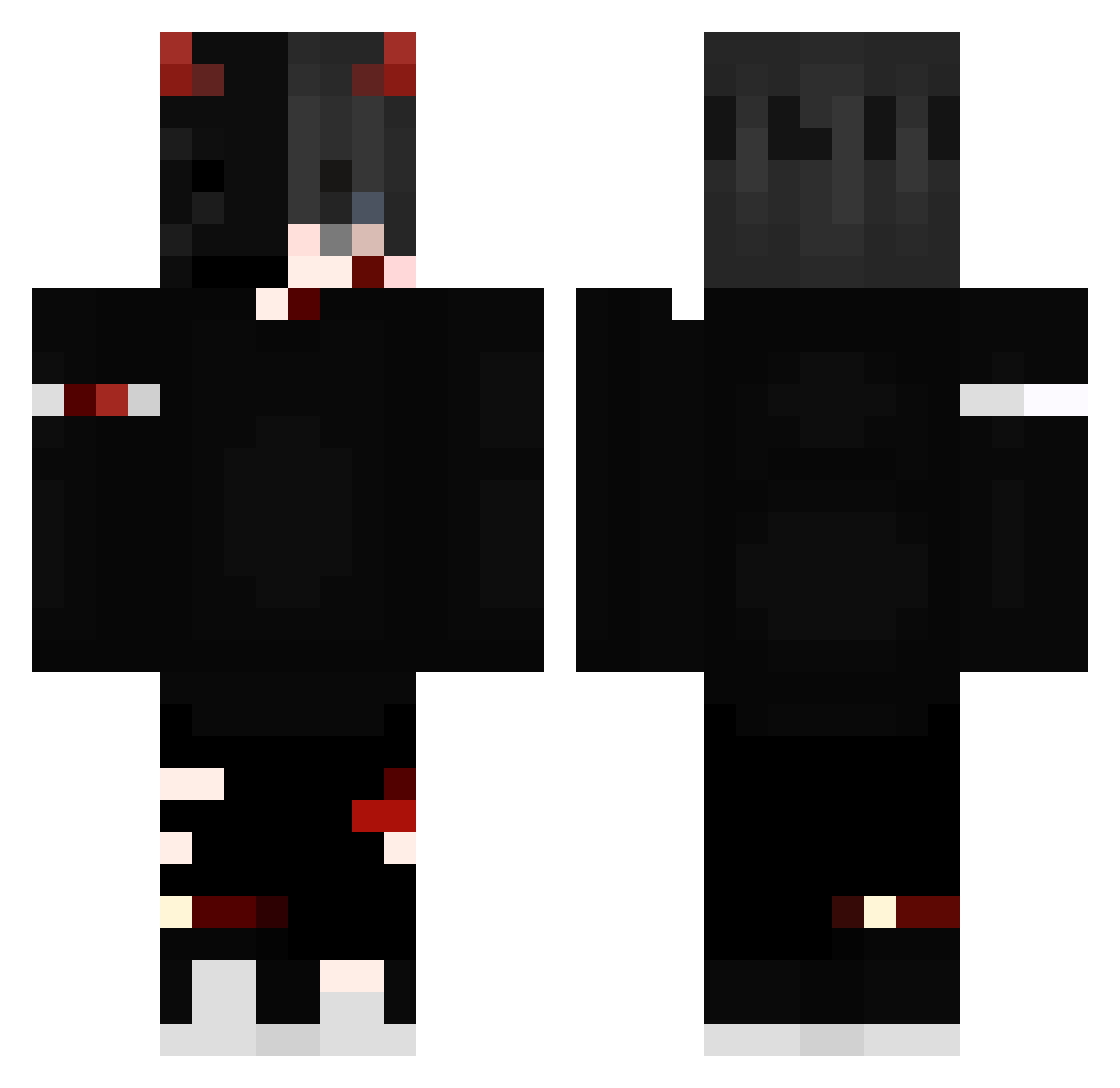
Current Minecraft skin of the player H00ter, loaded from the official Mojang API. Rotate the 3D model with your mouse or finger, then download the skin as a PNG file and use it in Minecraft: Bedrock Edition or Java Edition for free. When H00ter changes their skin, this page updates automatically and the old skin stays in the history below.
Other players with this skin (295)
H00ter was the 235th player we have seen with this skin, first spotted on 29.10.2026. The same skin was seen on these players. Open a nickname to see their current skin and skin history.
 mark3xy foxy_the_pirate1 N_E_B_U_Laaa Animarum Manuelix19 ikilleddominic Ismael_Zl EthanFam7 sidysleader Valtryek257 SpiderWeeb13 AplxOneTap JohnnyIshimura optical_mb Czr2mel HelllsHonor sinty21 XxMarvelJanoxX Reikshadow popw blackz66 _niu_bi_ bobj01 JasonWu_6511 McSquirrelen SwornKeeper qdensk TheRipper00 Alekevin12 dejvikkk kakashi29378 SADJonas_ Stuffer2007 Pepe_BR_2011 Jopaf mydogbeatsmeXD TheBlin4ik228l AhmetAkif Kokunutty N0bleH4rmony mangokeese ZestyGorilla256 SniperShy09 MannoERROR magnesic Magicwater57 XBossyX lukiluc25 IllegalKat5 Black_King290 RoliverHd werewolfboy89 GabrielzinTaDeAk Sha1ev Vcinity RicKtheKennyKS Demon4969 xNoah4k _MF_Psycho_ codex00015
More Edgy Minecraft skins
How to install the H00ter skin
- Press the Download button above to save the skin as a PNG file.
- Minecraft: Bedrock Edition (PE): open the Dressing Room from the main menu (or tap your character → Edit Character), go to Classic Skins → Owned, press the + (new skin) button, choose the downloaded PNG and pick the Classic (Steve) model. Works on PC and mobile; consoles cannot import custom skins.
- Minecraft: Java Edition: open the Minecraft Launcher, go to the Skins tab, click New Skin, load the PNG, pick the Classic (Steve) model and press Save & Use. You can also upload it at minecraft.net → Profile → Change Skin.
The skin does not show up after import - what should I do?
Restart Minecraft and open the Dressing Room again - imported skins sometimes appear only after a restart. Also make sure you selected the imported skin and picked the Classic (Steve) model.
Which model should I choose, Classic or Slim?
This skin is designed for the Classic (Steve) model. If you pick the wrong model, the arms of the skin will look stretched or squeezed.
Is the skin of H00ter free to download?
Yes. Press Download, save the PNG file and use it in Minecraft: Bedrock Edition or Java Edition - no payment or registration needed. The skin also works on multiplayer servers and Realms.
More skins
Looking for more? Go back to all Minecraft skins and check the top skins of the week, month and all time, or find any player's skin by nickname.