
Gyu_Ha - Minecraft Skins & Skin History
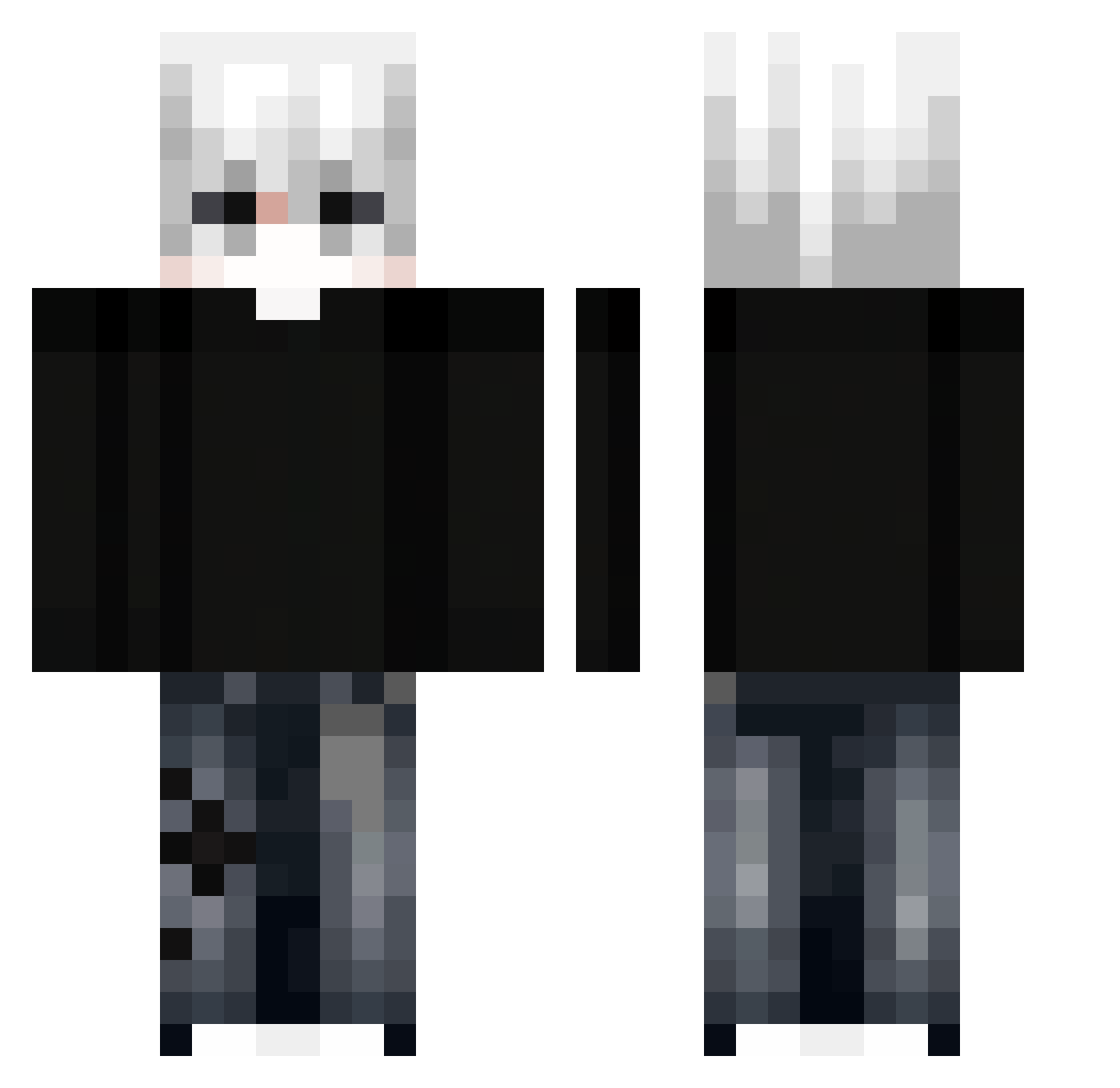
Current Minecraft skin of the player Gyu_Ha, loaded from the official Mojang API. Rotate the 3D model with your mouse or finger, then download the skin as a PNG file and use it in Minecraft: Bedrock Edition or Java Edition for free. When Gyu_Ha changes their skin, this page updates automatically and the old skin stays in the history below.
Other players with this skin (351)
Gyu_Ha was the 216th player we have seen with this skin, first spotted on 03.10.2026. The same skin was seen on these players. Open a nickname to see their current skin and skin history.
 Mountain_rasd wow_man54 devilish_uk lie_of_lie SalvoM1803 lilbabbons antoniocTKM998 RONAs_7 TheDengNuo Navaor Zfinx7 vietnecon dzxy_1 CloudX_7 Lmrii niikkii_ xen213 josephiss Hayu4510 DeadLineee AaronTAIWAN huabubai kierupi toastzin XHaz0X sluxghter Jason_67456 BigBlackOak dyxxzz kveedee choso2009 xMeevz Leokikito xVanzly Loocje CeilingFan_12 FezuGames klal01 Phil__XD PuneIntended Frustare incredibly_slow AlexPvpK JEnross Ddrewie Fenyx5915 NotSaehzz JBforlove15 NamLuvCat YusufBoss XDYang zCalango34 zxk_alejandr0 Tirex500 Milyukov GothicRunes Tom99009 le0n_likesBW Jemattos TristeTemps__
More E-Boy Minecraft skins
How to install the Gyu_Ha skin
- Press the Download button above to save the skin as a PNG file.
- Minecraft: Bedrock Edition (PE): open the Dressing Room from the main menu (or tap your character → Edit Character), go to Classic Skins → Owned, press the + (new skin) button, choose the downloaded PNG and pick the Classic (Steve) model. Works on PC and mobile; consoles cannot import custom skins.
- Minecraft: Java Edition: open the Minecraft Launcher, go to the Skins tab, click New Skin, load the PNG, pick the Classic (Steve) model and press Save & Use. You can also upload it at minecraft.net → Profile → Change Skin.
The skin does not show up after import - what should I do?
Restart Minecraft and open the Dressing Room again - imported skins sometimes appear only after a restart. Also make sure you selected the imported skin and picked the Classic (Steve) model.
Which model should I choose, Classic or Slim?
This skin is designed for the Classic (Steve) model. If you pick the wrong model, the arms of the skin will look stretched or squeezed.
Is the skin of Gyu_Ha free to download?
Yes. Press Download, save the PNG file and use it in Minecraft: Bedrock Edition or Java Edition - no payment or registration needed. The skin also works on multiplayer servers and Realms.
More skins
Looking for more? Go back to all Minecraft skins and check the top skins of the week, month and all time, or find any player's skin by nickname.