
Gxhhai - Minecraft Skins & Skin History
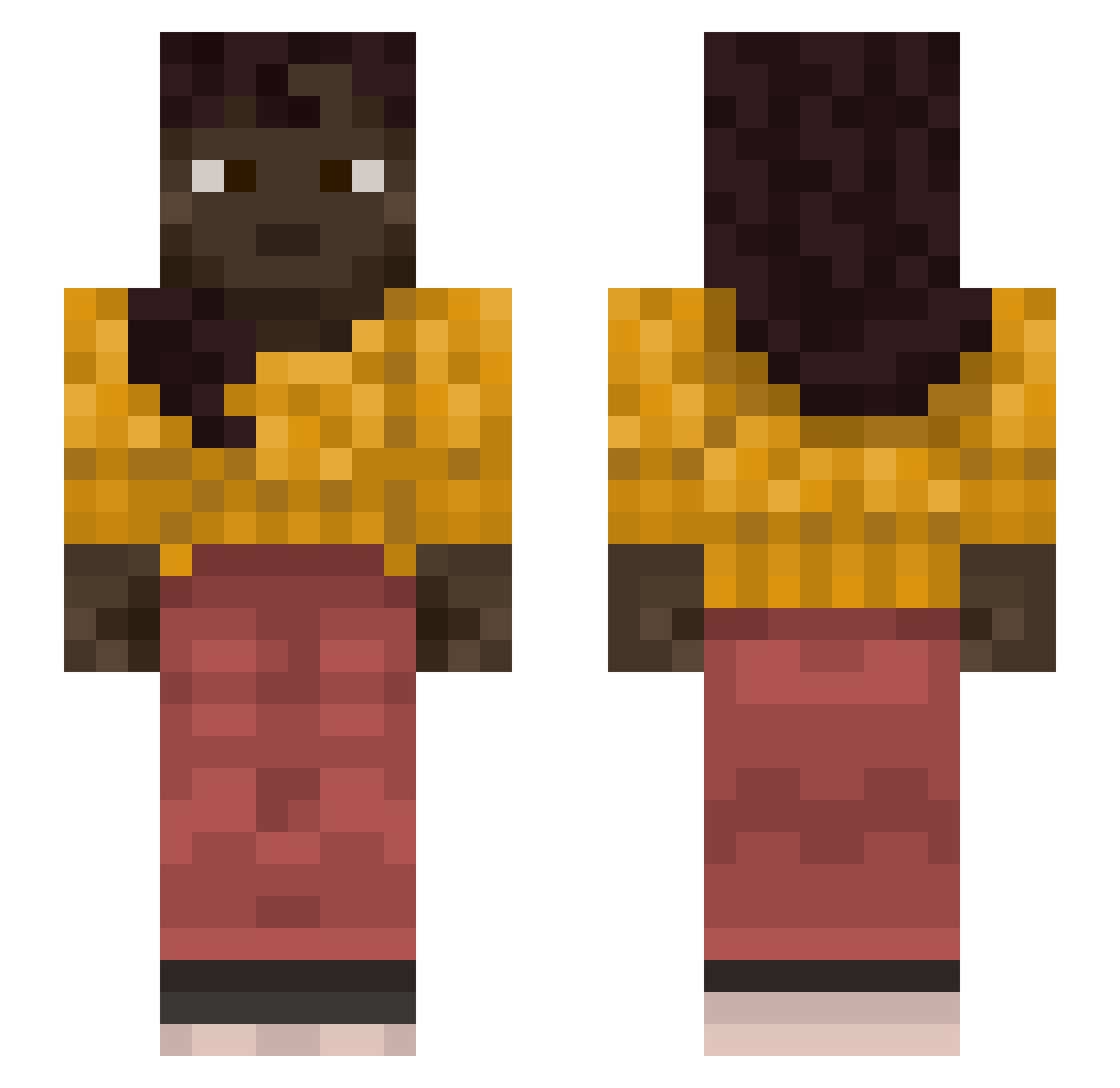
Current Minecraft skin of the player Gxhhai, loaded from the official Mojang API. Rotate the 3D model with your mouse or finger, then download the skin as a PNG file and use it in Minecraft: Bedrock Edition or Java Edition for free. When Gxhhai changes their skin, this page updates automatically and the old skin stays in the history below.
Other players with this skin (1128)
Gxhhai was the 274th player we have seen with this skin, first spotted on 19.08.2026. The same skin was seen on these players. Open a nickname to see their current skin and skin history.
 DeathBlade21
 JOTNEXBR aturaxleon bonkuwuwu fnb7bkb Billows ArowiMP Deathsgate TavukPilavTK
 AlanRubioESP predestinator Superimpose Countrymen hiiilli Inorb midis Q_Myks _czarny_zyd Rithmatisth Pandionidae cotoin inveigler Stoppable Spilmestemartin JJollaWoman Rehead misogynous hromlak haventmetyou4u Chime picus FireLettuce0210 Streeler bartozzzzz Mehkas Baume Rejuvenating lohldohl Reaving Llyyy MaxDeDong69 Campfire Sphinges amoeBae Ghent ironworkers Lacklustrous Flex_Offender69_ SlymX RiceEater4138
 Epiclollipop16 kylpykaveri WielebnyPawlo Shevah Moufflon Ildla Bronx64 lomka_x SK3L3 SperQu
More Braid Minecraft skins
How to install the Gxhhai skin
- Press the Download button above to save the skin as a PNG file.
- Minecraft: Bedrock Edition (PE): open the Dressing Room from the main menu (or tap your character → Edit Character), go to Classic Skins → Owned, press the + (new skin) button, choose the downloaded PNG and pick the Slim (Alex) model. Works on PC and mobile; consoles cannot import custom skins.
- Minecraft: Java Edition: open the Minecraft Launcher, go to the Skins tab, click New Skin, load the PNG, pick the Slim (Alex) model and press Save & Use. You can also upload it at minecraft.net → Profile → Change Skin.
The skin does not show up after import - what should I do?
Restart Minecraft and open the Dressing Room again - imported skins sometimes appear only after a restart. Also make sure you selected the imported skin and picked the Slim (Alex) model.
Which model should I choose, Classic or Slim?
This skin is designed for the Slim (Alex) model. If you pick the wrong model, the arms of the skin will look stretched or squeezed.
Is the skin of Gxhhai free to download?
Yes. Press Download, save the PNG file and use it in Minecraft: Bedrock Edition or Java Edition - no payment or registration needed. The skin also works on multiplayer servers and Realms.
More skins
Looking for more? Go back to all Minecraft skins and check the top skins of the week, month and all time, or find any player's skin by nickname.